






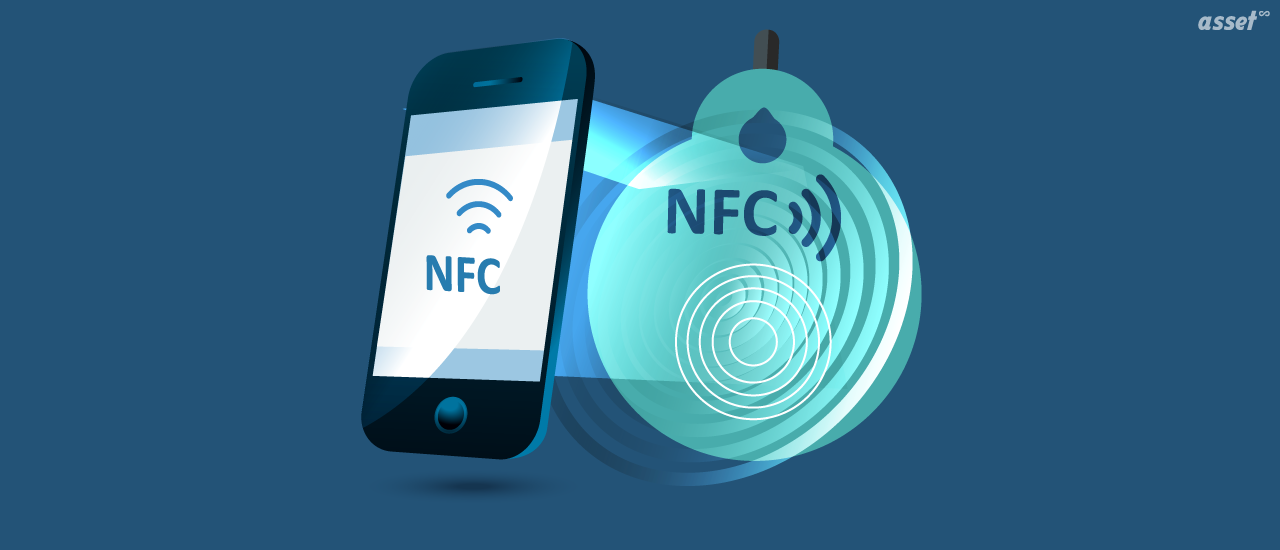
NFC use cases are all around you: tapping a card or phone to pay, opening an office door with a badge, boarding a bus, pairing headphones, or checking that a product is genuine. Near field communication (NFC) is the short-range wireless technology behind each of them, and almost every smartphone sold today has it built in.
For businesses, the same technology identifies equipment, logs security patrols and records who used what. This guide explains what NFC is, how NFC on a phone works, the most common NFC applications by industry, and the advantages and disadvantages of NFC compared with QR codes, RFID and Bluetooth tags.
What Is NFC Technology?
Near field communication (NFC) is a wireless technology that lets two devices exchange small amounts of data when they are held a few centimeters apart. It runs at 13.56 MHz, the same frequency as high-frequency RFID. A passive NFC tag has no battery: it takes its power from the phone or reader that touches it, then sends back its ID or a short message.
How NFC works
NFC devices work in three modes:
- Reader/writer. A phone reads or writes a passive NFC tag, such as a sticker on a poster or a label on a machine.
- Card emulation. The phone behaves like a contactless card, which is how mobile wallets pay at a card terminal.
- Peer-to-peer. Two NFC-enabled devices exchange data directly, for example to pair a speaker or share a contact.
The very short range is deliberate. A transaction happens only when someone chooses to bring the device close, which is why NFC suits payments and access control.
NFC on Your Phone: How to Use It
Most Android phones and every iPhone from the iPhone 7 onward have an NFC chip. What you can do with it depends on the phone.
Is my phone NFC enabled?
- Android: open Settings and search for “NFC”. It is usually under Connected devices or Connections. If the setting exists, the phone has NFC, and you can switch it on there.
- iPhone: NFC is always on and has no switch. iPhone XS and later models read NFC tags in the background when the screen is on. iPhone 7 and 8 models read tags through an app.
What you can do with phone NFC
- Pay with a mobile wallet at a contactless terminal.
- Tap a transit gate or a bus reader with a phone or watch.
- Read a smart poster or product label to open a web page.
- Pair headphones or speakers by touching them.
- Run a shortcut or automation when the phone touches a programmed tag.
- Scan an NFC tag on equipment to open its record in a business app that supports it.
To read a tag, hold the top or back of the phone (where the antenna is) against it for a moment. Phone cases thicker than a few millimeters, and metal behind the tag, can stop it reading.
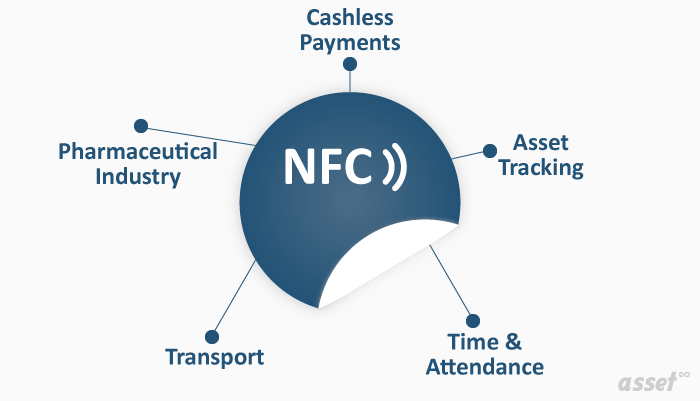
Common NFC Use Cases and Applications
Contactless payments
The most familiar NFC application. Contactless cards and mobile wallets such as Apple Pay and Google Wallet use NFC card emulation. The card number is not handed to the merchant in a mobile wallet payment; a token stands in for it.
Access control and time and attendance
Office badges, hotel key cards and campus ID cards are often NFC or related high-frequency cards. Tapping in at a door or a time clock records who entered and when, without anyone typing a name.
Transport and ticketing
Transit cards and phone tickets let travelers tap through gates and onto buses. Operators move fewer paper tickets and passengers board faster.
Asset tracking and maintenance
An NFC tag on a piece of equipment carries its ID. A technician taps it with a phone to confirm they are at the right machine, open its record or log an inspection. Security teams use tags at checkpoints, so a tap proves a patrol reached each one. The definitive guide to NFC asset tracking covers this in detail.
Healthcare and pharmaceuticals
NFC labels on medicines and medical devices let a phone check that a product is genuine, and some show whether a package has been opened. Hospitals use NFC wristbands and tags to identify patients and equipment at the bedside. See why healthcare uses NFC tags and labels.
Retail and marketing
Smart posters, shelf labels and product packaging open product information, reviews or offers when a shopper taps them.
NFC Advantages and Disadvantages
NFC is convenient and secure for close-range use, and limited by that same short range. Here is how the trade-off looks.
| Advantages of NFC | Disadvantages of NFC |
|---|---|
| Built into almost every smartphone, so no extra reader is needed | Range of a few centimeters, so each tag must be touched one at a time |
| Passive tags need no battery and last for years | Tags hold only a small amount of data, usually an ID or a web address |
| Works in poor light and through dirt that would hide a barcode | Metal surfaces interfere unless you use on-metal tags |
| The short range makes accidental or remote reads unlikely | Tags cost more than a printed barcode or QR label |
| Fast: a tap takes about a second | No location: a tag says what an item is, not where it is |
| Can be locked or encrypted, and used for payments | Older or low-cost phones may lack NFC; some iPhones read tags only through an app |
Is NFC secure?
The short range makes NFC harder to eavesdrop on than longer-range wireless. Payments add tokenization and authentication on the phone. Plain NFC tags, however, can be read by anyone who taps them, so do not store sensitive data on an unencrypted tag. Store an ID and keep the details in a system that controls access.
NFC vs QR Codes vs RFID vs BLE
For identifying assets, NFC is one of four options. The right one depends on how often you count, how far away items are and what the label must survive.
| QR code or barcode | NFC tag | UHF RFID tag | BLE tag | |
|---|---|---|---|---|
| Read with | Phone camera or scanner | Phone or NFC reader | RFID handheld or fixed reader | Phone or gateway |
| Read range | Line of sight | A few centimeters | Several meters | Tens of meters |
| Reads many at once | No | No | Yes | Yes |
| Battery | None | None | None (passive) | Yes |
| Shows location | No | No | Near a reader | Approximate, near a phone or gateway |
| Relative cost | Lowest | Low | Moderate | Highest |
| Best for | Most assets people walk up to | Tap-to-confirm, patrols, damp or dirty labels | Counting rooms, gateways, high volumes | Finding items that move indoors |
The comparison of RFID vs NFC for asset tracking goes deeper into the two radio options. For printed labels, our free QR code generator makes codes you can test straight away.
How to Start an NFC Project
- Decide what the tap should do. Open a record, log a visit, confirm a check-out or verify a product. Everything else follows from this.
- Choose tags for the surface. Use on-metal tags for machinery and tough or encapsulated tags for outdoor and wash-down areas.
- Write an ID, not data. Program each tag with a unique ID or a link, and keep the details in your system.
- Test with the phones your team uses. Check where each model’s antenna is and whether it reads through cases.
- Lock the tags. Write-protect them once programmed so nobody can overwrite them.
- Tag and record. Fix each tag and link its ID to the right record before the item goes into use.
NFC and Asset Tags in Asset Infinity
Asset Infinity keeps each asset’s identifiers on its record. An asset can carry a QR code, a barcode, an NFC tag, an RFID tag, a BLE tag, a plate number and external IDs, so a team can use the mix that suits each kind of equipment.
- Labels you design and print. The asset tags designer prints QR codes and barcodes in ZPL to thermal printers or as PDF, and writes RFID tags as they print.
- Camera scanning in the app. The mobile app for iOS and Android scans QR codes and barcodes with the camera, offline as well as online, and opens the asset’s record.
- RFID and Bluetooth. On Android, a paired handheld RFID reader reads, writes and locates RFID tags, and the app can find a Bluetooth tag by following the phone’s beep. See RFID asset tracking.
- Counts by scanning. Verification rounds mark each asset verified, moved, damaged or not found.
Frequently Asked Questions
What is NFC used for?
NFC is used for contactless payments, transit tickets, access badges, pairing devices, smart posters, product authentication and identifying equipment for asset tracking and inspections.
What are the main disadvantages of NFC?
Its range is only a few centimeters, each tag must be read one at a time, tags hold little data, and metal can block the signal unless on-metal tags are used.
How do I know if my phone has NFC?
On Android, search Settings for “NFC”; if the setting is there, the phone has it. Every iPhone from the iPhone 7 onward has NFC, and it is always on.
Is NFC the same as RFID?
NFC is a form of high-frequency RFID designed for very short range and for phones. UHF RFID, used in most asset tracking, reads many tags at once from several meters away.
Does NFC use battery or data?
Reading a tag uses very little battery, and NFC itself needs no mobile data. Opening a web page or app record after the tap may need a connection.