






Asset tags you design, print and scan from the same system
Lay out asset tags with a QR code, barcode or RFID chip in the designer, then print them for one asset or a whole selection. Scan one in the mobile app and the asset's record opens.
What you can put on asset tags in Asset Infinity
A visual label designer
Drag text, barcodes, logos, boxes and lines onto the label, with snapping guides and a quarter-millimeter grid for exact placement.
Stock sizes ready
Start from common sizes such as a 50 by 25 mm asset tag, a small asset label, a bin front, a shelf edge or a pallet label.
QR and barcodes
Put a QR code or a linear barcode such as Code 128, Code 39 or EAN-13 on the label.
RFID written as it prints
An RFID label writes the asset's number to its tag during printing. A reprint writes the same number, so the replacement reads as the same asset.
Thermal or PDF
Send labels in ZPL to a thermal printer at 203, 300 or 600 dpi, or download a PDF for sheet labels.
Every print recorded
Each printed label is logged with what was encoded on it, so you can always tell which tag is on which asset.
What are asset tags?
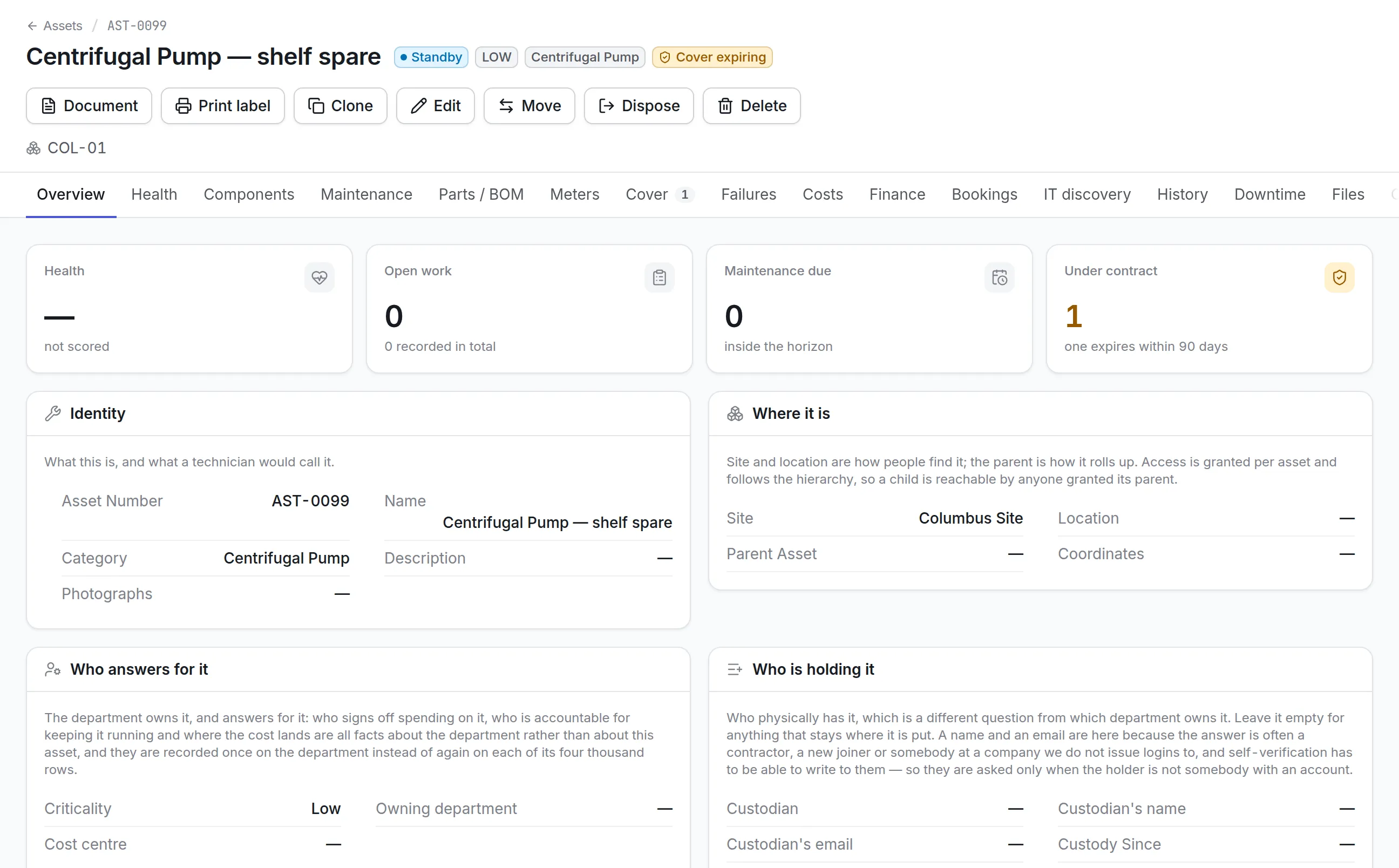
Asset tags are durable labels fixed to equipment that identify it, usually with an asset number and a QR code, a barcode or an RFID chip. Scanning the tag brings up that asset’s record, so the person in front of the machine sees what it is, where it belongs and what work is open on it.
Tags are what make a register checkable. Without them, an audit means reading serial numbers off nameplates and matching them by hand. With them, a count is a walk with a phone.
How asset tags work in Asset Infinity
Label printing is part of the asset register, so the designs, the printers and the print history live beside the records they label. A typical rollout runs like this.
- Design the label.In the label designer you drag text, barcodes, QR codes, logos, boxes and lines onto a canvas drawn at real size, filled in from a real asset so you see what will print. Arrow keys nudge by a quarter millimeter, and snapping guides line things up.
- Pick the stock.Start from a preset such as the 50 x 25 mm asset tag (about 2 x 1 inch), a small asset label, a bin front, a shelf edge, a large plate or a pallet label, or enter your own size and margin.
- Publish it.A design moves from draft to published. Only a published design can be printed by everyone else, so a label being reworked never reaches the storeroom printer early. Mark one design as the default for assets, tools, parts, sites or locations.
- Print one or hundreds.Print label sits on every asset’s page, and Print labels on the register’s bulk bar prints a tag for every selected asset, with a preview and the number of copies of each.
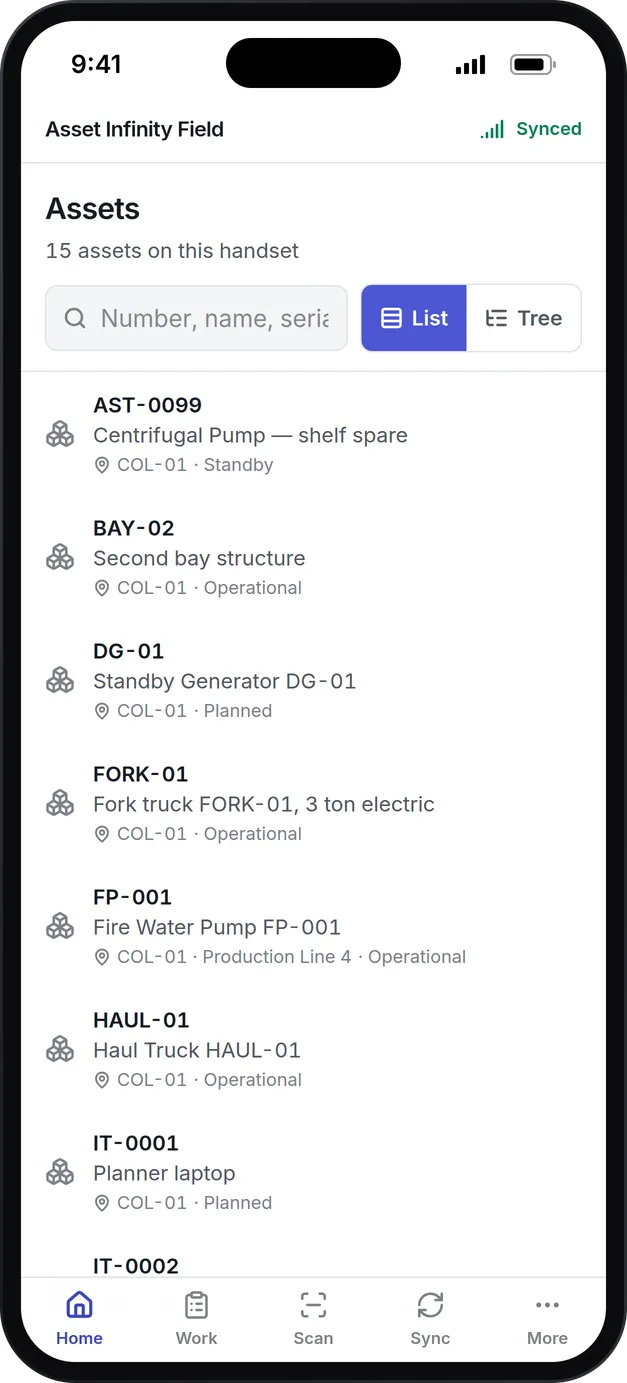
- Scan it anywhere.A scan in the iOS or Android field app opens the asset, works offline, and offers Raise a job, Move and Status from the asset’s screen. Scanned with an ordinary phone camera, the QR code opens a short link to the record after the person signs in.
Every print run is logged with its design, printer, label count, who printed it and when, and a failed run keeps the sentence that explains it.
QR code, barcode or RFID asset tags?
The right symbology depends on how the tag will be read and by whom. All three can sit on one label, and Asset Infinity reads all three.
| Tag type | Read by | Best for | Things to know |
|---|---|---|---|
| QR code | Phone camera, the field app, a desk webcam | Equipment people walk up to: pumps, HVAC units, laptops | Error correction from L (7%) to H (30%) for dirty or scratched surfaces |
| Barcode | Phone camera, handheld or wedge scanners | Sites that already own barcode scanners | Code 128 for anything, Code 39 for older readers, EAN-13 for retail numbers |
| RFID | Handheld RFID readers and fixed readers at doorways | Counting a room or a rack without line of sight, and seeing assets pass a door | Needs a printer with an RFID encoder; tag numbers are written in hex |
See it on your own assets, or price it in two minutes.
What to look for in asset tag software
| Capability | Why it matters | In Asset Infinity |
|---|---|---|
| Labels filled from the record | Typing numbers into a separate label tool is where duplicates start | Fields come from the asset, tool, part, site or location being labeled |
| Real-size preview | A tag that does not fit the stock wastes a roll | Canvas drawn in millimeters and printer dots, with a sample print |
| Thermal printer support | Industrial labels come off thermal printers | ZPL at 203, 300 or 600 dpi, sent straight to a printer on your network |
| A fallback for any printer | Not every site has a thermal printer | PDF download for sheet labels and desktop printers |
| RFID encoding on print | Writing tags by hand afterwards doubles the work | RFID written as the label prints, checked against the register first |
| Logo handling | Gray artwork prints as mush on a thermal head | Logos converted to black and white on upload, with a threshold you adjust |
| Print history | You need to know which tag is on which asset | Every run logged with what was printed and by whom |
Scanning asset tags in the field
A tag is only worth printing if a scan of it lands on the right record. Every scan in Asset Infinity looks up asset numbers, serial numbers, other identifiers such as a legacy tag, and the code printed for the asset.
More detail
A scan only shows what the person may open, so a tag at a site outside their access reads as not found.
RFID asset tags that stay consistent
When a design writes RFID, the tag is encoded as the label prints. By default it carries the same number as the barcode, so a reader and a person report the same thing. Before you print, the designer checks the register and tells you how many numbers will write exactly and which would share a tag with another record.
More detail
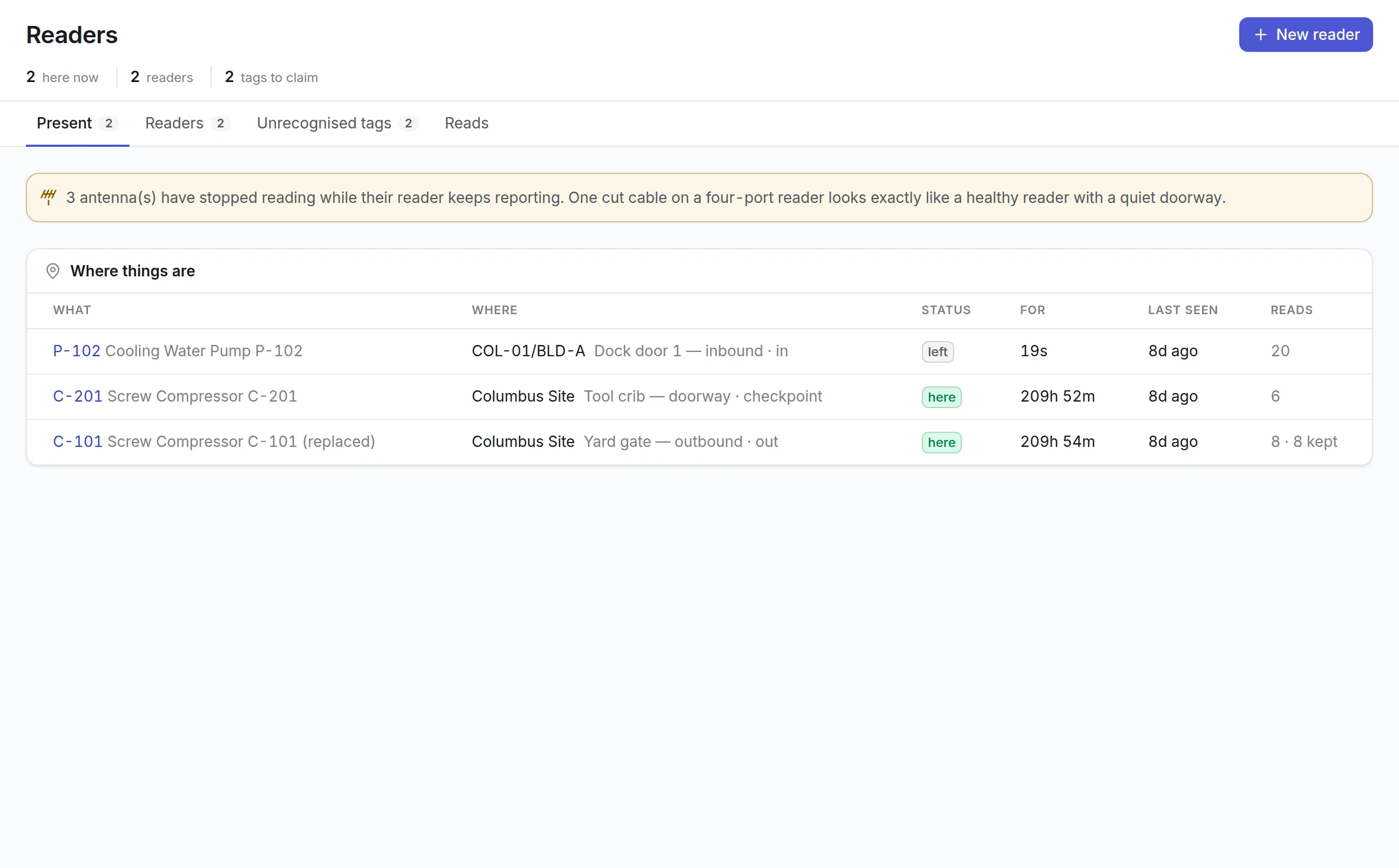
Reprinting a damaged tag writes the same number again, so the replacement reads as the same asset. On Android, a handheld Zebra, TSL or Chainway reader paired with the field app can write an asset’s number onto a blank tag and then help you find it again by beep. Fixed readers at doorways record when a tagged asset passes, which is covered in RFID asset tracking.
Asset tags by industry
Manufacturing
A plant prints large plates for machines on the line and small QR labels for spare motors on the shelf. Technicians scan the machine to open its job, and bin-front labels on the same printer let them scan the bearing they fitted. See manufacturing maintenance.
Hospitals
Biomedical teams tag infusion pumps and monitors with small QR labels printed at the highest error correction, so a scuffed label still reads. A scan at the bedside opens the device with its open work and history.
Schools and campuses
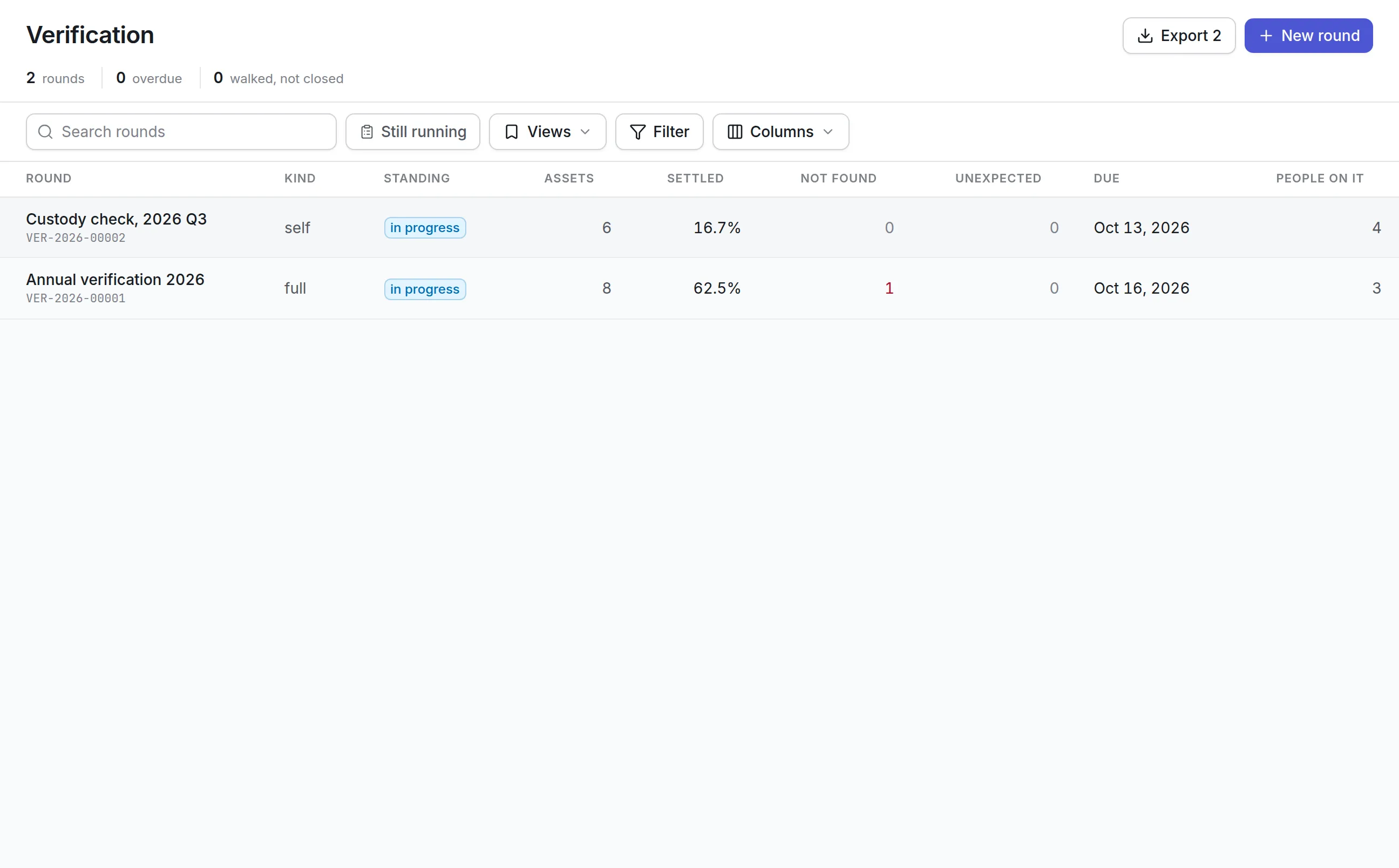
IT and facilities tag laptops, projectors and classroom furniture from one register. A summer verification round walks each building with phones, and the round’s report lists what went missing.
Tool cribs
Tool tags carry the tool number, so a technician scans a torque wrench to check it out against a job from the field app. See tool tracking software.
Pricing for asset tags
Label design and printing come with the asset register, which starts at $130 a month for up to 500 assets with unlimited users. If you would rather not tag a site yourself, asset tagging and the first count can be done for you at $1 per asset. RFID fixed readers are priced per reader per year. Build a quote to see the total for your sites.
Getting started with asset tags
Most teams design one asset tag and one location label in the first week, print tags for their most critical equipment first, and run a verification round on one site to confirm every tag scans to the right record. Tags for the rest of the register follow site by site.
Common questions
What are asset tags?
Asset tags are labels fixed to equipment that identify it, usually with a number and a QR code, barcode or RFID chip. Scanning the tag brings up the asset's record.
What should be printed on an asset tag?
At least the asset number and a code that carries it, such as a QR code or barcode. Many organizations add their logo, the asset name and a short line on who to call, all of which the label designer fills in from the asset record.
Should we use QR code, barcode or RFID asset tags?
QR codes and barcodes are cheap and read with any phone camera, which suits equipment people walk up to. RFID reads without line of sight, which suits counting a room or seeing assets pass a doorway, but needs readers and an RFID printer.
Which label printers can we use?
Thermal printers that accept ZPL, at 203, 300 or 600 dpi, or any printer through a PDF download.
Can we print asset tags in bulk?
Yes. Select assets in the register and print labels for all of them, with the number of copies of each.
Can the mobile app write RFID tags?
Yes, on Android. With a supported handheld Zebra, TSL or Chainway reader paired to the phone, a technician can write an asset's number onto a blank tag from the field app.
See it with your own assets
A demo run on an example from your industry. Or start the trial and look around on your own.