






Inspection management software where a failed check becomes a job
Asset Infinity is inspection management software that schedules checklists as rounds and completes them on a phone with photos and signatures. Each round is scored, and failed checks raise corrective work.
What our inspection management software does for every round
Checklists that score
Questions can be pass or fail, a choice, a measurement with an expected range, a meter reading, a barcode scan, a photo or a signature. Each carries a weight, and the template sets the pass mark.
Critical checks
Mark a question critical and failing it fails the whole round, however well the rest scored.
Failures raise work
A question can raise a corrective work order the moment it fails, at the priority you set, so a finding never waits for someone to retype it.
Photos and notes as proof
Require a photo with an answer, or a note whenever a check fails. Signatures are collected by a mandatory question the round cannot be submitted without.
Rounds on a schedule
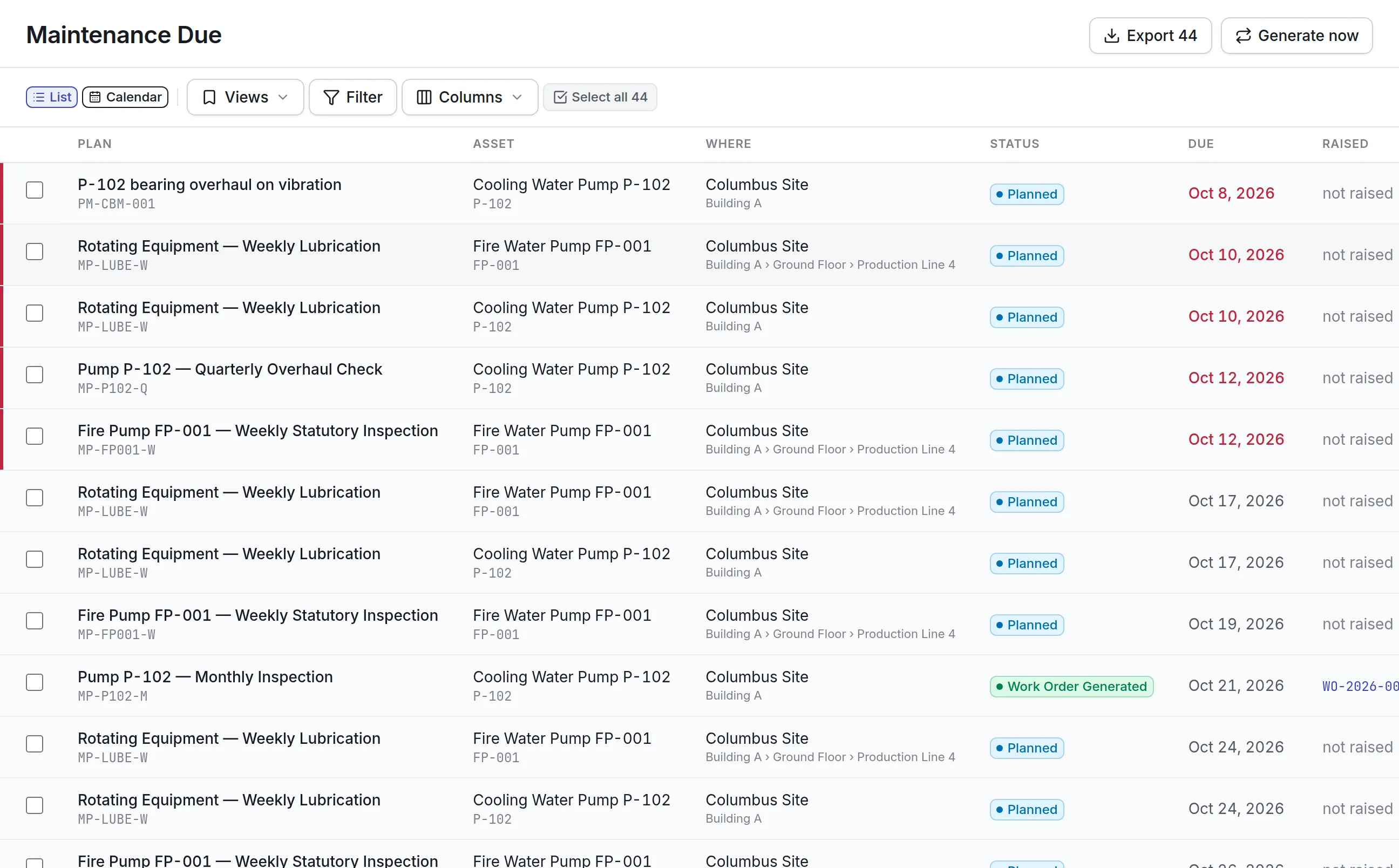
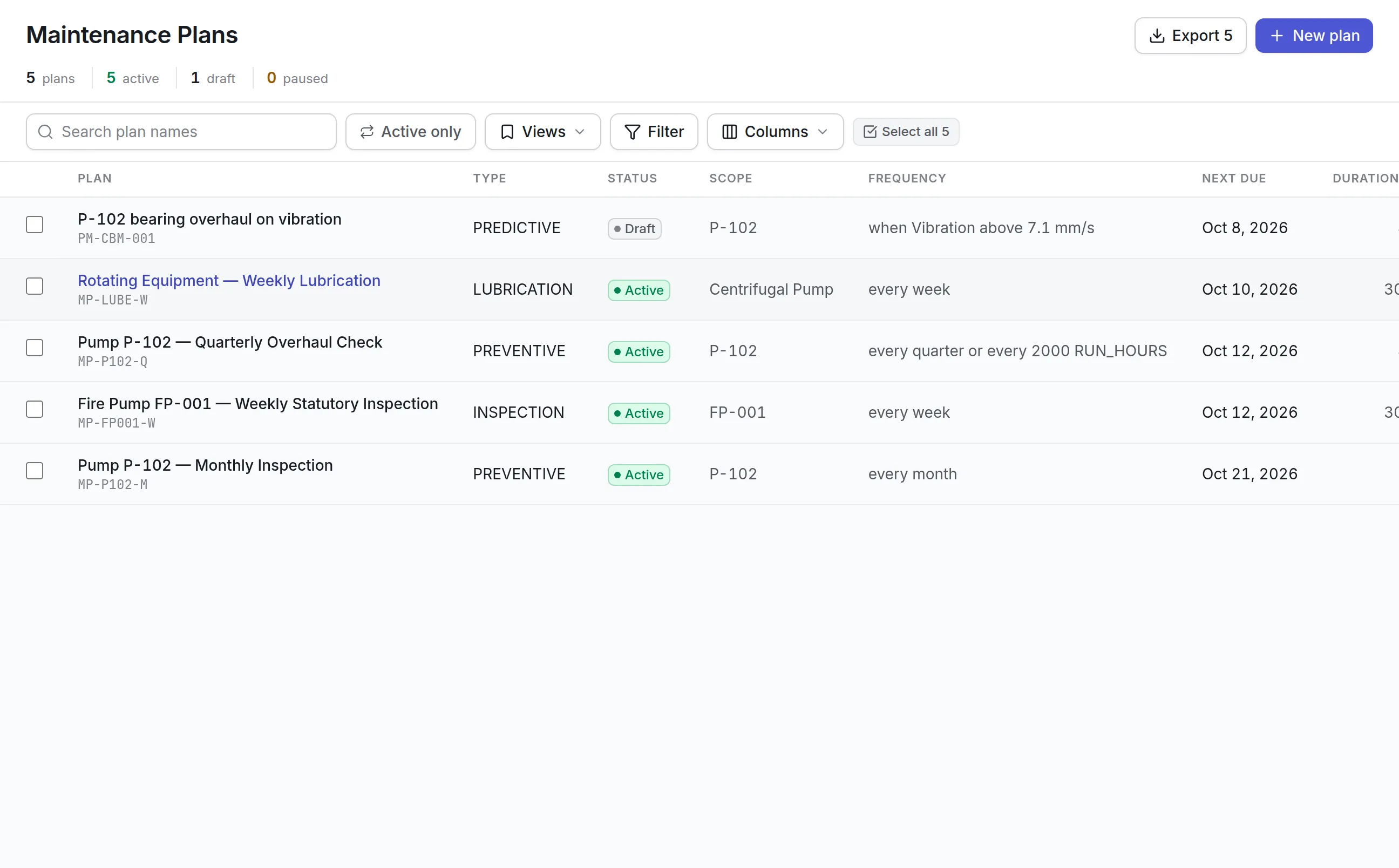
A recurring inspection is a maintenance plan, so weekly statutory checks and monthly surveys fall due and appear on the same calendar as other work.
Versioned templates
Publishing a new version of a checklist never rewrites a round already done, so past evidence stays as it was answered.
What is inspection management software?
Inspection management software schedules inspections, gives inspectors a checklist to complete on a phone or tablet, records every answer with its evidence, and tracks what happens when a check fails. It turns paper checklists and binders into graded records you can search, report on and show an auditor.
Teams buy it when a failed check on paper never becomes a repair, when a statutory inspection is missed because nobody saw it was due, or when an auditor asks for a record that cannot be found.
Every round gets a score and a verdict
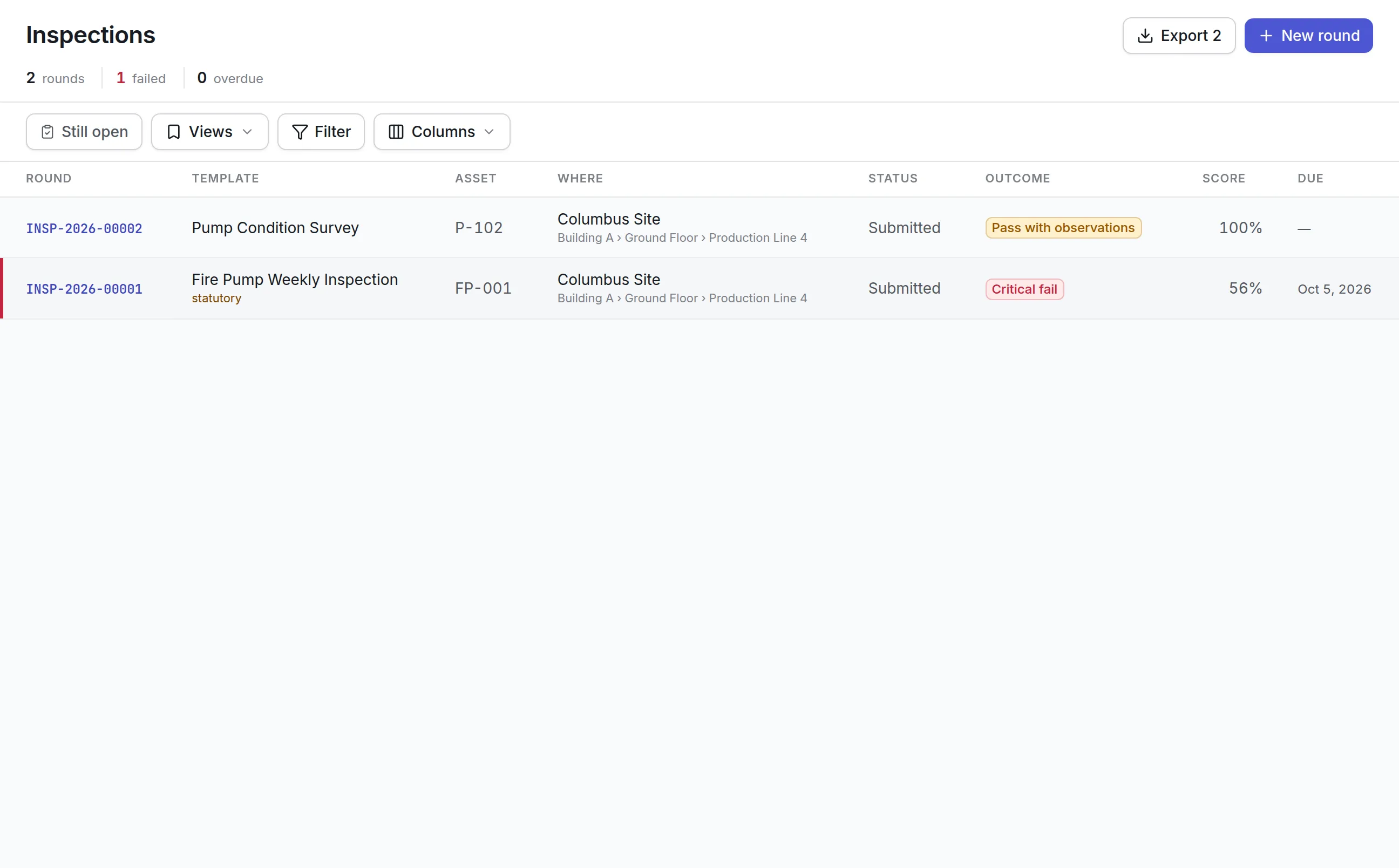
An inspection round in Asset Infinity is a set of checks with expected answers, run against one asset or one place. Unlike a work order’s task list, a round is graded: each answer is judged against what it should have been, and the round gets a score out of 100 and a verdict.
The four verdicts:
- Pass: every check answered within limits.
- Pass with observations: nothing failed, but something was noted worth looking at.
- Fail: a check failed, or the weighted score fell below the template’s pass mark.
- Critical fail: a check marked critical failed, whatever the score.
Grading happens when the round is submitted, so two people who give the same answers get the same result:
| What is decided | How |
|---|---|
| Each check | A reading against its range, pass/fail and yes/no by the answer, a choice against the passing answers, and text, photo and signature checks pass when something is recorded |
| The score | The weight of the checks that passed, out of the weight of every check judged. N/A answers are left out |
| The verdict | Critical fail, then fail, then pass with observations, then pass |
| Findings | One per failed check, with what was read and what was expected |
Each failed check becomes a finding, and a finding on a check set to raise work opens a corrective work order at the priority the template names.
See it on your own assets, or price it in two minutes.
How inspection management software works in Asset Infinity
The steps below follow a weekly statutory inspection on a fire water pump at a facility.
- Build the template.Under inspection settings, a template has a name, an inspection type, a pass mark and the asset categories and sites it is offered for. The default types are Fire safety inspection, Condition monitoring and Pre-start check, and a type can be marked regulatory.
- Write the questions.Each question has a response type: pass/fail, yes/no/not applicable, numeric, measurement, meter reading, text, single choice, multiple choice, photo, signature or barcode. Readings take a unit and a passing range, such as discharge pressure between 8 and 12 bar.
- Mark what matters.Set a question Mandatory, Critical, Requires photo or Requires note on fail, give it a Weight, and switch on Failure creates work order with a Failure priority.
- Publish the version.See it on a phone previews the draft as a technician will meet it. Publish puts it in force for every round raised from then on.
- Schedule it.A maintenance plan whose type raises an inspection creates a round each time it falls due, every week in this case. Rounds can also be raised by hand, or started in the field.
- Answer it at the asset.The technician answers on a phone in the mobile app, even with no signal, adding photos where asked.
- Submit and grade.Submit and grade freezes the answers, scores the round, records the findings and raises the corrective work.
- Review it.A supervisor approves the round or rejects it with What needs doing again. The inspector who carried out a round cannot review it.
An inspection checklist app that works where the asset is
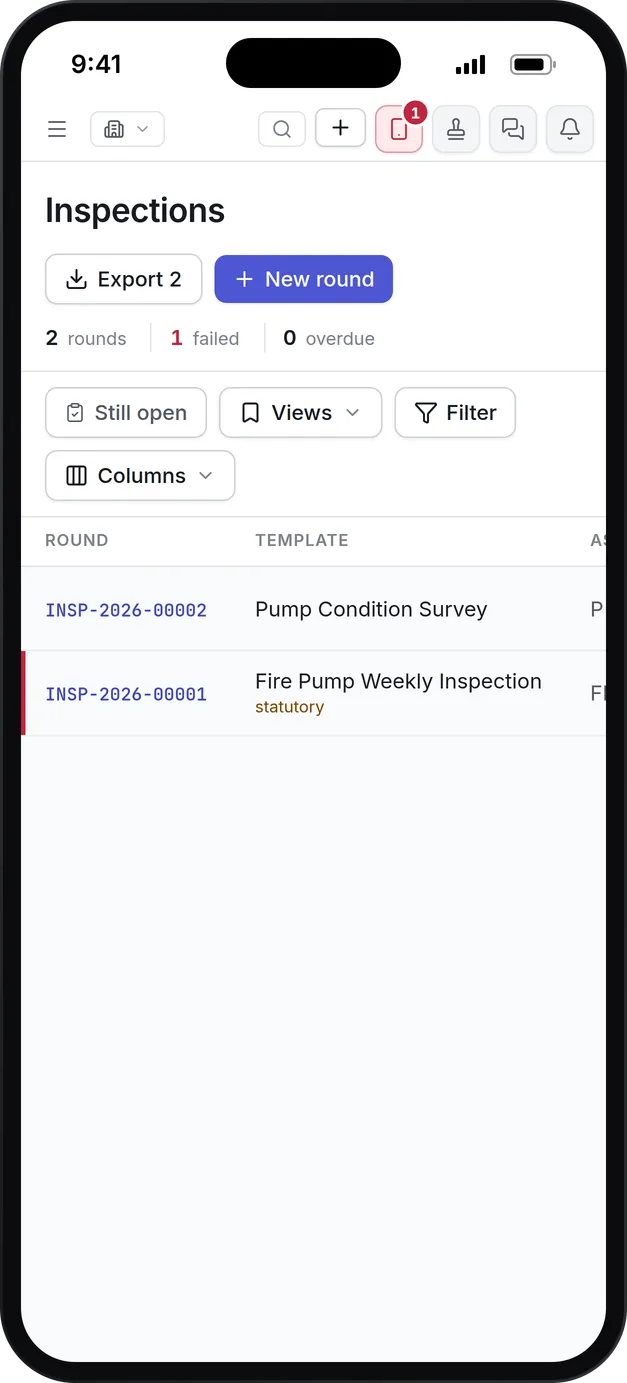
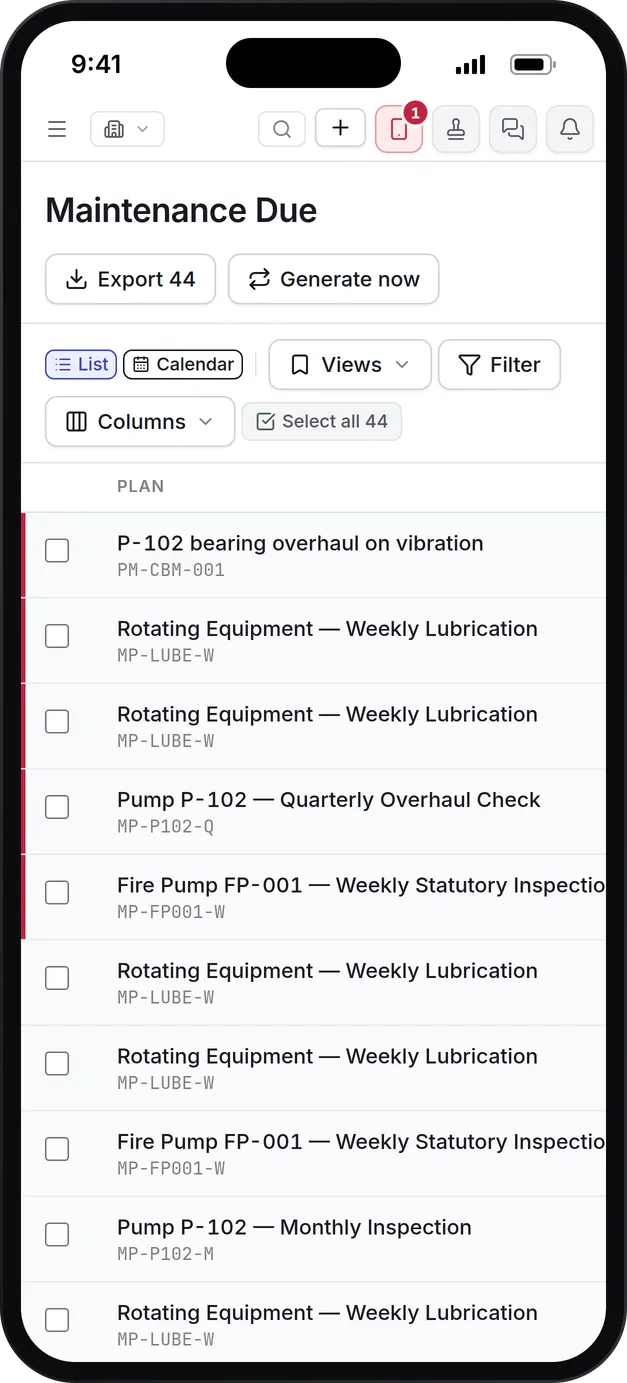
Most inspections happen in plant rooms, roofs and basements, so the round is built for a phone first. The field app holds the round’s questions on the device, answers them with no signal, and sends them on the next sync.
- Cards show one check at a time, with its answer, a note box and the camera.
- Table puts the whole round on one screen, so a long survey can be typed or pasted down a column.
- Where your administrator switches on capture stamping, photographs carry the time and place they were taken.
- A technician can start a round nobody scheduled, at the asset, from the field app.
- Document prints the round from your own template, even half done, for a site that still wants paper on the clipboard.
| Paper checklist | Inspection management software in Asset Infinity |
|---|---|
| Due dates live in someone’s diary | Rounds fall due from a maintenance plan |
| A reading is written down and judged later, if at all | A reading outside its range fails on submit |
| A failed check waits for someone to raise a job | The job is raised when the round is submitted |
| Photos sit on a personal phone | Photos are attached to the check they prove |
| The binder is the only copy | Every round is searchable by asset, template, outcome and date |
Inspections on the same calendar as maintenance
Because a recurring inspection is a maintenance plan, it is planned with the same tools as every other piece of planned work in preventive maintenance software.
- Lead time decides how many days ahead the round appears on the technician’s list.
- Tolerance decides how late is still on time for compliance reporting.
- Rounds can be skipped or deferred with a reason on Maintenance Due.
- A plan with an ordinary work order type can name a template too, and then raises an inspection round beside each job.
- Every round records the template version it was raised against, so publishing a correction never rewrites a round already done.
Findings that turn into work
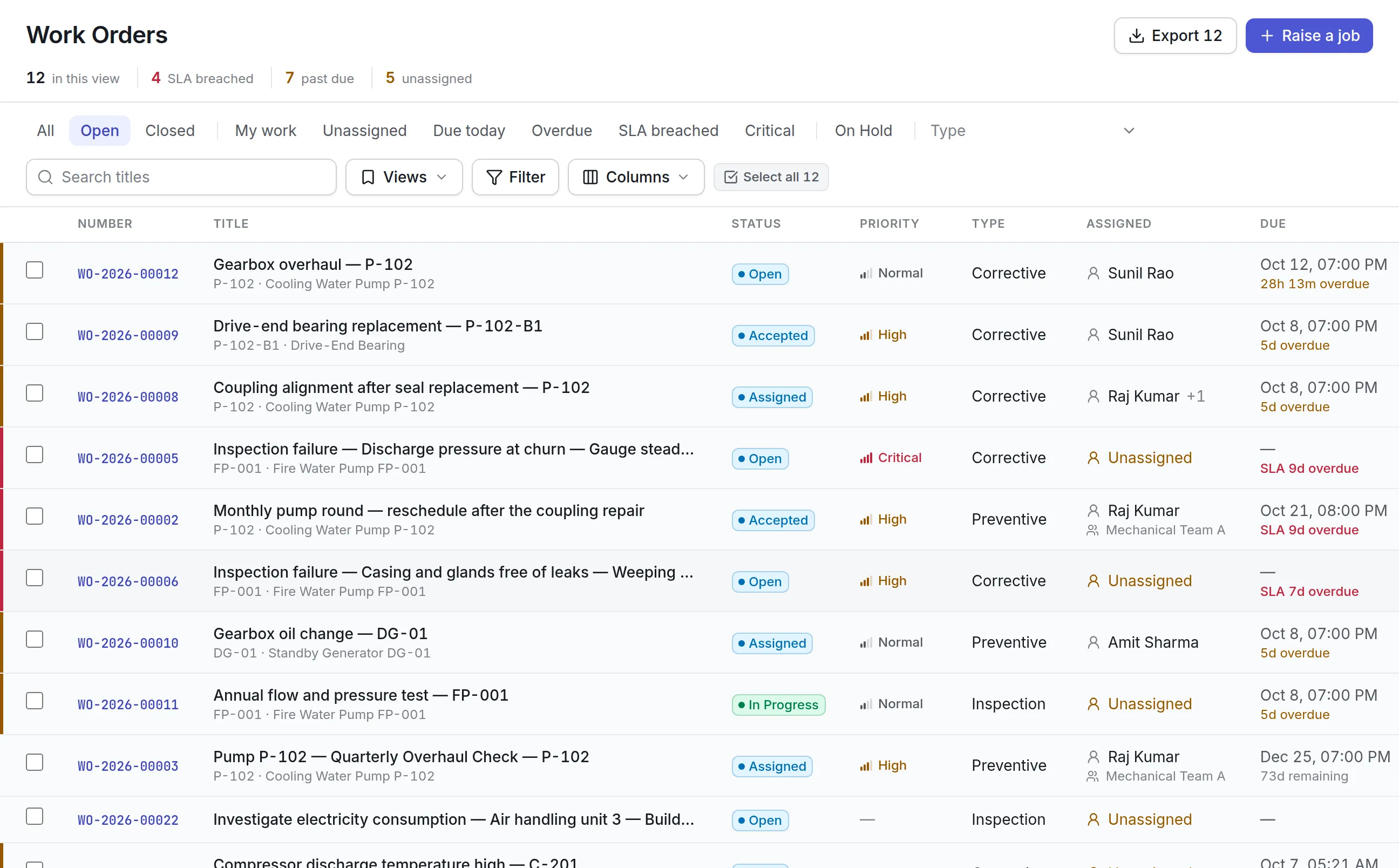
A failed check that waits for someone to retype it is a failed check that gets lost. Findings move on by themselves.
- The Findings tab lists every failed check with what was read and what was expected.
- A finding with no work order offers Raise work, which opens a corrective job carrying the finding as its reason, in work order software.
- Waive records that a failure is knowingly accepted, and Why this is acceptable is required and kept against the finding.
- Findings appear on the asset’s Failures tab and feed the reliability figures.
- Critical findings stay on the dashboards until they are closed or waived.
What to look for when choosing inspection management software
| Capability | Why it matters | In Asset Infinity |
|---|---|---|
| Expected answers and ranges | A checklist with no expected answer judges nothing | Passing ranges for readings and passing answers for choices |
| Weighted scoring and pass marks | Some checks matter more than others | A weight per question and a pass mark per template |
| Critical checks | One unsafe answer should fail the round | Critical questions fail the round whatever the score |
| Work raised from failures | Findings that need retyping get lost | Failure creates a work order at a set priority |
| Versioned templates | Past records must stay as they were answered | Rounds keep the version they were raised against |
| Offline mobile inspections | Plant rooms and basements have no signal | The mobile app answers and starts rounds offline |
| Second-person review | Statutory records need sign-off | Approve or reject, never by the inspector who did the round |
| Scheduling | Missed inspections are the costliest gap | Inspection plans with lead time and tolerance |
Inspection management by industry
Inspection management software looks different in each kind of operation. These are the templates teams usually build first.
Facility management
Weekly fire pump runs, monthly emergency lighting tests and fire door surveys run against each building or each asset. Statutory templates get a regulatory type and a supervisor’s sign-off, and place-based rounds cover what is not an asset, such as a stairwell or a whole floor. See facility management software.
Life sciences and pharma
Equipment checks in regulated areas use versioned templates, required notes on every failure and a second-person review, so each round is a record that stands up to an inspection. Photographs can carry the time and place they were taken, and a rejected round goes back to the inspector with the reason recorded. See GMP maintenance for life sciences.
Fleets and mobile equipment
A pre-start check before each shift covers tires, lights, brakes and fluids, with critical questions that raise urgent work when they fail. The failure is recorded on the vehicle, so a repeat defect shows up in its history. A driver starting a round by hand is offered only the templates written for that vehicle’s category. See fleet maintenance software.
Manufacturing plants
Condition monitoring rounds record temperatures, pressures and vibration readings against ranges, with meter reading questions on the round. Guard and interlock checks are marked critical, so one unsafe answer fails the whole round. Findings feed the reliability figures for each machine, and a round raised beside a planned job travels with the work order, so the technician does both in one visit.
What inspection management software costs with Asset Infinity
The asset register starts at $130 a month for up to 500 assets, with unlimited users. Inspections come with the Maintenance bundle at $25 per user per month, together with work orders and preventive maintenance. Build a quote for your team.
Getting started
Most teams start with the inspections they are already required to do:
What it uses
Common questions
What is inspection management software?
Inspection management software schedules inspections, gives inspectors a checklist to complete, records the answers and evidence, and tracks what happens when a check fails.
Can inspectors work without a signal?
Yes. The iOS and Android app works offline, so a round in a basement plant room is answered on the phone and sent when the device reconnects.
What happens when an inspection fails?
Each failed check is recorded against the asset. Checks set to raise work open a corrective work order at their own priority, and the round shows its overall outcome as pass, pass with observations, fail or critical fail.
Can we keep inspection records for an audit?
Yes. Submitting a round freezes its answers, and every round keeps the template version, answers, photos, signatures and inspector it was submitted with. A supervisor can approve it or send it back, and the inspector cannot review their own round.
What is an inspection checklist app?
An inspection checklist app puts the checklist on a phone or tablet so an inspector answers at the asset, with photos and readings, instead of on paper. The Asset Infinity mobile app does this for iOS and Android and grades the round when it is submitted.
How much does inspection management software cost?
In Asset Infinity, inspections come with the Maintenance bundle at 5 per user per month, on top of the asset register from 30 a month for up to 500 assets with unlimited users.
See it with your own assets
A demo run on an example from your industry. Or start the trial and look around on your own.