






Maintenance contract management software that knows what each contract covers
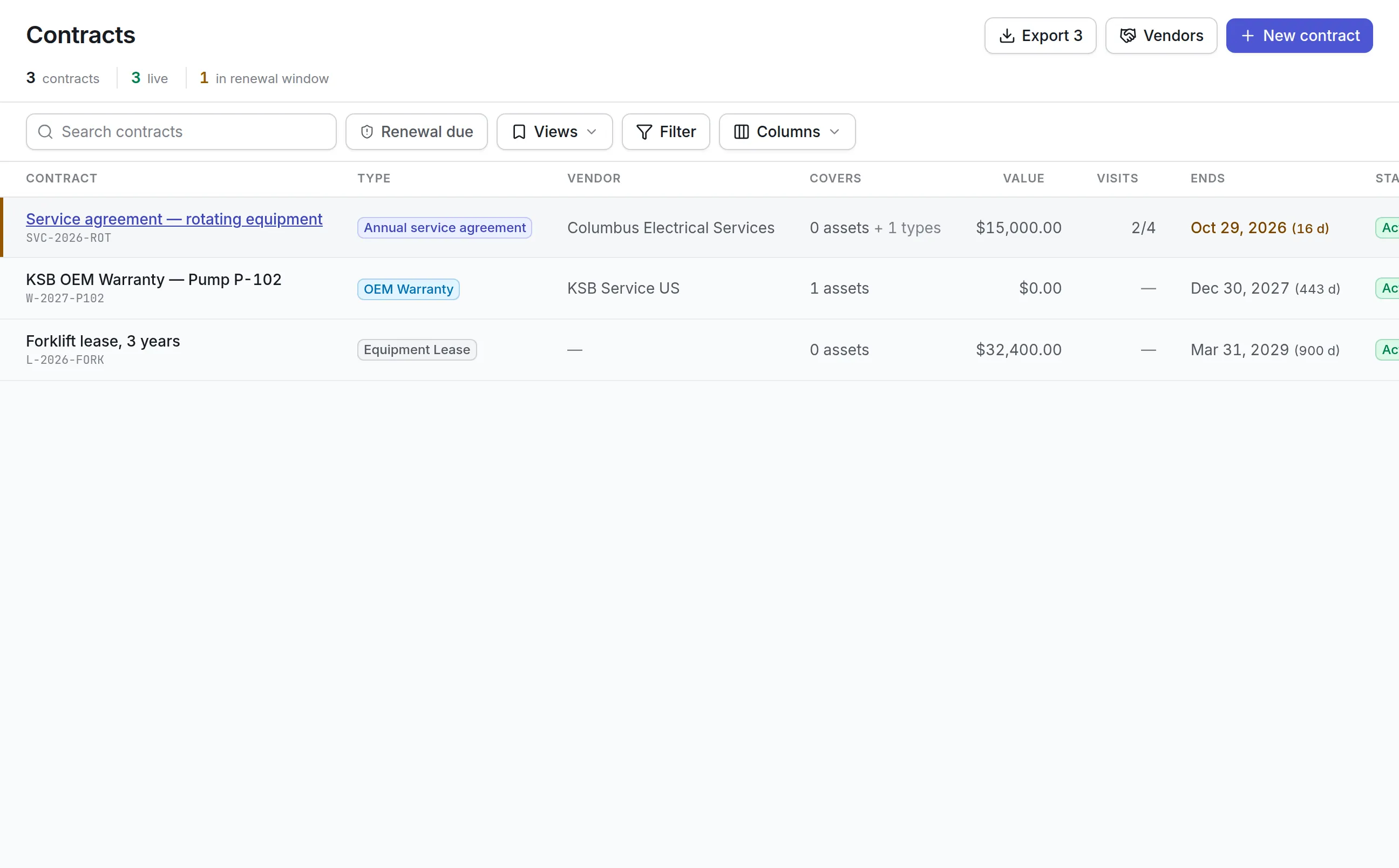
Maintenance contract management software that keeps service agreements, warranties and leases with the assets they cover, the visits they include and the date they end. Vendors carry their compliance, SLAs and scores, so you know who can go on site.
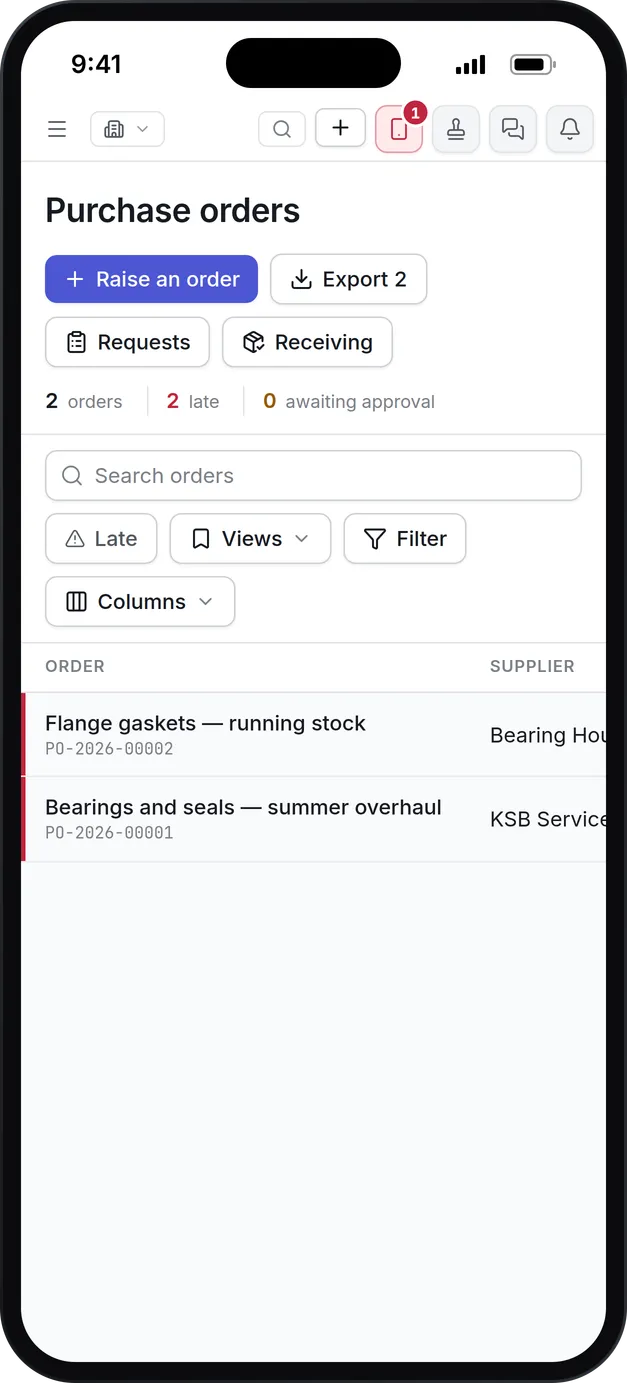
What our maintenance contract management software keeps track of
Coverage you can read
Each contract lists the assets and asset types it covers, the services included, the exclusions and the entitlements. A covered job is evaluated against those terms, with the evidence shown.
SLAs on the contract
Response and resolution times are terms of the contract and the vendor, and they apply to the jobs that vendor is given.
Renewals on time
The renewal window is a term of each contract, so the register flags each one when its own notice period opens.
Vendors you can send
An expired certificate on a compliance record that blocks assignment stops that vendor being given work. Each vendor also carries a score, rate cards and open work.
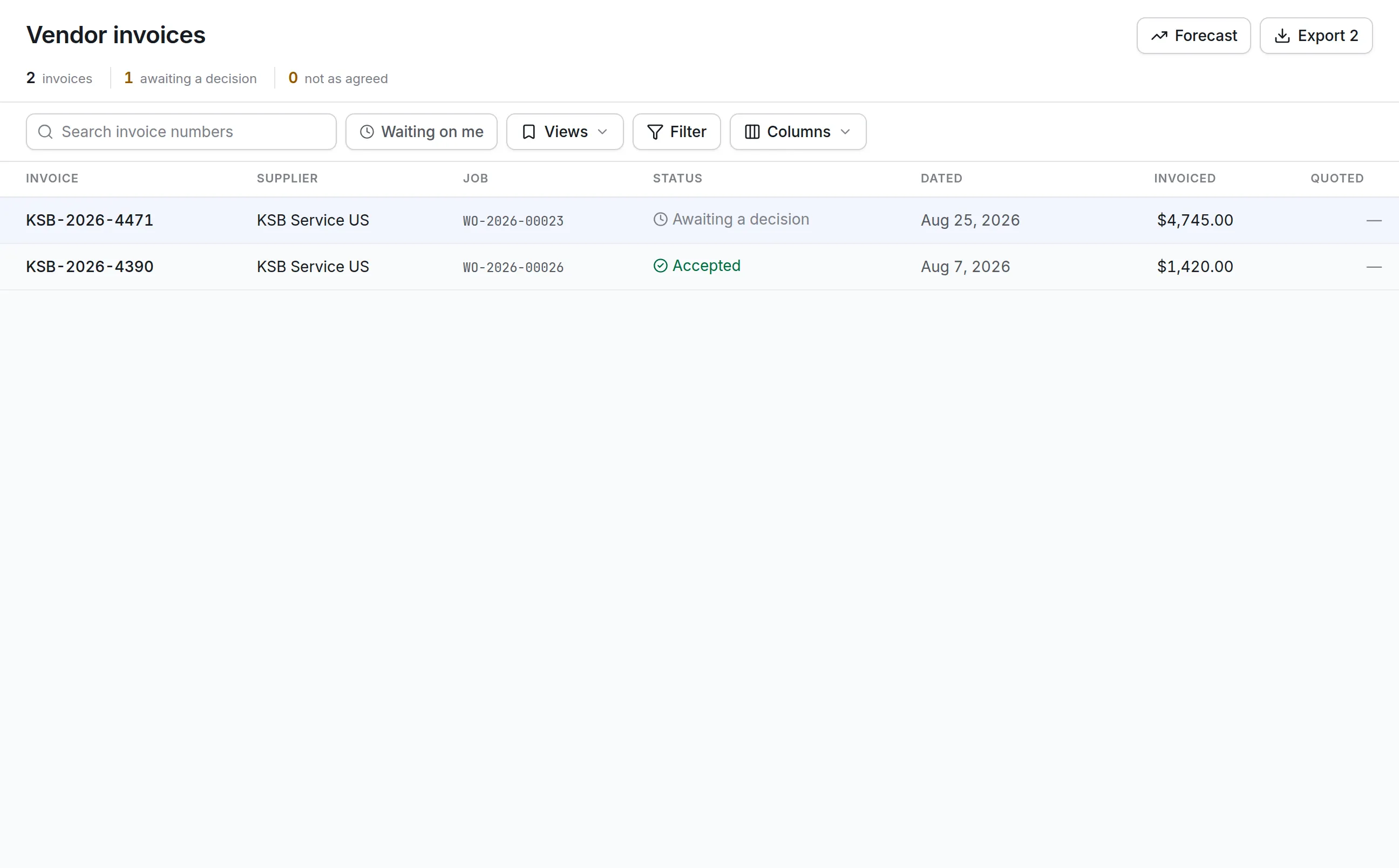
Contractor invoices checked
Contractors invoice against the job. The buyer reviews each invoice with the vendor's rate cards, the quote and the scan they sent, then accepts or rejects it.
Next year's contractor spend
The spend forecast prices the rounds your plans will raise at what each has cost, by site, vendor, asset category or asset, so the budget starts from facts.
What is maintenance contract management software?
Maintenance contract management software keeps every service agreement, annual maintenance contract, warranty and lease that covers your equipment, with the assets each one covers, what it includes and excludes, its service levels and the date it ends. It is how a team uses the visits it already paid for and claims repairs somebody else owes.
Without it, a signed agreement is a PDF on a shared drive that is next read at renewal time. In between, a site pays for repairs the contract covered, leaves included visits unused, and sends work to a contractor whose insurance lapsed in the spring.
How maintenance contract management works in Asset Infinity
A contract is entered once with the terms typed from the signed document, which stays attached to it. From then on, jobs, claims, invoices and renewals are judged against those terms.
- Enter the contract and its term.Contract number, name, type (warranty, AMC, service agreement or lease), vendor, start and end dates, whether it auto-renews and the renewal notice in days. Say whether it covers parts, labor and travel, and whether only an authorized vendor may do the work.
- Name what it covers.Cover named assets, or a whole asset class so new pumps of that kind are covered from the day they are added. Each row has its own from and to dates.
- Type the coverage terms.Entitlements state what is paid for, at what percentage, with a cap, a deductible and a claims limit. Exclusions state what is refused. Services list included visits, how often and the charge per extra visit.
- Set the service levels.One SLA per job priority: respond within, resolve within, the hours that count and a penalty per breach, per hour late or per day.
- Record the price lines.Fixed fee, per visit, per hour, per asset or a discount off list, each with effective dates, so an invoice is checked against the price agreed when the work was done.
- Track visits and value.Each included visit is planned, completed or missed. The Value tab shows what has been consumed by agreed claims, what is committed by open ones, and what is left.
Is this repair covered? Ask before anyone is sent
When a job is raised on an asset under contract, the work order’s Warranty tab evaluates it against the contract’s dates, covered assets, exclusions and entitlements. Each cost, such as labor, parts or travel, is decided separately, and exclusions are checked first, so a matching exclusion denies cover even where an entitlement also matches.
More detail
The answer is one of four:
The decision is stored with its evidence, and an override keeps the original answer beside yours with your reason. Where only an authorized vendor may touch the asset, the job warns that an internal repair voids the cover. Once the repair is done, a claim is filed from the work order, sent to the vendor, and their answer and any money received are recorded on it.
Vendors you can send, and invoices you can check
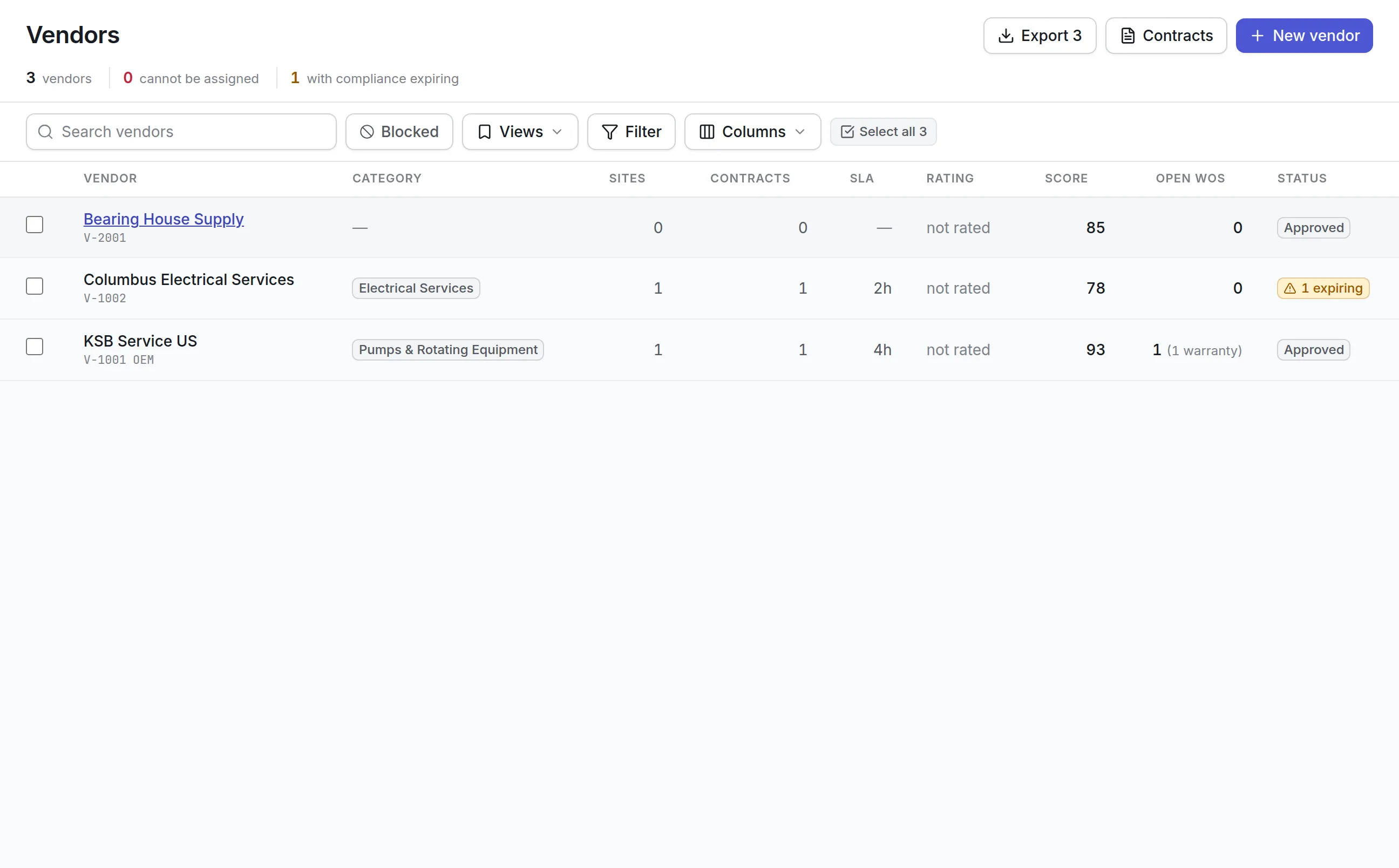
The vendor directory leads with one question: can this vendor be used today? A vendor moves through Prospective, Pending Approval and Approved, and can be suspended or blacklisted. Compliance records such as insurance, licenses and safety certificates carry expiry dates, and one set to block assignment stops the vendor being given work the day it lapses.
More detail
Each vendor has a performance score out of 100, recomputed nightly over a rolling twelve months: 40% SLA compliance, 30% rating from completed jobs and 30% first-time fix. Contractor invoices for a job are reviewed against the rate cards in force on the invoice date and the agreed quote. Nothing is charged to the job until a buyer accepts it. Parts and goods bought from the same vendors go through purchase order software.
What to look for in maintenance contract management software
| Capability | Why it matters | In Asset Infinity |
|---|---|---|
| Coverage by asset and asset class | Cover nobody linked to an asset is never used | Named assets or classes, with their own dates |
| Exclusions evaluated first | “All repairs” rarely means all repairs | Exclusions deny cover before entitlements are read |
| Coverage shown on the job | A covered repair should be seen before dispatch | Warranty tab on every work order |
| Warranty claims with outcomes | Claims that are never chased are never paid | Send, record the answer, record what arrived |
| Renewal notice per contract | Notice periods differ between agreements | Renewal window flagged per contract |
| Vendor compliance that blocks work | An uninsured contractor on site is your risk | Blocking compliance records |
| Invoice checks against rate cards | Billed hours and call-outs drift from what was agreed | Each line compared with the card in force |
| Spend forecast | Budgets start from guesses | Planned rounds priced from accepted invoices |
See it on your own assets, or price it in two minutes.
Maintenance contract management by industry
Hospitals and health systems
Biomedical and facilities teams keep OEM service agreements on imaging and sterilization equipment, with authorized-vendor-only cover so in-house repairs do not void it. Contracts can be limited to one site. See healthcare maintenance software.
Facility management
A portfolio of buildings carries HVAC, elevator, fire and generator contracts. Per-priority SLAs measure each contractor, and included visits show which agreements are being underused. Read more on facility management software.
Manufacturing plants
New machines arrive with OEM warranties. Covering the asset class means every new compressor is checked on the job, and claims for failed components are filed with the failure record attached.
Organizations with many contractors
Contractors get portal logins limited to their own jobs and orders. They send prices and invoices in the product, and nothing touches your ledgers until it is accepted.
Planning next year’s contractor spend
The vendor spend forecast answers how much to set aside for contractors. It is built only from accepted invoices and split into two halves that are never blended:
More detail
The forecast can be sliced by site, supplier, asset category or asset over the next 3, 6, 12 or 24 months, and feeds the budgets you plan with capital planning software.
Getting started with maintenance contract management software
The first week is mostly transcription, and it pays back the first time a covered repair is caught. Most teams follow this order:
From then on, maintenance contract management software does its work on every job raised against a covered asset.
Maintenance contract management software pricing
Asset Infinity starts with the asset register at $130 a month for up to 500 assets, with unlimited users. Vendors sit in the Purchasing module at $25 per user per month, and the contract register with warranties, entitlements and claims is a $100 monthly add-on for the whole organization. Build a quote with what you need, and connect contracts to jobs in your work order software.
More in Supply
Common questions
What is maintenance contract management software?
It keeps the service agreements, warranties and leases that cover your equipment, with what each covers, its SLAs and its end date. It helps you use the visits you paid for, claim what is covered and renew on time.
Can it track warranties?
Yes. A warranty is a contract on the assets it covers, and a warranty claim is raised from the work order for the covered repair. The vendor's answer and any money received are recorded on the claim.
Can it tell us whether a repair is covered before we pay for it?
Yes. A job on a covered asset is evaluated against the contract's dates, assets, exclusions and entitlements, and the work order shows whether each cost is covered, partly covered or not covered, with the evidence.
How are contract renewals flagged?
Each contract has its own renewal notice period. The register counts contracts inside their renewal window, and a notification goes out when the window opens.
Can contractors send their invoices through the system?
Yes. A contractor with a portal login sees their own jobs and invoices against them. Your buyer reviews each one against the rate cards and the quote before it is accepted.
Does it stop us using a vendor whose insurance has expired?
Yes. A compliance record can be set to block assignment when it expires, and the vendor list shows who cannot be given work.
See it with your own assets
A demo run on an example from your industry. Or start the trial and look around on your own.