





A CMMS that plans the work, runs it and shows why things fail
Asset Infinity is a CMMS, a computerized maintenance management system, for teams that look after plants, buildings and fleets. Plan preventive work, run every job from report to close, and see which assets cost you most.

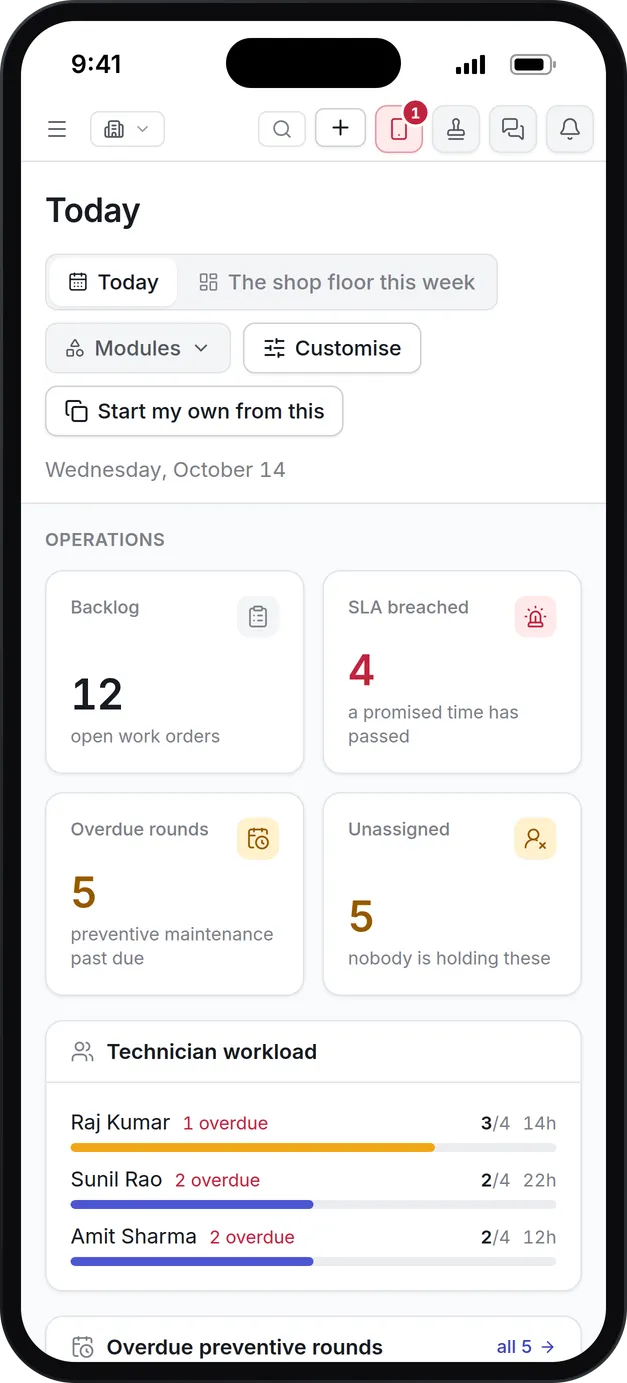
What our CMMS does for your maintenance team
Work orders
Jobs carry their SLA, parts, tools, permits and checklist. Waiting for parts or a vendor is a state of its own, so the backlog says why a job stopped.
Preventive maintenance
Plans fall due by date, meter reading, runtime or a sensor condition, and are raised as work orders a set number of days ahead.
Scheduling and dispatch
Drag a job onto a technician, a crew or a supplier and see their shift, skills, workload and the SLA before you commit.
Inspections and sensors
Scored inspection rounds and sensor limits raise corrective work on their own when something fails.
Permits and shutdowns
A job cannot start without a live permit when it needs one, and a planned shutdown shows whether its work fits the window.
Reliability and root cause
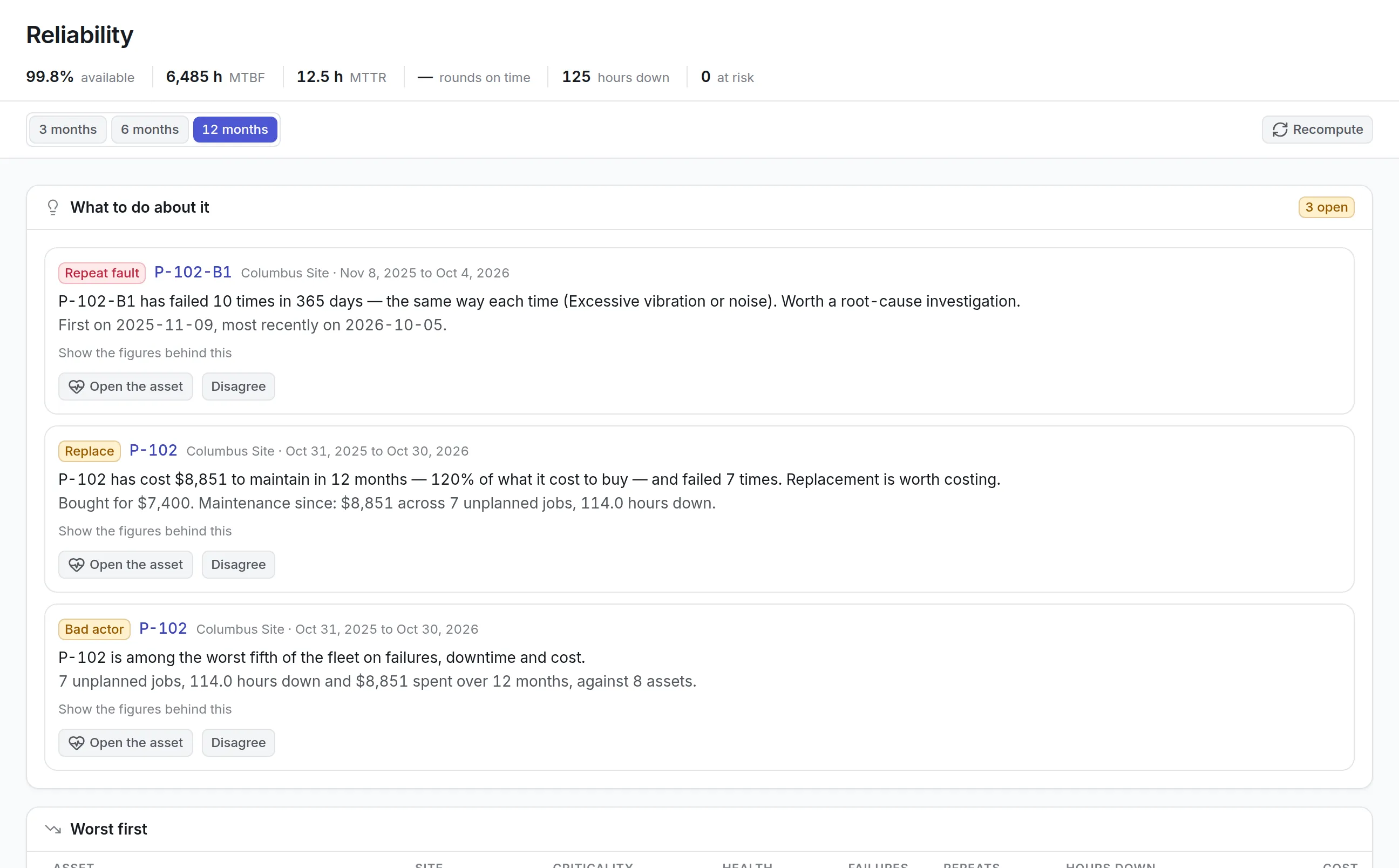
MTBF, MTTR and availability per asset, repeat faults flagged for investigation, and corrective actions checked for whether they worked.
What is CMMS?
CMMS, or computerized maintenance management system, is software that records the equipment an organization maintains, schedules its preventive maintenance and runs every repair as a work order, from the first report to the final sign-off. Each finished job adds to the asset’s history, so the team can see what was done, what it cost and which machines keep failing.
Teams buy one when the spreadsheet stops keeping up: preventive work slips because nobody sees it falling due, and a technician arrives to find the part is not on the shelf. A computerized maintenance management system puts the asset, the schedule, the work and the cost on one record.
Why maintenance teams outgrow spreadsheets
The schedule lives in one file, the parts list in another, and the reason a pump failed three times last year lives in someone’s head. Each of those gaps shows up as a specific, expensive problem:
More detail
Maintenance software fixes these by making the work order the record everyone writes to: the planner sees the backlog, the technician sees the job on a phone, and the manager sees where the money went.
How a CMMS job runs in Asset Infinity, from report to root cause
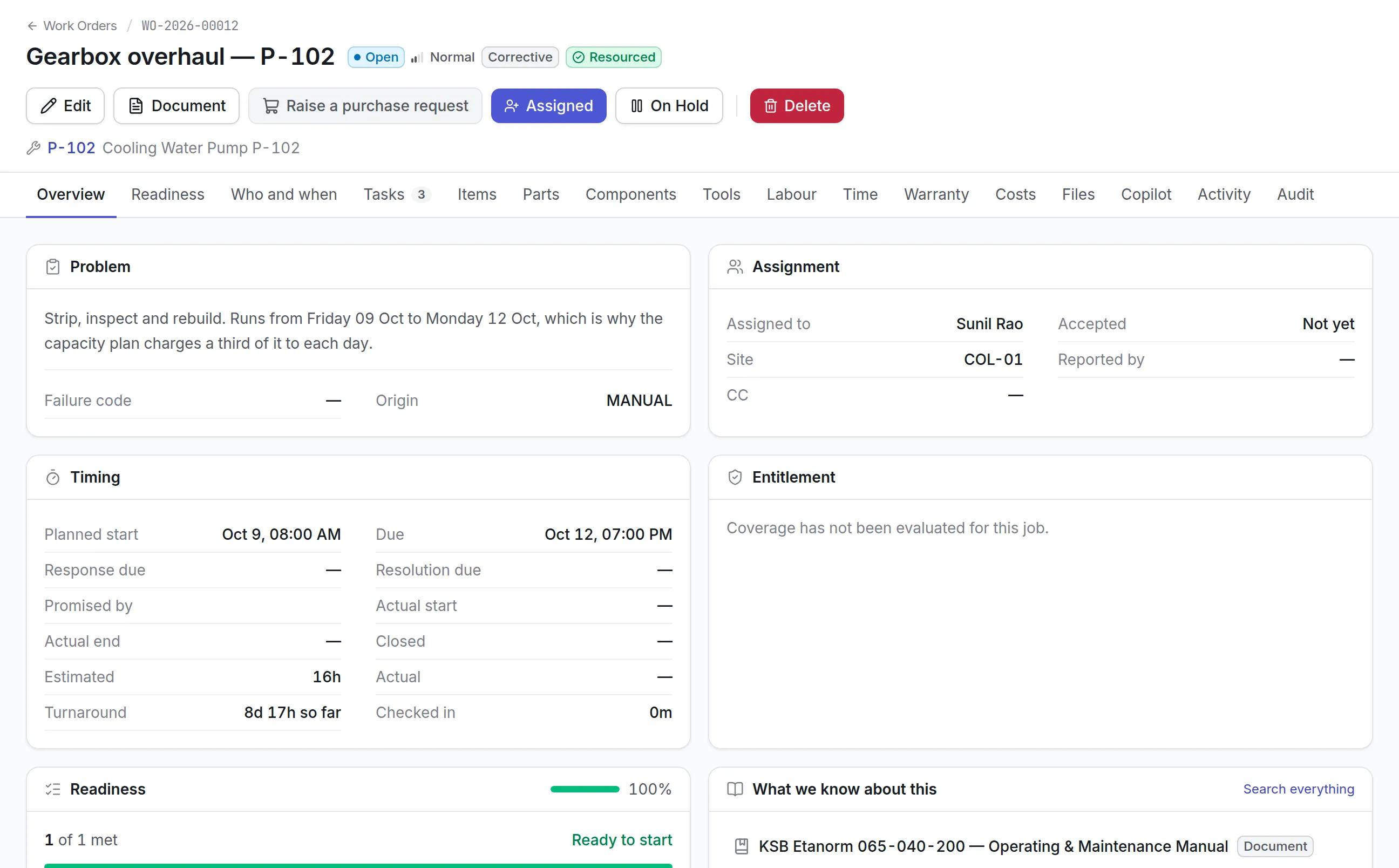
Asset Infinity follows a job the way a maintenance team works it. Here is the path a single fault takes at a manufacturing site, using the screens and states a new organization starts with.
- Someone reports a problem.A request arrives from the web app, the mobile app, the self-service portal or, where you set it up, an email. The reporter says what is wrong, how bad it is (Critical, High, Medium or Low), scans the asset label if they know which machine it is, and adds a photo. The request keeps their own words, so the original report survives whatever the job turns into.
- A planner triages it.The request inbox sorts the worst first, then the oldest. The planner picks a category such as Leak, and the category decides the kind of work and the priority the job will carry. From there the request is converted to a work order, rejected with a reason the reporter will read, or marked as a duplicate of an earlier report.
- The job is checked before anyone is sent.A work order lists what it needs: parts, tools, skills and vendors. The readiness check reports what is missing, such as a part out of stock or a torque wrench overdue for calibration. The product also checks the contracts and warranties covering the asset and records whether the repair should be billed to a vendor.
- Dispatch puts the right person on it.On the dispatch board a planner drags the job onto a technician, a crew or a supplier. Nothing is assigned on the drop: the board first shows travel time, skills, certifications, parts, tools, the shift and what the job does to the response and resolution targets. Going ahead past a stop needs a written reason. See maintenance scheduling software for the full board.
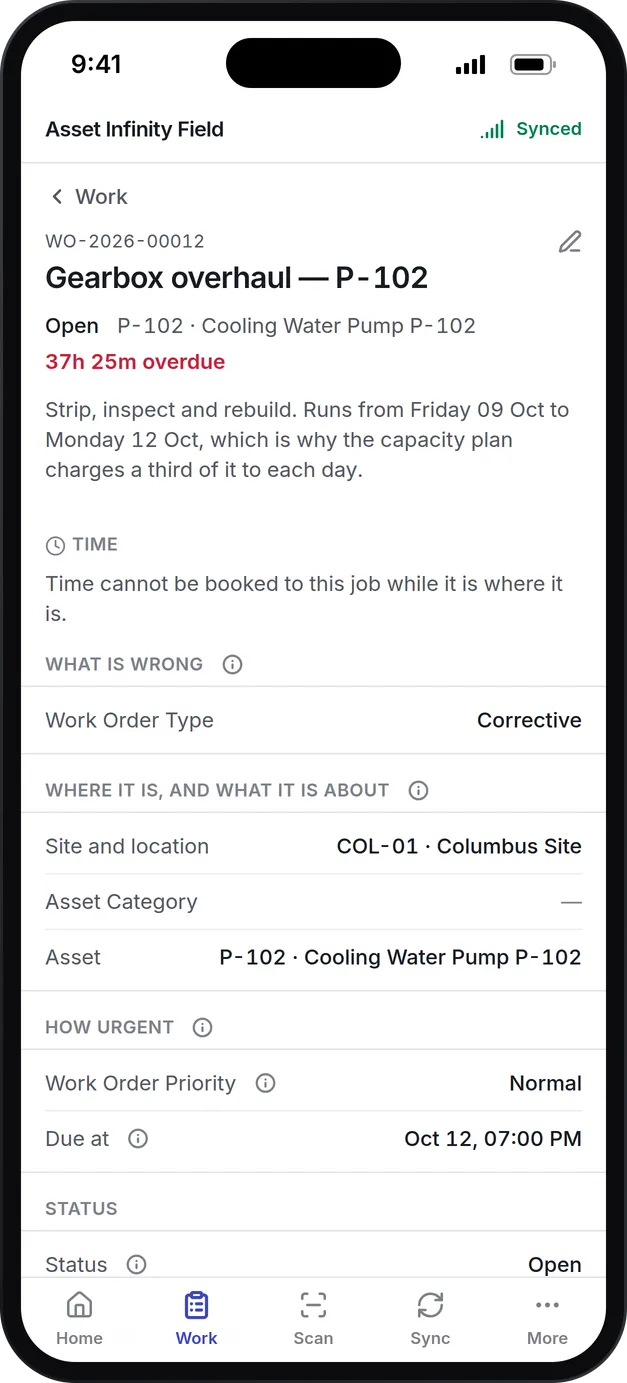
- The technician works it on the phone.The job moves from Assigned to Accepted to In Progress. Parts can be issued and time booked while it is in progress. If the job is blocked, On Hold pauses the service-level clock and the reason goes into the job’s history. A job that needs a permit to work cannot start until one is issued and accepted, and a job with mandatory checklist steps cannot be completed until they are done.
- Closing it records what failed.On completion the technician picks what failed and how it was put right. Where you require it, the person who reported the fault receives a six-digit code by text message and reads it back before the job can close, so a job is closed because the fault is fixed rather than because a deadline arrived.
- The failure feeds reliability.Each night the Reliability screen rolls up availability, MTBF, MTTR, downtime hours and preventive rounds done on time per asset. It raises recommendations such as Repeat fault, Bad actor or Review the plan, and a repeat fault is the natural start of a root cause analysis.
The work order software page covers the work order itself in more detail, and the product documentation describes the full work order lifecycle.
Preventive maintenance that falls due for the right reason
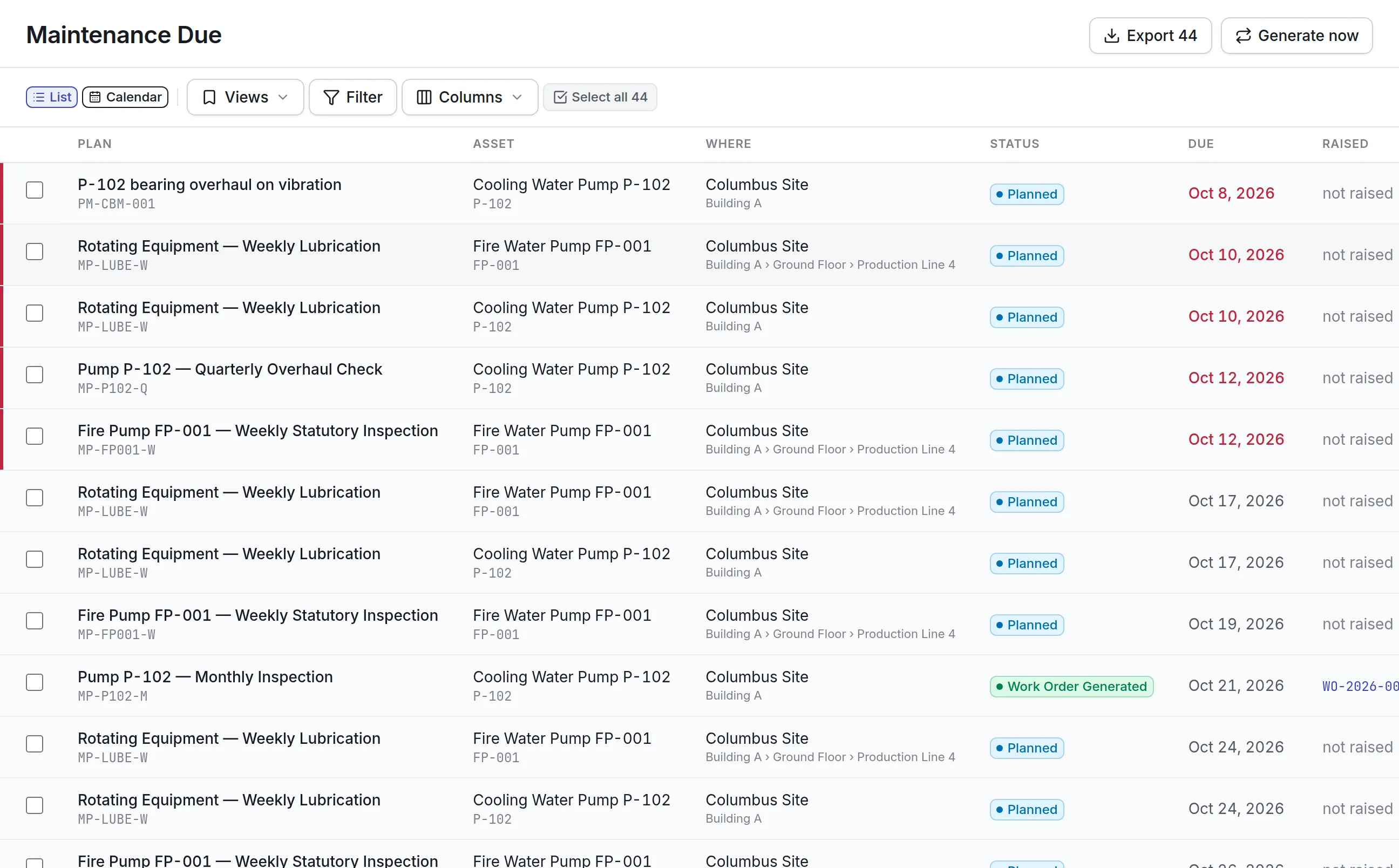
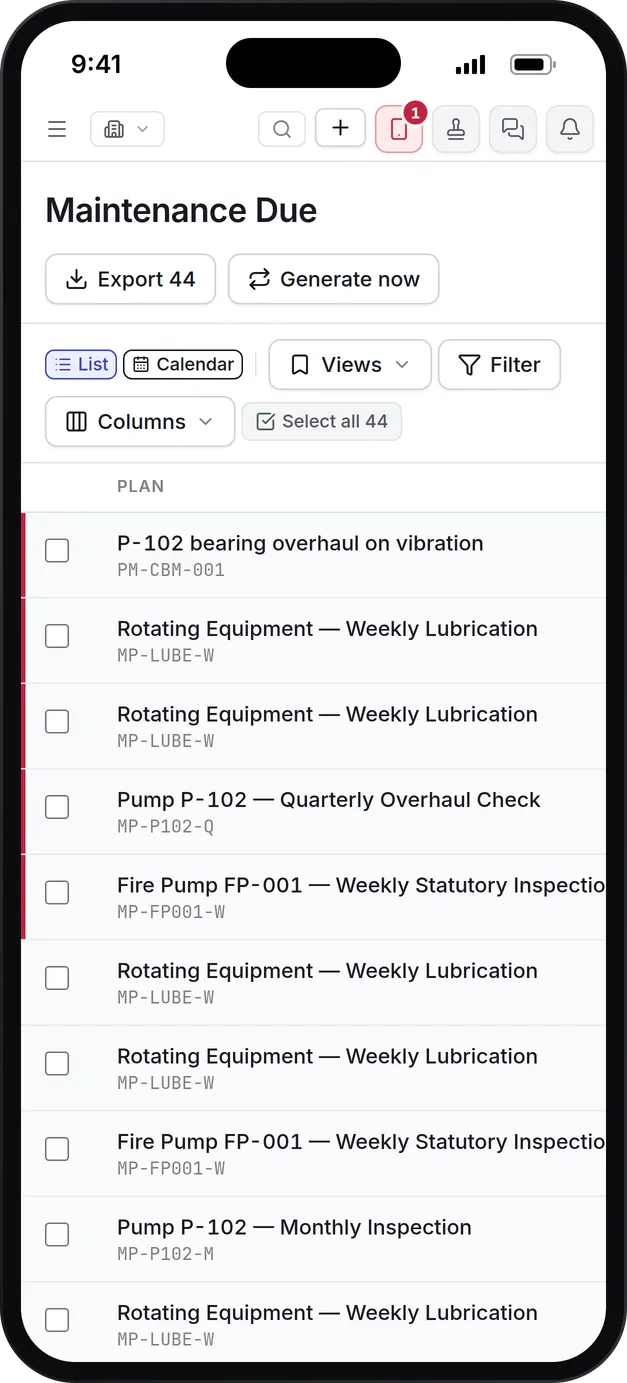
A calendar alone over-services equipment that sits idle and under-services equipment that runs around the clock. A maintenance plan in Asset Infinity can fall due on any of four triggers, and every round it produces is listed on the Maintenance Due screen.
More detail
Triggers combine with “any of them” (every 90 days or 2,000 hours, whichever comes first) or “all of them”. A lead time decides how many days ahead the work order appears, so parts can be gathered, and a tolerance decides how late still counts as on time for PM compliance. An annual service can stand down the monthly check that falls in the same month, so nobody does the same work twice.
Calendar rounds are placed across a 90-day planning horizon by default. On Maintenance Due a planner can raise a round early, defer it with a reason or skip it. Read more about preventive maintenance software, and about sensors that raise work on their own in predictive maintenance software.
What to look for when choosing CMMS software
Most maintenance software can store work orders. The differences show up when a job is blocked, a technician has no signal, or a manager asks why the same asset keeps failing. These are the questions worth asking any vendor.
| Capability | Why it matters | In Asset Infinity |
|---|---|---|
| Preventive maintenance triggers | Calendar-only plans miss assets whose wear depends on use | Calendar, meter, condition and asset-date triggers, combined with any or all |
| States that explain a stopped job | A backlog that only says “open” hides why work is late | On Hold pauses the SLA clock and records the reason; statuses can be renamed without breaking reports |
| Readiness before dispatch | Sending a technician without the part wastes a trip | Parts, tools, skills and vendors are checked on every job and on every assignment |
| Offline mobile app | Plant rooms, basements and remote sites often have no signal | iOS and Android app with its own encrypted copy of the work; conflicting edits wait for a person to decide |
| Request intake | Faults reported by phone call get lost | Web, mobile, self-service portal and email, with triage and duplicates marked rather than deleted |
| Parts and purchasing | Stock-outs stop repairs | Reorder recommendations count the parts planned maintenance will use; purchase requests are filled in for you |
| Reliability measures | Without them, the same failure is fixed again and again | Availability, MTBF, MTTR, bad actors ranked against the fleet, and tracked corrective actions |
| Getting your data in | A long setup delays the first useful week | Spreadsheet import of assets, plans and readings, reviewed before writing and undoable |
| Where it runs | Some sites cannot send data to a public cloud | Our cloud, or your own servers |
See it on your own assets, or price it in two minutes.
How different teams set up the CMMS
The same product serves very different sites. What changes is which assets go in first, which triggers the plans use and which add-ons are worth switching on.
A manufacturing plant
A plant starts with its production lines as a hierarchy: line, machine, sub-assembly. Plans on compressors and conveyors run on running hours read from meters or sensors, and planned shutdowns gather the work that needs the line stopped. Permits to work keep hazardous jobs from starting before isolations are proved. The manufacturing page covers the rest.
A hospital
A hospital’s engineering team keeps medical and building equipment in one register. Inspection templates can be marked statutory and graded, so a failed check raises corrective work with the finding attached. Calibration plans fall due on each instrument’s own date, and the CMMS keeps every graded round and its findings on record for the next survey.
A campus or facilities team
Facilities teams handle many small requests from people who are not technicians. They usually lean on three things:
- The request inbox, with duplicates folded into the first report
- The self-service portal for staff and students
- Plans on rooms and buildings as well as on equipment
- A closing code, so the person who reported a fault agrees it is fixed
A vehicle fleet
Fleet teams service by mileage and engine hours rather than the calendar. GPS trackers can feed a vehicle’s odometer and engine-hour meters, so a plan set by distance falls due because the truck was driven, and the technician works the job in the yard on a phone. See fleet maintenance software.
What the CMMS costs
Asset Infinity publishes its prices. The asset register starts at $130 a month for up to 500 assets, with unlimited users. The Maintenance bundle, which covers work orders, preventive maintenance, inspections and the workforce, is $25 per user per month for the people who use it. The request inbox, dispatch board, permits to work and reliability are flat monthly add-ons, so a small team does not pay for screens it does not open. Build a quote to see the total for your sites.
Your first week
A new organization does not start empty. When you sign up, you say where you are based and what you do, which sets your currency, date format and time zone and installs your industry’s asset categories, location types and request categories. A Getting started checklist then shows what is left. Most teams do four things in the first week:
A 14-day trial opens with sample data, so you can try the CMMS on realistic work before loading your own.
Everything in Maintain
Common questions
What is CMMS?
A CMMS (computerized maintenance management system) is software that plans, assigns and records maintenance work. It holds the asset list, the preventive maintenance schedule, the work orders and the history of every job.
What is the difference between a CMMS and an EAM?
A CMMS runs maintenance work. An EAM also covers the asset's whole life, including purchasing, depreciation and replacement planning. Asset Infinity does both on one asset record, so you can start with maintenance and add the rest later.
Can technicians use the CMMS on their phones without a signal?
Yes. The iOS and Android app keeps its own encrypted copy of the technician's work, so jobs, checklists, inspections, photos and meter readings can be recorded offline and sent when the phone reconnects.
How much does CMMS software cost?
In Asset Infinity the Maintenance bundle is $25 per user per month, on top of the asset register, which starts at $130 a month for up to 500 assets with unlimited users. Add-ons such as permits or dispatch are priced separately on the pricing page.
How does a CMMS schedule preventive maintenance?
A maintenance plan names the assets it covers and what makes it fall due, such as every 90 days or every 2,000 running hours. Each time a trigger fires, the plan raises a work order a set number of days ahead, with its checklist and parts already attached.
Can we import our existing maintenance schedule?
Yes. Assets, maintenance plans, their triggers and meter readings can be loaded from a spreadsheet. You review what the import will do before anything is written, and a finished import can be undone for a limited time.
See it with your own assets
A demo run on an example from your industry. Or start the trial and look around on your own.