






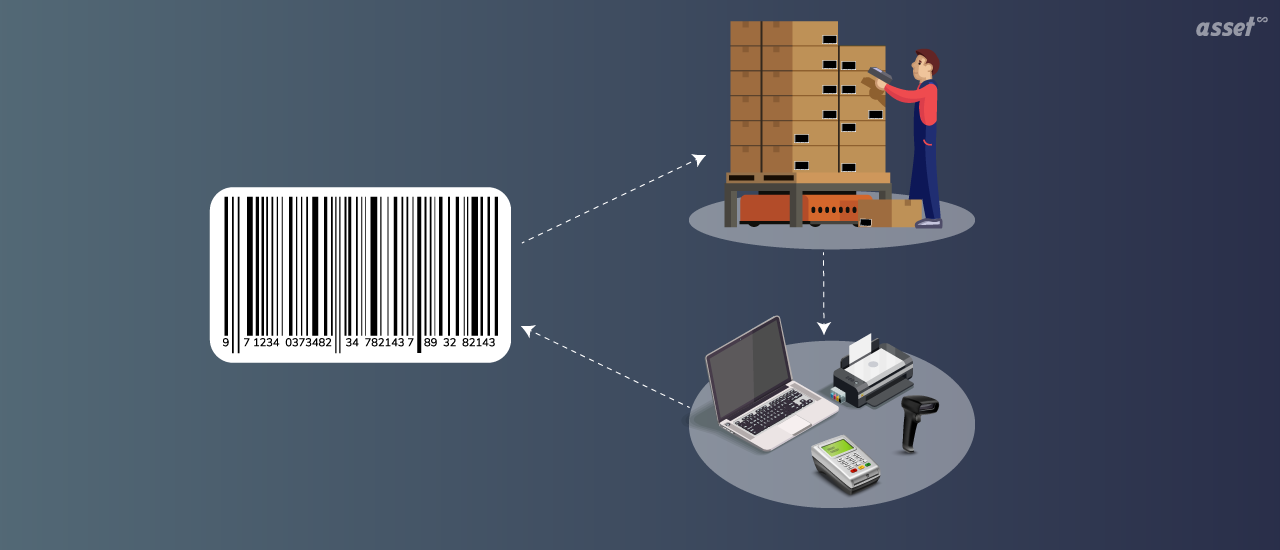
A barcode system for small business is the cheapest way to stop typing product codes and asset numbers by hand. You print a label, stick it on an item, and a scanner or phone camera reads it into your software in a second. Barcodes have been on shop shelves since the first retail scan in 1974, and the same idea now tracks laptops, tools, stock and equipment in businesses with a handful of staff.
This guide explains what a barcode system is, the benefits for a small business, how it works, which barcode types to use, how to set one up step by step, and when a QR code or RFID makes more sense.
What Is a Barcode System?
A barcode system is a set of labels, scanners and software that identifies items by scanning a printed code instead of typing. Each label carries a unique number. Scanning it looks up the record behind that number, such as a product’s price and stock level or an asset’s location and custodian, and records what just happened to it: sold, received, moved or counted.
The barcode itself holds only the number. Everything else lives in the software, which is why the same label can show a price at the till, a stock count in the storeroom and a service history in the workshop. That also means a barcode system is only as good as the database behind it.
What a Small Business Can Track with Barcodes
Small businesses use barcode systems for two different jobs, and many do both:
- Inventory: goods you sell or use up, such as retail stock, raw materials and spare parts. Barcodes speed up sales, receiving, reordering and stock counts.
- Assets: things you own and keep using, such as laptops, tools, machines, furniture and vehicles. Barcodes record who has an asset, where it is and when it was last checked or serviced.
Barcodes can also be used for other records, such as employee badges for attendance, invoices and delivery notes.
Benefits of a Barcode System for Small Business
| Benefit | What changes day to day |
|---|---|
| Fewer errors | A scan reads the right number every time; typing a 12-digit code by hand does not |
| Time saved | Receiving a delivery or counting a shelf takes a fraction of the time |
| Low cost | Labels cost very little, and a phone camera can replace a dedicated scanner |
| Accurate stock counts | Fewer missed sales from stockouts and less cash tied up in overstock |
| Easy price changes | Change the price once in the software, and every scan uses it |
| Less loss and theft | Assets have a recorded holder and a last-seen date |
| Better forecasting | Sales and usage data show what to reorder and when |
| Simpler accounting | Stock values and asset records are ready for the accountant and the tax return |
| Quick to learn | Staff learn to scan in minutes |
The biggest gain is usually accuracy. Records that are typed by hand drift a little every day, and the business finds out at the year-end count. Records that are scanned stay close to what is on the shelf.
How Barcode Asset Tracking Works
- Create the record. Add each item to your software with its name, category, location and any other details.
- Print the label. The software prints a barcode carrying the item’s unique number.
- Attach it. Put the label where it is easy to scan and unlikely to be scuffed.
- Scan at each event. Scan when an item is received, sold, moved, checked out, serviced or counted.
- Read the record. The software updates the item’s history, so anyone can see where it is and what happened to it.
You need three things: labels, something to read them (a phone, a handheld scanner, or a USB scanner that types into any browser), and software that holds the records.
Which Barcode Types to Use
| Type | Format | Best for |
|---|---|---|
| Code 128 | Linear (1D) | Asset numbers and internal codes; holds letters and numbers compactly |
| Code 39 | Linear (1D) | Older scanners and systems that expect it |
| UPC and EAN-13 | Linear (1D) | Retail products that need a registered product number |
| QR code | 2D | Labels read with phone cameras; tolerates some damage |
For asset tags and internal stock, Code 128 or a QR code is the usual choice. Retail products sold through other stores need registered UPC or EAN numbers. You can try different types with our free barcode generator and QR code generator, and the guide to different types of barcodes goes further.
How to Set Up a Barcode System for Small Business
- Decide what to track. Start with the items that cause the most trouble: fast-selling stock, or portable assets that go missing.
- Clean your list. Put every item in one list with a unique number. Remove duplicates and anything you no longer have.
- Choose software. Pick software that prints labels from your records and lets staff scan with a phone.
- Pick label material. Paper labels suit boxes and shelves; polyester or laminated labels last longer on tools and equipment.
- Print and attach labels. Label one area at a time, and scan each label once to check it opens the right record.
- Train staff on when to scan. A system only works if people scan at receiving, sale, move and check-out.
- Count to check. Run a count after a month and fix anything that does not match. Then count on a regular schedule.
Barcode vs QR Code vs RFID for a Small Business
| Barcode | QR code | RFID | |
|---|---|---|---|
| Read with a phone camera | Yes | Yes | No, needs an RFID reader |
| Scans many items at once | No | No | Yes |
| Tolerates damage | Little | Some, through error correction | Chip still reads if the label is dirty |
| Cost per label | Lowest | Lowest | Higher |
| Best for | Stock and most assets | Equipment people walk up to | Counting rooms and tracking doorways |
Most small businesses start with barcodes or QR codes and add RFID later, if ever, for high-value items. See barcode and QR code differences for more.
Barcode Systems by Type of Small Business
Retail Shops
Barcodes on products speed up checkout and receiving, and a monthly count by scanning shows shrinkage before it grows.
Restaurants and Cafes
Labels on kitchen equipment record service dates and warranty, so a broken fridge is fixed under warranty instead of paid for twice.
Offices and Agencies
Labels on laptops, monitors and phones record who has each one, which makes onboarding and offboarding simple.
Trades and Workshops
Barcoded tools are checked out to a person or a job, so they come back at the end of the day.
How Asset Infinity Works as a Barcode System
Asset Infinity is a barcode system for your assets and the equipment you maintain:
- Labels from the register. The label designer puts barcodes (Code 128, Code 39 or EAN-13), QR codes and your logo on a label, and prints one or hundreds as ZPL for a thermal printer or as a PDF for sheet labels. See asset tags.
- Scan with a phone. The iOS and Android app reads barcodes and QR codes with the camera and works offline. A USB or wedge scanner works in any browser.
- Import your spreadsheet. Bring your existing list in as a CSV or Excel file and check every row before it is written.
- Check-out and check-in. Record who has shared equipment and when it is due back with equipment checkout.
- Counts. Verification rounds list what should be at each location, and scanning marks each asset verified, moved, damaged or not found.
The asset register starts at $130 a month for up to 500 assets with unlimited users; see pricing for your number of assets.
Frequently Asked Questions
What is a barcode system for small business?
It is a set of labels, scanners and software that lets a small business identify stock and assets by scanning instead of typing. Each scan updates the item’s record.
Do I need a barcode scanner, or can I use a phone?
A phone camera works for most small businesses. A handheld scanner is faster at a busy till or when scanning many labels in a row.
How much does a barcode system cost a small business?
The costs are labels, a printer if you print your own, scanners if you do not use phones, and software. Labels are inexpensive, so the software usually decides the total.
What is the difference between a barcode and a QR code?
A barcode stores a short number in lines. A QR code is a square 2D code that holds more data, survives some damage and is read by any phone camera.
Can a barcode system track assets as well as inventory?
Yes. The same labels and scanners can track stock you sell and equipment you keep, such as laptops and tools, as long as the software records both.