






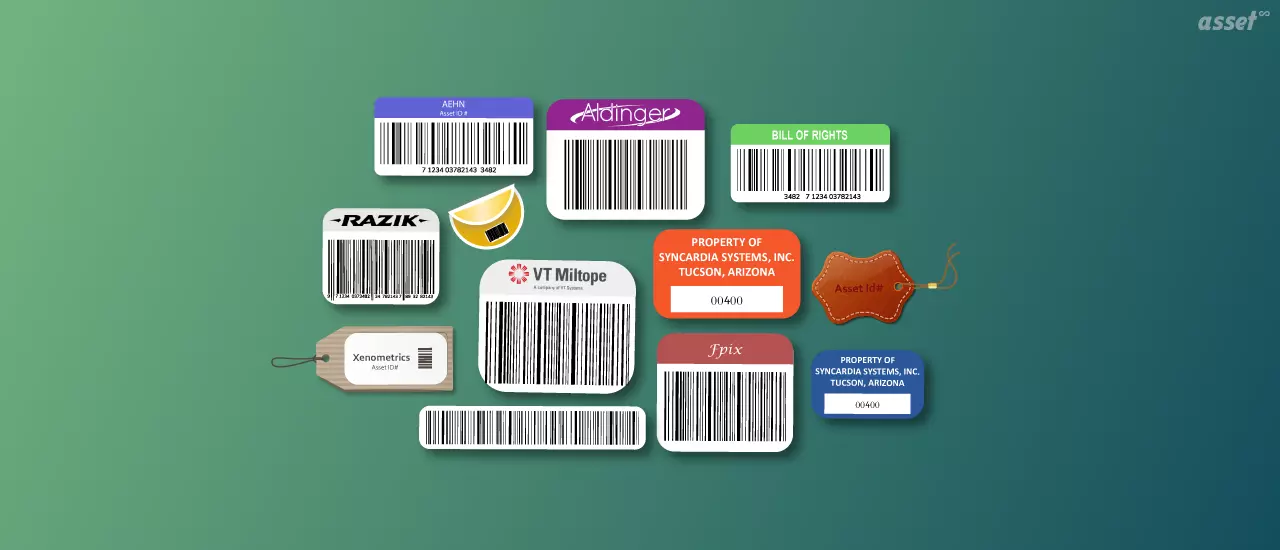
Asset tags are labels fixed to equipment so that every item a business owns can be identified, counted and looked up. A good tag carries a unique asset number and a code that a phone or scanner can read, such as a barcode, a QR code or an RFID chip. Scan it, and the asset’s record opens: what it is, where it belongs, who has it and what work is open on it.
Without asset tags, a count means reading serial numbers off nameplates and matching them to a spreadsheet by hand. With them, a count is a walk with a phone. This guide explains what an asset tag is, the types and materials to choose from, what to print on one, how to roll out asset tagging across a site, and how tags work with asset management software.
What Is an Asset Tag?
An asset tag is a durable label attached to a physical asset that identifies it with a unique number, usually encoded as a barcode, QR code or RFID chip. The number links the item to its record in an asset register, so anyone who scans the tag sees what the asset is, where it belongs and who is responsible for it.
Asset tags go on anything a business wants to track over time: laptops, monitors, machines, vehicles, tools, furniture, medical devices and test equipment. They are different from inventory labels, which mark stock that will be sold or used up. An asset tag stays on the item for its whole working life.
People search for asset tags under several names. “Asset management tags”, “asset ID tags”, “property tags” and “equipment labels” all mean the same thing. An “asset tagger” is usually the person or service that applies them during a tagging project, or the software used to print them.
What Asset Tags Do for a Business
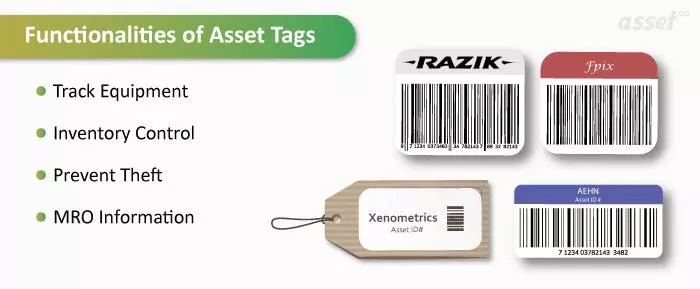
Asset tags answer four everyday questions.
- Where is it? A scan records where an asset was seen, and moves and check-outs are recorded against the tag’s number.
- What do we own? Audits and physical counts compare the tags found on site with the register, so missing and unrecorded items show up.
- Who has it? A tagged laptop or tool has a custodian on its record, which makes losses visible and returns easy to check.
- What work does it need? A technician scans a machine to open its maintenance history, its open work orders and its manuals.
Tags also support finance. Auditors test a fixed asset register by picking items on the floor and asking to see them on the register, and the reverse. A tag number on both makes that test quick. See how to prepare a fixed asset register for the fields a register should hold.
Types of Asset Tags
Asset tags differ in two ways: the technology that carries the number, and the material the tag is made from. Choose the technology for how the tag will be read, and the material for where the asset lives.
By technology
| Tag type | How it is read | Best for | Limits |
|---|---|---|---|
| Barcode | Line of sight, with a phone camera or a handheld scanner | Offices and stores that already own barcode scanners | Must be seen and scanned one at a time; scratches can stop a read |
| QR code | Line of sight, with any phone camera | Equipment people walk up to: laptops, pumps, HVAC units | Same line-of-sight limit; holds more data and tolerates some damage |
| RFID | Radio, with handheld or fixed readers, no line of sight | Counting a room or rack quickly, seeing assets pass a doorway | Tags and readers cost more; metal and liquids can affect reads unless the tag is made for them |
| NFC | Radio, by tapping a phone at very short range | Confirming a technician was at a specific asset | Read one at a time, from a few centimeters |
| BLE beacon | Bluetooth, by gateways or phones nearby | Showing which room or zone an asset is in | Battery-powered, so tags cost more and need replacing |
QR codes and barcodes cover most businesses. RFID earns its cost when counts are large or frequent. For a side-by-side look, read barcodes, QR codes vs RFID tags for asset tracking.
By material
| Material | Where it works | Notes |
|---|---|---|
| Laminated polyester | Offices, IT equipment, furniture | Low cost, prints on a thermal transfer printer, resists light scuffing |
| Polyester with strong adhesive | Light industrial, warehouse racking | Holds on textured and painted surfaces |
| Anodized aluminum | Plants, outdoor equipment, heat and chemicals | Lasts the life of the machine; often riveted or screwed on |
| Tamper-evident (destructible vinyl or void) | Laptops, phones, loan equipment | Breaks up or leaves a pattern when removed, so tampering is visible |
| Hang tags or cable tags | Hoses, cables, slings, items with no flat surface | Attached with a cable tie or wire |
What to Print on an Asset Tag
Space on a tag is small, so print only what a person needs in front of the asset. Everything else belongs on the record the tag opens.
- The asset number. In large type, and in the barcode or QR code. It must be unique and never reused.
- Your organization’s name or logo. It shows ownership and helps a lost item find its way back.
- A short line on who to contact. For example, “Property of Facilities. Call ext. 4400 if found.”
- Optionally, the asset name or category. Useful on shared equipment so people know what they are scanning.
Leave the location and department off the tag. Assets move, and a printed location becomes wrong the day they do. A good numbering scheme helps: a short category prefix and a running number, such as IT-0042, reads well and sorts well. Our guide to unique asset codes covers the options.
How to Roll Out Asset Tagging
Asset tagging works best as a short project with a clear order. These steps suit a first tagging of one site.
- Decide what gets tagged. Set a rule, such as every capitalized asset plus portable items worth tracking (laptops, tools, test meters). Write it down so the next purchase is tagged the same way.
- Clean up the list first. Import your existing spreadsheet into the asset register and remove duplicates, so each tag prints against one record.
- Choose the tag type and material. Match each asset category to a technology and a material from the tables above. Most sites need two or three label designs, not one.
- Design and print in batches. Print a batch per room or area, in the order you will walk it, so tags go on the right items.
- Apply tags in a consistent place. Pick the same spot for each type of asset, such as the top left of a monitor bezel or beside the nameplate on a pump, so scanners know where to look.
- Scan each tag as it goes on. The scan confirms the tag reads and records the asset’s location at the same time.
- Run a first count. Walk the site once more with a phone and scan everything. Items without a tag, and records nobody found, are the list to work through.
- Tag new assets on arrival. Make tagging part of receiving, before the asset goes into service, so the register never falls behind again.
Asset Tagging Best Practices
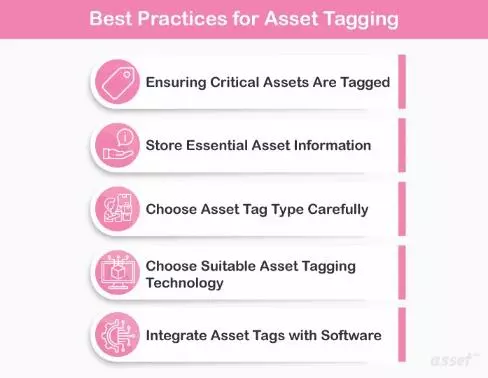
Tag critical assets first
Start with the equipment that would hurt most to lose or find broken: production machines, medical devices, laptops with company data, and loan tools. Then work down the list.
Keep the tag simple
A tag carries an identifier, not a database. Put details on the record, where they can be updated.
Match the tag to the environment
Paper labels fail outdoors and in wash-down areas. Use aluminum for heat, chemicals and weather, and an RFID tag made for metal on metal surfaces.
Choose the technology for how you count
If counts are annual and small, QR codes are enough. If you count often, or across hundreds of items in a room, RFID saves the most walking.
Tie every tag to software
A tag only helps if a scan lands on the right record. Print tags from the same system that holds the register, so the number on the label always matches the number on the record.
Common Asset Tagging Mistakes
| Mistake | What happens | Fix |
|---|---|---|
| Reusing numbers from disposed assets | Old history attaches to the new item | Never reissue a number |
| Putting the location in the asset number | The number is wrong as soon as the asset moves | Keep location in its own field |
| Printing tags in a separate tool | Typos and duplicates between label and record | Print from the register |
| Tagging the shipping box or a removable part | The tag leaves with the packaging | Tag the asset body in a fixed spot |
| Tagging once and never counting | The register drifts from the floor | Schedule counts and scan tags each time |
Asset Tags by Team
IT
IT teams tag laptops, monitors and docking stations with small polyester or tamper-evident QR labels. A scan at handover records the new custodian, and the same tag is scanned when the device comes back.
Maintenance and facilities
Maintenance teams fix aluminum plates or tough polyester tags to pumps, motors and air handlers beside the nameplate. A scan opens the machine’s open work orders and maintenance history.
Healthcare
Biomedical teams use small QR labels on infusion pumps and monitors, so a scan at the bedside opens the device record.
Tool cribs and field service
Tools get durable tags or RFID so they can be checked out and back in by scan, and counted at the end of a job.
How Asset Infinity Handles Asset Tags
In Asset Infinity, asset tags are designed and printed from the asset register itself, so the tag and the record always share a number.
- Identifiers. An asset can carry a QR code, barcode, NFC, RFID or BLE tag, a plate, or an external ID such as a legacy tag.
- Label designer. Labels are laid out in a designer and printed in ZPL to a thermal printer, or downloaded as a PDF for sheet labels.
- Bulk printing. Select assets in the register and print a label for each.
- RFID encoding. RFID tags can be encoded with the asset’s number as the label prints.
- Scanning. The mobile app scans tags to open an asset, and verification rounds record each one as verified, moved, damaged or not found.
For radio-based counts at scale, see RFID asset tracking. If you just need a few labels today, the free QR code generator and barcode generator make printable codes.
Frequently Asked Questions
What is an asset tag?
An asset tag is a durable label fixed to a piece of equipment that identifies it with a unique number, usually as a barcode, QR code or RFID chip. Scanning it opens the asset’s record.
What is asset tagging?
Asset tagging is the process of attaching a unique, scannable tag to every asset a business tracks and linking each tag to the asset’s record. It makes counts, audits and check-outs a matter of scanning.
What size should an asset tag be?
Small tags of about 1.5 by 0.75 inches suit laptops, phones and tools. Larger tags of about 2 by 1 inches suit machines and fixed equipment, where they are easier to see and scan.
Which assets should be tagged?
Tag every capitalized fixed asset, plus portable or high-risk items worth tracking even below your capitalization threshold, such as laptops, phones and tools.
Are RFID asset tags better than barcodes?
Not always. RFID reads many tags at once without line of sight, which suits large or frequent counts. Barcodes and QR codes cost less and read with any phone, which suits most offices.