







Is your company also using Excel for asset management? If so, you are probably not happy with the results. Excel is a traditional method of asset management.
When you try to manage assets with Excel, the results are not effective. You may be wondering why. We answer that question below.
The time has come for organizations to move from Excel asset management to proper asset management software. There was a time when Excel was the only option for asset management, but that time has passed.
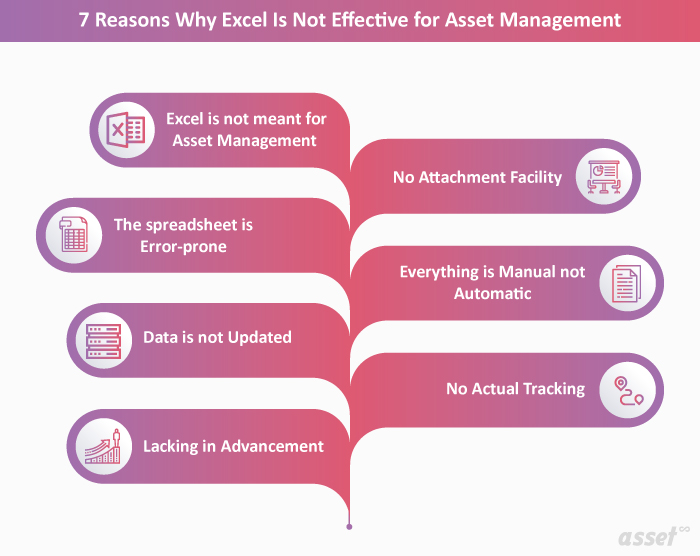
7 Reasons Why Excel Is Not Effective for Asset Management
Also Read: What Are the Advantages of Asset Tracking Software Over Spreadsheets?
1. Excel Is Not Meant for Asset Management
Excel was built for calculating and storing data, and it was never designed for tracking assets. It is no surprise that Excel is not an effective tool for asset management.
The number of people working from their phones keeps growing, yet Excel is not built for use on a phone. Most asset management software, on the other hand, now comes with a mobile app.
2. The Spreadsheet Is Error-Prone
Spreadsheets are known for containing errors, and most of those errors are human.
A spreadsheet is error-prone mainly because many people have access to it, and each updates it based on what they know. One employee with the latest information may update the data, only for a second employee, who believes their own information is newer, to change it back. The result is inaccurate data.
Data can also be changed incorrectly, on purpose or by accident. There is no way to trace who made a change, so the spreadsheet becomes inaccurate and can harm your assets and your organization.
3. Data Is Not Updated
Asset management needs entries to be updated regularly. In Excel, asset records are often not updated, which leads to errors. These entries are crucial for the maintenance team, so they know which work was done on which asset and on which date.
If the maintenance team does not know what maintenance was done, the managers will not know either, and the information goes stale. Excel also does not update as things happen, which is now a very important factor in asset management.
4. No Attachment Facility
When you use Excel for asset management, you cannot attach files such as photos, videos or other documents to an asset. Asset management involves many documents that matter throughout an asset’s life, such as purchase documents and maintenance photos or videos.
These attachments come in handy during audits and maintenance. They are also useful when offices in several locations use the same data. In Excel, you are left with hyperlinks that break easily, which is frustrating when you click them.
Also Read: Why Managing a Fixed Asset Register Is Vital & What Are Its Benefits?
5. Everything Is Manual
Every manager has run into maintenance problems. Most of us sometimes forget when we last serviced our car, and we usually have only one.
Now imagine how hectic it is for a manager or supervisor to keep track of which asset was serviced and when, across all the assets in an office.
Manual tracking always produces some errors, and those errors can be serious for a company.
Asset management software frees you to focus on other things instead of remembering which asset needs maintenance. It sends alerts and notifications, so it works as an alarm or reminder for asset maintenance.
6. No Actual Tracking
Excel asset management is one-way. It cannot receive information from the assets themselves. You cannot keep track of assets with an Excel sheet, and you cannot tell who added information or when.
Imagine tracking two assets that look alike when only one of them needs regular service. It would be very confusing. How would you make sure the technician picks the right asset?
With asset management software, assets are tagged with asset tracking technology such as barcodes or RFID (Radio-Frequency Identification), so you can identify each asset separately. These tags and labels show you where each asset was last recorded. An asset tracking Excel sheet can do the business more harm than good.
7. Lacking in Advancement
Excel has been around for a long time, which is why it became one of the traditional asset management methods. Today there are many options designed specifically for managing assets effectively.
Excel has changed little for asset management purposes, while asset management software has added many features that help organizations, such as:
- Cloud-based technology
- User-based restrictions
- Check-in and check-out
- Live location
- Alerts and notifications
- Integration with other technology
Where Excel Fits and Where It Does Not
Asset management is important for organizations, and Excel is an effective office tool. It is useful in many ways, but not for asset management. If you want to know an asset’s location, purchase date and status, you cannot rely on Excel asset management.
That is why we recommend asset management software instead of Excel. Excel will hold you back.
Frequently Asked Questions (FAQs)
1. Is Excel a good option for inventory management?
As we said, Excel is good for many things, but as your organization grows, it becomes impossible to track who has changed the data. It can still be used on a small scale.
2. Excel is free, but asset management software is not, is it?
No, it is not. Excel may cost little, but it puts your assets at risk. Asset management software costs money, but it adds value to your organization and keeps your assets safe from theft and misplacement. In the long run, asset management software is more beneficial than Excel for managing assets.
3. What can Excel be used for?
Excel is one of the most widely used tools in the world. It is effective for formulas, calculations and storing data and numbers.