






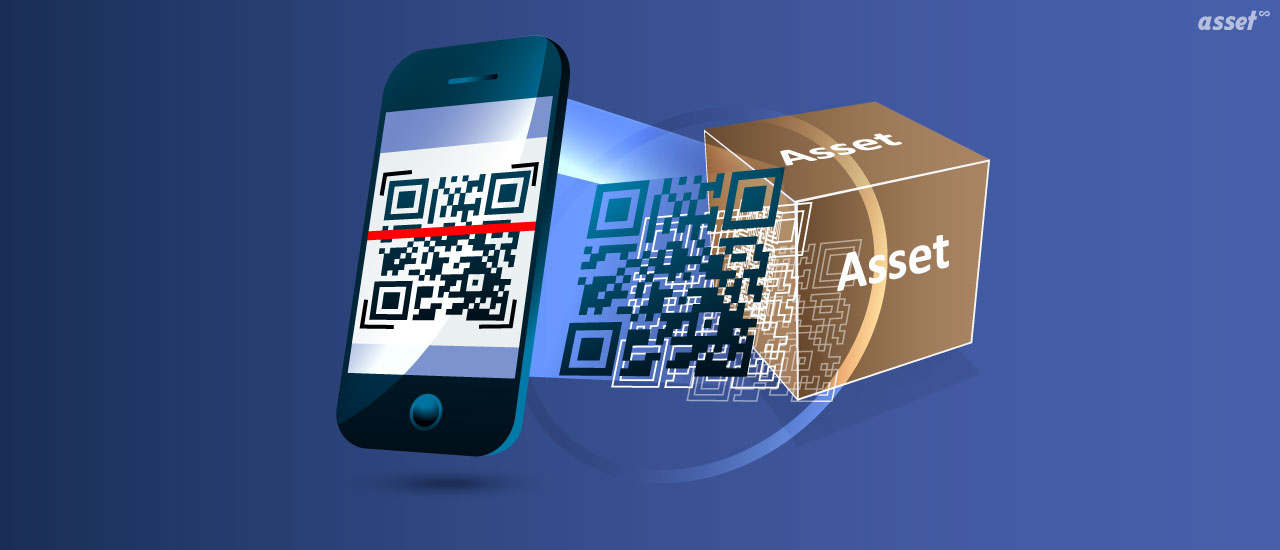
QR code asset tracking means fixing a label with a QR code to each asset, so anyone with a phone can scan it and open that asset’s record: what it is, where it belongs, who has it and what work is due on it. It is the cheapest and simplest way to start tracking equipment, because the labels cost very little and the scanner is a phone people already carry.
This guide explains how a QR code asset tracking system works, how QR codes compare with barcodes and RFID, the main use cases (including small businesses and retail stores), how to set one up, and the best practices that keep it accurate.
What is QR code asset tracking?
QR code asset tracking is a method of tracking physical assets by attaching a label with a unique QR code to each one and scanning it with a phone or scanner. Each scan opens the asset’s record in tracking software, where staff can confirm its location, check it out, report a fault or record it during a count.
A QR code (quick response code) is a two-dimensional barcode made of black and white squares. It was invented in 1994 by Denso Wave, a Toyota group company, to track automotive parts during manufacturing. Unlike a one-dimensional barcode, it can be read from any angle, holds more data, and stays readable when part of it is damaged.
How a QR code asset tracking system works
A QR code asset tracking system has three parts: a register of assets, a QR label on each one, and an app that scans the labels and updates the register.
- Each asset gets a record with a unique asset number, description, category, location and custodian.
- A QR label is printed from that record. The code usually holds the asset number or a short link to the record.
- The label is fixed to the asset where it is easy to reach and scan.
- People scan it with a phone app whenever something happens: the asset moves, is checked out, needs a repair or is counted.
- The record updates with the new location, custodian or status, and the change is kept in the asset’s history.
The QR code itself does not track anything. It is a fast, reliable way to get from a physical object to the right record. The tracking happens because people scan at the right moments.
QR codes vs barcodes vs RFID for asset tracking
| QR code | 1D barcode | RFID | |
|---|---|---|---|
| Read by | Any phone camera, scanner app or 2D scanner | Laser or 2D scanner, phone camera | RFID reader (handheld or fixed) |
| Line of sight | Needed | Needed | Not needed |
| Reads at once | One at a time | One at a time | Many tags at once |
| Damage tolerance | Built-in error correction, up to about 30% at level H | Low | Tag works if the chip and antenna survive |
| Label cost | Very low | Very low | Higher, plus readers |
| Best for | Assets people walk up to | Sites with existing barcode scanners | Fast counts and doorway tracking |
QR codes have four error correction levels: L (about 7% of the code can be damaged), M (15%), Q (25%) and H (30%). Use a higher level for labels on equipment that gets dirty, scratched or cleaned often.
Many organizations put a QR code and a barcode on the same label, and add RFID only for the assets that need fast counts. For a fuller comparison, see barcodes and QR codes vs RFID tags.
QR code asset tracking use cases
Equipment maintenance
A technician scans the QR label on a pump, an HVAC unit or a forklift and sees its open work orders, service history and manual. They can raise a repair job from the scan, so the job is always on the right asset. This is the most common use in facilities, manufacturing and utilities.
IT equipment
Laptops, monitors and phones carry QR labels so IT can record who each device is issued to and confirm it comes back when someone leaves. A scan at the service desk opens the device record.
Inventory and spare parts
QR labels on bin fronts and shelves let storeroom staff scan the part they are issuing or counting. The code can carry a part number, and the record holds the quantity, location and reorder point.
Shared equipment check-out
Tools, cameras, projectors and test equipment are scanned out to a person with a due-back date, and scanned back in on return. Anything overdue is visible, so it can be chased.
Physical counts and audits
Auditors walk each location scanning labels. Anything expected but not scanned is listed as missing, and anything found in the wrong place is marked as moved. Nobody has to tick off paper lists or retype results afterward.
QR code asset tracking for small businesses
QR codes suit small businesses because the barrier to starting is low. A business with a few hundred laptops, tools, vehicles and pieces of furniture can:
- Start without hardware. Staff scan with their own phones, so there are no scanners to buy.
- Print labels on an ordinary printer. Sheet labels from a desktop printer work indoors. Durable polyester or metal labels suit tools and outdoor equipment.
- See every location in one place. Several offices or job sites share one register instead of separate spreadsheets.
- Know who has what. Check-out records stop tools and laptops from disappearing when staff change.
- Keep maintenance and warranty details together. A scan shows when a van or an air conditioner was last serviced and when its warranty ends.
Our free QR code generator is a quick way to test label sizes before you commit to a full system.
QR code asset tracking in retail stores
Retailers usually track two different things. Products for sale are managed by the point-of-sale and inventory system, using the product barcodes already printed on packaging. Store equipment is where QR asset tracking fits:
- Refrigeration, ovens and coffee machines carry labels that open their service history and let staff report a fault.
- Point-of-sale terminals, handhelds and security cameras are tracked by store, so devices moved between stores are not lost.
- Fixtures and displays are counted when stores are refitted or closed.
- Maintenance contractors scan the label on arrival, so the store knows which asset was serviced and when.
For chains, a single register across stores shows which locations have the most breakdowns and which equipment should be replaced.
How to set up QR code asset tracking
- Decide what to tag. Start with assets that are valuable, portable or need maintenance. Low-value items can wait.
- Clean your asset list. Remove duplicates and agree on categories and locations before you print anything.
- Choose a numbering scheme. Use short, permanent, unique numbers, and never reuse one.
- Pick the label material. Paper for office equipment, polyester for most equipment, and metal or tamper-evident labels for harsh or high-theft environments.
- Design and print the labels. Include the asset number in plain text beside the code, and your organization’s name.
- Fix labels in a consistent place, such as the top right of the front panel, so people know where to look.
- Scan every asset once to confirm each label opens the right record.
- Train people when to scan: at every move, check-out, repair and count.
Best practices and limits of QR code asset tracking
QR tracking only knows where an asset was last scanned. That is enough for most equipment, but not for assets that move constantly without anyone scanning them. For those, add RFID readers at doorways or GPS trackers on vehicles.
Labels also need care. Replace damaged labels with the same number, so the asset keeps its history. Use a higher error correction level and a tougher material in kitchens, workshops and outdoor sites. And make scanning the easy path: if updating a record takes longer than skipping it, people will skip it.
How Asset Infinity handles QR code asset tracking
Asset Infinity prints and reads QR labels as part of its asset tags feature:
- Label designer. Drag text, QR codes, barcodes and logos onto a label drawn at real size and filled from the asset record. Labels print as ZPL to thermal printers or as a PDF for any printer.
- Error correction. QR codes can be set from L (7%) to H (30%) for labels that get dirty or scratched.
- Scanning anywhere. The iOS and Android mobile app scans QR codes and barcodes, works offline, and offers Raise a job, Move and Status from the asset’s screen. An ordinary phone camera opens a short link to the record after the person signs in.
- Check-out. Shared equipment can be booked out and checked back in. See equipment checkout.
- Counts. Verification rounds are walked by scanning each label and recording the asset as verified, moved, damaged or not found. See asset inventory software.
Frequently Asked Questions
What information should a QR code asset tag contain?
The QR code usually holds only the asset number or a short link to the record. The details, such as location, custodian and service history, stay in the software, so they can change without reprinting the label.
Can I track assets with QR codes for free?
You can generate and print QR codes for free, and scan them with any phone. To keep the records, history and counts in one place, you need asset tracking software or a carefully managed spreadsheet.
Are QR codes better than barcodes for asset tracking?
For most assets, yes, because any phone camera reads them from any angle and they tolerate damage better. Barcodes are a good choice where a site already owns barcode scanners.
When should I use RFID instead of QR codes?
Use RFID when you need to count many assets quickly, read tags without line of sight, or record assets passing through a doorway without anyone scanning them.