







IT asset lifecycle management is the practice of tracking every laptop, phone, tablet and server from the day it is ordered to the day it leaves the organization. It records who holds each device, what it cost, what software runs on it, what contracts cover it and how it was disposed of. Mobile device management (MDM) is a related tool that configures and secures those devices while they are in use.
The two are often confused, and many teams assume their MDM console is their asset list. It is not a complete one: an MDM only sees devices that are enrolled, and it knows little about cost, custody, contracts or disposal. This guide explains the five stages of the IT asset lifecycle, what MDM adds at each stage, how the two compare, and how to run asset management for devices without keeping two lists that disagree.
What Is IT Asset Lifecycle Management?
IT asset lifecycle management is the process of managing each IT device through five stages: plan, acquire, deploy, maintain and retire. For every device it keeps one record of the model, serial number, cost, assigned user, location, installed software, warranty and history, so IT and finance can answer what they own, who has it and when it should be replaced.
It matters for three reasons:
- Cost. You stop buying laptops you already have in a cupboard and stop renewing licenses nobody uses.
- Security. You cannot protect a device you do not know about, and a laptop that leaves with a former employee is a data risk.
- Audit. Financial audits, software audits and security frameworks all ask for an accurate device list.
For the wider picture, read our IT asset management guide.
What Is Mobile Device Management?
Mobile device management is software that enrolls phones, tablets and laptops so IT can push settings, enforce a passcode and encryption, install approved apps, and lock or wipe a device that is lost. Microsoft Intune, for example, is an MDM. It works on devices while they are enrolled and in use.
MDM is good at controlling a device. It is weaker at the parts of the lifecycle that happen before enrollment and after removal: purchase cost, warranty, who signed for the device, depreciation and how it was disposed of.
The Five Stages of the IT Asset Lifecycle
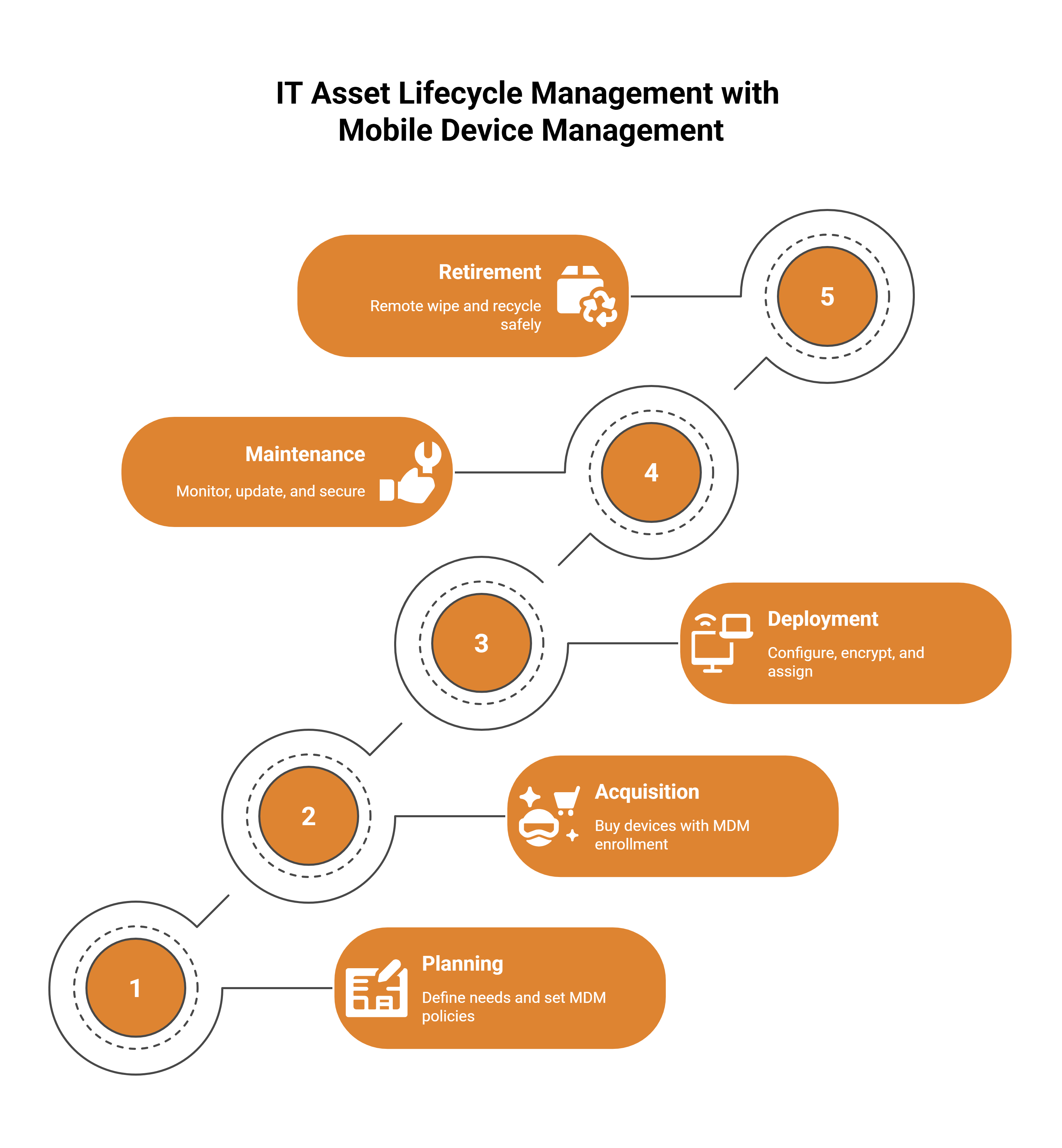
- Plan. Decide standard models for each role, how long devices should last and when they will be replaced. Check stock before ordering.
- Acquire. Buy devices and record each one when it arrives: serial number, model, cost, purchase date and warranty. Fix an asset label.
- Deploy. Enroll the device in MDM, set it up and assign it to a named person and a cost center.
- Maintain. Keep software patched, track license use, log repairs and warranty claims, and confirm each device still checks in.
- Retire. Recover the device when someone leaves or it reaches end of life, wipe it, decide whether to reuse, resell, donate or recycle it, and record how it left.
Where ITAM and MDM Each Fit
The clearest way to see the split is to look at what each tool records at each stage.
| Stage | IT asset management records | MDM does |
|---|---|---|
| Plan | Current stock, ages and replacement dates | Nothing yet |
| Acquire | Cost, supplier, serial, warranty, asset number | Can pre-register devices for enrollment |
| Deploy | Assigned user, location, cost center, label | Enrolls the device, applies settings and apps |
| Maintain | Repairs, contracts, license position, verification counts | Pushes updates, enforces policy, reports device details |
| Retire | Recovery, disposal reason, sale price, closed record | Locks or wipes the device, removes enrollment |
What each tool misses alone
| Question | ITAM alone | MDM alone | Both feeding one register |
|---|---|---|---|
| Which devices do we own? | Yes, if records are kept up | Only enrolled devices | Yes, with unenrolled devices flagged |
| Is this device secure? | No | Yes | Yes |
| What did it cost, and what is it worth? | Yes | No | Yes |
| Who signed for it? | Yes | Shows the signed-in user | Yes, with custody confirmed |
| Is its software licensed? | Yes, with license records | Reports installed apps | Yes |
| How was it disposed of? | Yes | No | Yes |
The goal is one register of devices that MDM keeps current, so the device list and the asset list are the same list.
Asset Management for Devices: Steps to Set It Up
- Import the device list you have. Start from your current spreadsheet so new data has records to match.
- Label every device. Barcode or QR asset tags let anyone scan a laptop to see its record.
- Connect your sources. Feed device details from MDM, discovery agents and network scans into the register.
- Review what they find. Link each discovered device to an existing asset, add it as new, or dismiss it with a reason.
- Assign custodians. Every device in use gets a named holder, and a leaver’s list of devices becomes their return checklist.
- Count regularly. Run custody checks so holders confirm what they have, and chase devices that stop checking in.
- Close the loop at retirement. Record how each device left and remove it from license counts.
IT Asset Lifecycle Examples by Team
Corporate IT
Laptops are enrolled in MDM, and agents report hardware and installed software. Each device has a custodian, and a leaver’s devices are listed for recovery before their last day.
Hospitals and clinics
Shared tablets and workstations on wheels move between wards. Labels and counts show where each one is, and warranty dates show which repairs are covered.
Schools
Laptops and tablets are lent to staff and students each term. A check-out with a due date records who has each one until it comes back. See equipment checkout.
Field teams
Phones and rugged tablets go out with technicians. MDM secures them, and the asset record holds the cost, the holder and the repair history.
How Asset Infinity Supports IT Asset Lifecycle Management
Asset Infinity is an IT asset management system. It is not an MDM. It reads device data from Microsoft Intune, which is its only MDM connector, and keeps the lifecycle record that MDM does not.
- Discovery. Agents for Windows, macOS, Linux and Android, a network collector using ICMP, SNMP, SSH, WMI and WinRM, and connectors for AWS, Azure, Google Cloud and Microsoft Intune. See IT asset discovery.
- Review before change. Findings are linked to an existing asset, added, or dismissed with a reason such as not ours, personal device, not an asset or not permitted. Nothing is added to the register on a guess.
- Software and licenses. Products are marked allowed, blocked or unreviewed, and licenses can be counted per device, user, concurrent, site or enterprise. Reports include installed not entitled and devices not checking in. See software license management.
- Warranty and contracts. Warranty lookup by serial for Dell, Lenovo, HP and Apple, and contracts such as warranty, annual maintenance, lease and insurance on each asset.
- Custody and bookings. A custodian on every device, check-out and check-in for shared equipment, and verification rounds done by scanning.
- Retirement. Disposals record the reason (sold, scrapped, lost, donated or transferred), buyer, sale price and gain or loss.
- Sign-in. SSO through SAML, OpenID Connect and LDAP, with user provisioning from Okta and Microsoft Entra.
Wiping a device stays in your MDM. For the disposal stage, our IT asset disposition guide walks through the steps. The IT asset management software page covers the full product.
Frequently Asked Questions
What is the difference between ITAM and MDM?
IT asset management tracks a device’s whole life, including cost, custody, contracts and disposal. MDM configures and secures enrolled devices while they are in use. Most organizations need both.
What are the five stages of the IT asset lifecycle?
Plan, acquire, deploy, maintain and retire. Some teams split the last stage into retirement and disposal.
Is an MDM enough to track IT assets?
No. An MDM only sees enrolled devices and holds little about cost, warranty or disposal. Use it as one source feeding an asset register.
Does Asset Infinity replace my MDM?
No. Asset Infinity is not an MDM. It connects to Microsoft Intune to read device details into the asset register, and your MDM keeps enforcing policy and wiping devices.