






Software license management that shows where you are short and why
Software license management that counts what you bought against the software your devices report. Each product shows as compliant or short, with the devices behind any shortfall.
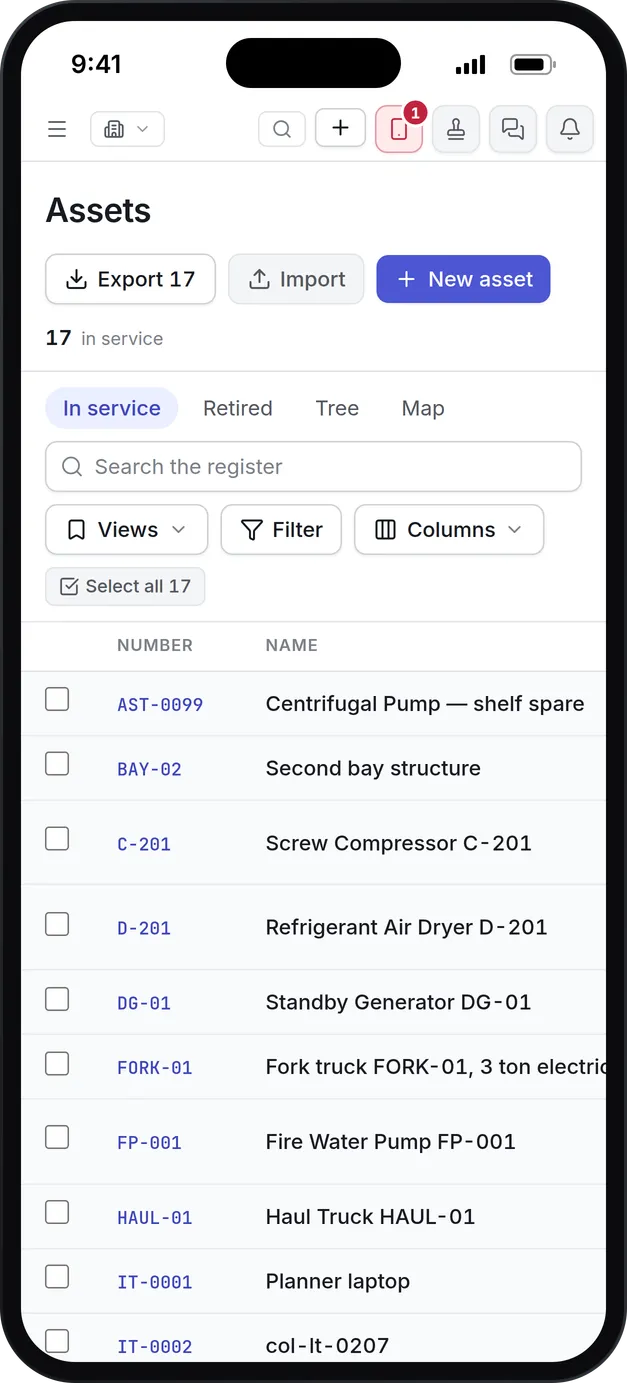
What our software license management keeps in view
License position
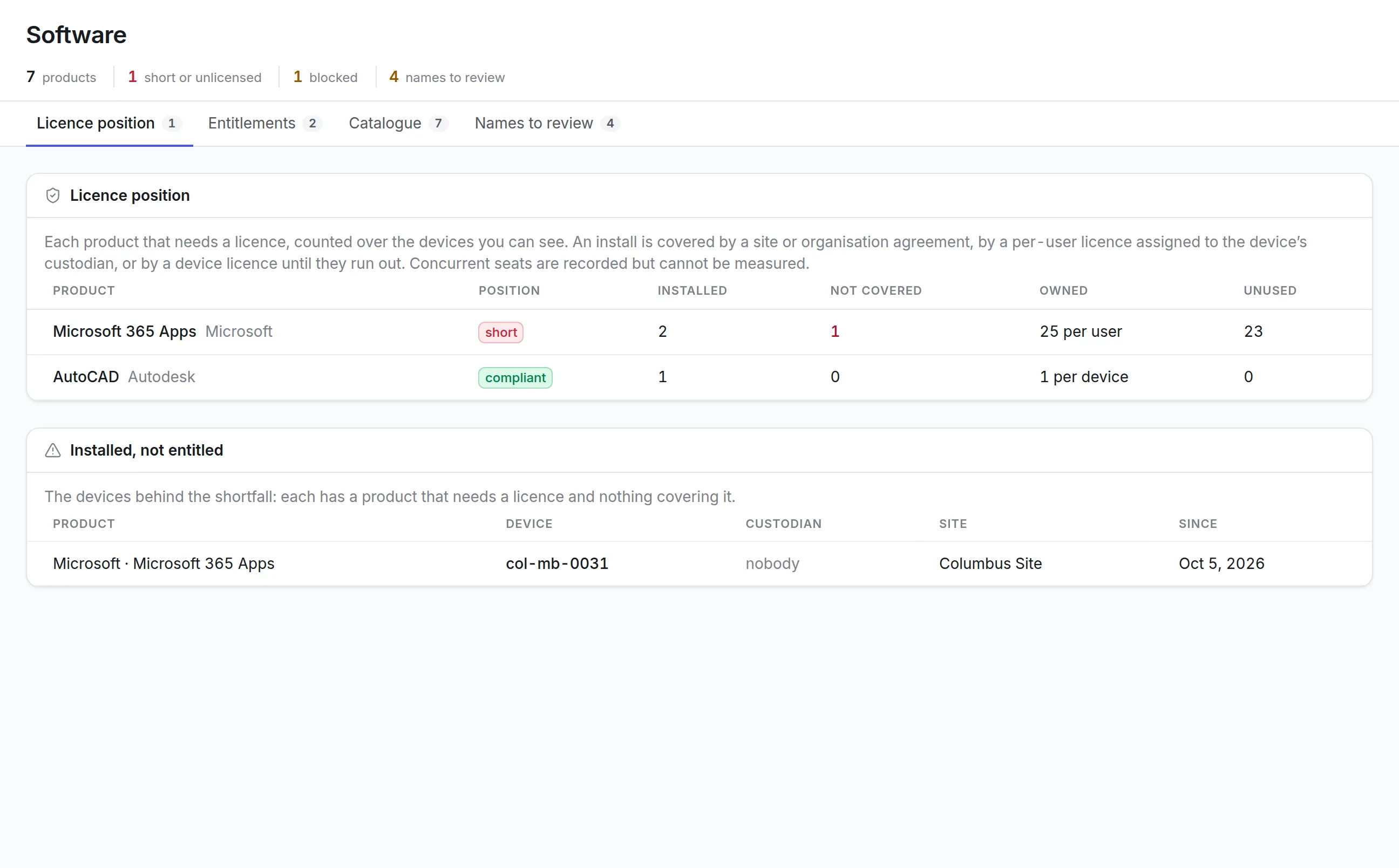
Every product that needs a license is counted over the devices you can see, with installs, installs not covered, licenses owned and licenses unused.
Five ways to count
Record entitlements per device, per named user, as concurrent seats, for one site, or for the whole organization.
Per-user licenses follow custodians
A per-user license covers an install when the device's custodian is one of the named users, so assigning a laptop settles its license.
A catalog that cleans names
Raw publisher and product names from scans are mapped to one product, so three spellings of Microsoft count as one.
Allowed and blocked software
Mark products as allowed or blocked. A device with blocked software installed shows up as an exception for the IT team.
Evidence on file
Each entitlement carries its agreement number, term and the certificate behind it, ready for an auditor.
What is software license management?
Software license management compares the software installed across your devices with the licenses your organization has bought, so you can see which products are covered, where you are short, and where licenses sit unused. It keeps the evidence of each purchase on file for when a publisher asks for an audit.
The problem it solves is two lists that never meet. Purchasing knows what was bought, IT knows roughly what is installed, and nobody can say whether the two agree until an audit letter arrives.
How software license management works in Asset Infinity
The Software screen answers one question: are we covered? It keeps what you are entitled to run and what is actually installed apart, then compares them for every product that needs a license.
- Collect what is installed.Discovery agents on Windows, macOS and Linux machines, and the Microsoft Intune connector, report the software on each device.
- Clean up the names.Scans report publishers and products as they find them. The catalog maps each raw name to one product, so “Microsoft 365 Apps for enterprise - en-us” and “Microsoft 365 Apps” count as one. Names it cannot place wait under Names to review.
- Declare what you bought.An entitlement records the product, a name for the agreement, the agreement number, how it is counted, how many, the term, and the certificate behind it.
- Assign per-user licenses.For a license counted per named user, add the people it covers. Each row shows whether the product is installed on their devices.
- Read the license position.Each product shows as compliant, short, unlicensed, more people than licenses, or not measured, with installs, installs not covered, licenses owned and licenses unused.
- Fix the shortfall.Installed, not entitled lists each device behind a shortfall with its custodian, site and the date it was first seen, so the fix is a named task.
Enter the number of licenses the certificate states. A purchase order can be kept with the entitlement for the audit trail, but it never sets the count.
Where the install data comes from
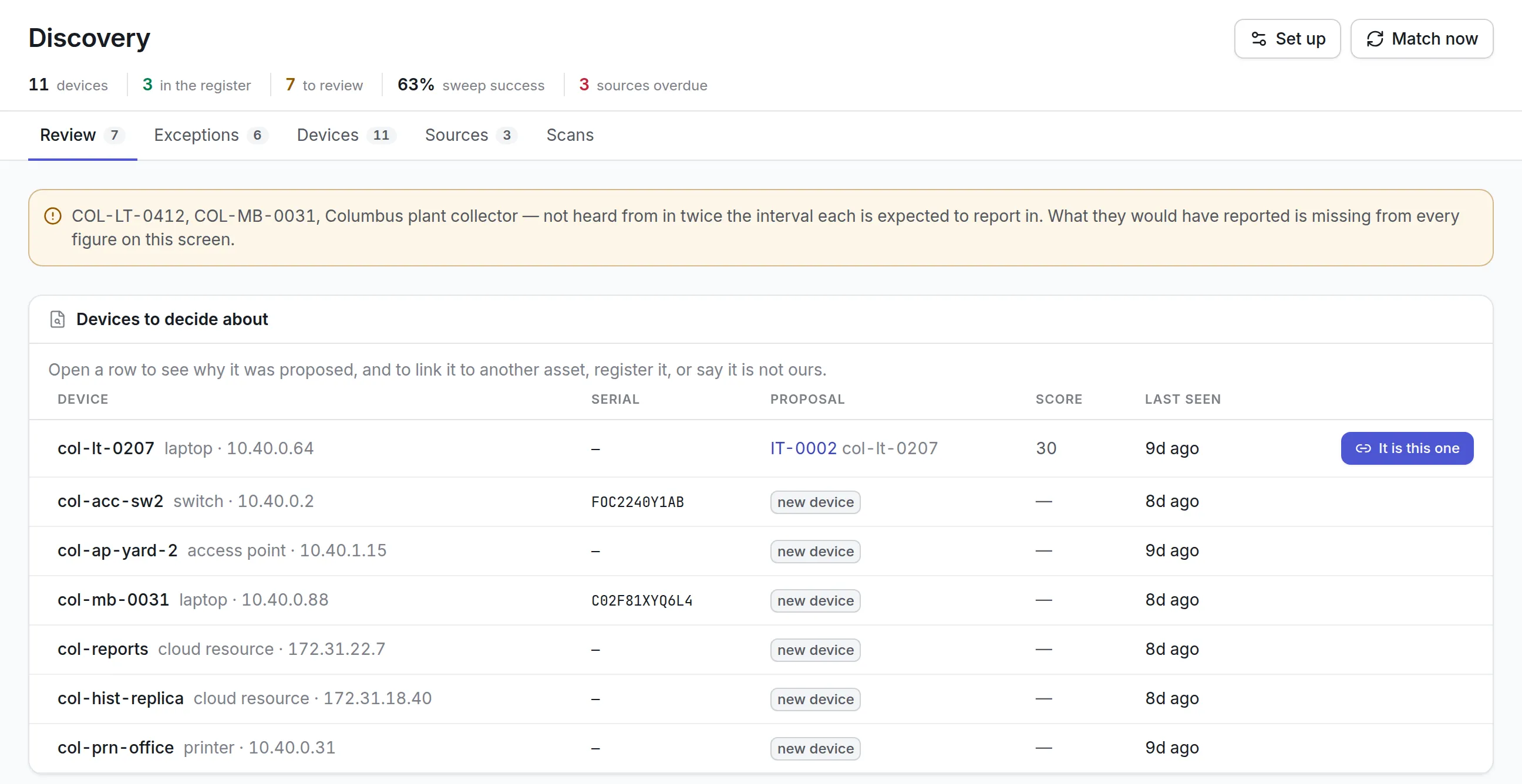
Software license management is only as good as its install data, and that comes from IT asset discovery. Every device is an asset in the same asset register, with its custodian and site.
Five ways to count a license
| Counted | How an install is covered | Typical example |
|---|---|---|
| Per device | Each device with the product installed uses one license until they run out | A CAD seat licensed to one workstation |
| Per named user | An install is covered when the device’s custodian is one of the people assigned | An office suite licensed per person |
| Concurrent seats | Recorded with its quantity and term, but not metered | A floating engineering license |
| Site license | Every install at the named site, with no quantity | A campus agreement for one school |
| Whole organization | Every install anywhere, with no quantity | An enterprise agreement |
Coverage is worked out in a fixed order. An install is covered first by a site or organization agreement, then by a per-user license assigned to the device’s custodian, then by a device license until those run out. Whatever is left is installed but not entitled.
See it on your own assets, or price it in two minutes.
Why the custodian matters for per-user licenses
A per-user license only covers a device whose custodian is assigned on the entitlement. That is why a laptop with nobody recorded as holding it shows up in the shortfall even when licenses are spare.
More detail
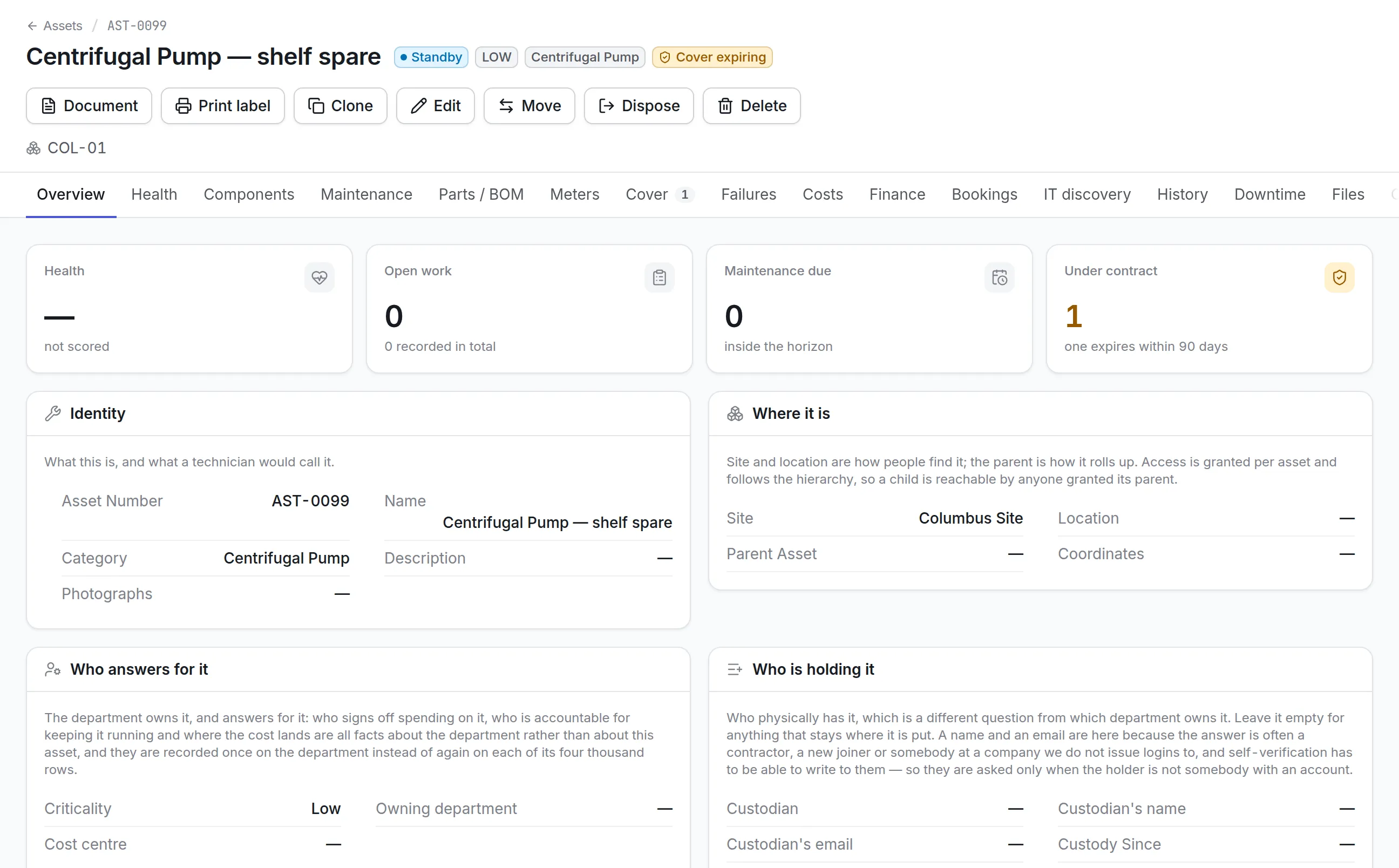
Assigning the laptop to the person using it, and that person to the license, settles both the register and the license position at once. Devices with no custodian and no department also raise an Orphaned exception in discovery.
What to look for in software license management tools
| Capability | Why it matters | In Asset Infinity |
|---|---|---|
| Install data from agents and device management | Spreadsheets of installs are out of date before they are finished | Agents and Intune report installs on each device |
| Name normalization | One vendor arrives under many spellings | A catalog maps raw names to one publisher and product |
| Every common license metric | Agreements are counted in different ways | Per device, per named user, concurrent, site and organization |
| Device-level shortfall | “Short by 3” is not actionable | Each uncovered install named with device, custodian and site |
| Unused licenses | Renewals are a chance to buy fewer | Unused count on every licensed product |
| Evidence on file | Auditors ask to see the certificate | Certificates and agreement numbers attached to each entitlement |
| Allowed and blocked software | Some products should not be installed at all | Block list that raises an exception per device |
Allowed and blocked software
The catalog doubles as your allow and block list. Every product is marked allowed, blocked or not reviewed.
Getting ready for a software audit
A publisher’s audit asks two questions: what did you buy, and what is installed. Answering both from one screen turns weeks of gathering spreadsheets into a review of what is already there.
More detail
In the first week most teams install agents on one office, map the names the scans report, and declare their largest agreements first, usually the office suite and the operating system.
Software license management by team
A mid-size IT department
Microsoft 365 is declared per named user and assigned to staff. The license position shows two installs on a shared laptop with no custodian, and assigning it closes the gap. See IT asset management software.
An engineering firm
CAD seats are counted per device. Each workstation that installs the software without a seat appears under Installed, not entitled, with its site, before the publisher’s next true-up.
A school district
A campus agreement is declared as a site license for each school, so every install there is covered without counting. Products the district does not allow on student machines are blocked. See asset management for education.
Pricing for software license management
Software license management works on the devices in your asset register, which is priced by asset count with unlimited users and starts at $130 a month for up to 500 assets. Build a quote or book a demo to see it on your own estate.
More in Track
Common questions
What is software license management?
Software license management compares the software installed across your devices with the licenses you have bought, so you can see where you are short, where licenses sit unused, and what to do about each.
Where does the list of installed software come from?
From the discovery agents on Windows, macOS and Linux machines and from Microsoft Intune. A network sweep alone does not report installed software.
Which license types are supported?
Per device, per named user, concurrent, site and enterprise. Site and enterprise agreements cover every install in their scope without a quantity.
Can it measure concurrent license use?
Concurrent seats are recorded with their quantity and term, but usage is not metered, so the position does not count them against running sessions.
How does software license management help with a software audit?
Each entitlement keeps its agreement number, term and certificate, and the license position names every device with an install nothing covers. You can answer an auditor with the evidence and fix the gaps device by device.
Can we block software from being installed?
You can mark a product as blocked. It is not uninstalled automatically, but every device with it installed raises an exception for its custodian within the hour, with your reason.
See it with your own assets
A demo run on an example from your industry. Or start the trial and look around on your own.