







The benefits of asset tracking software come down to one change: the business knows what it owns, where each item is, who has it and what condition it is in, without asking around. Fewer things are lost, fewer are bought twice, maintenance happens on time and audits stop taking weeks.
This guide covers what asset tracking software is, the benefits teams see first, the risks of running assets on spreadsheets, how the software earns back its cost, what changes before and after rollout, and what to look for when you choose one.
What Is Asset Tracking Software?
Asset tracking software records every asset an organization owns, where it is, who is responsible for it and what state it is in, and keeps that record current with barcode, QR or RFID labels, GPS trackers or network discovery. Each asset gets one record that maintenance, finance and IT all use.
Assets can be tangible (laptops, vehicles, machines, tools, furniture) or intangible (software licenses, contracts). Asset tracking software covers the tangible ones by labeling them so anyone with a phone can scan an item and see its record. For the full picture of methods, see asset tracking software.
10 Benefits of Asset Tracking Software
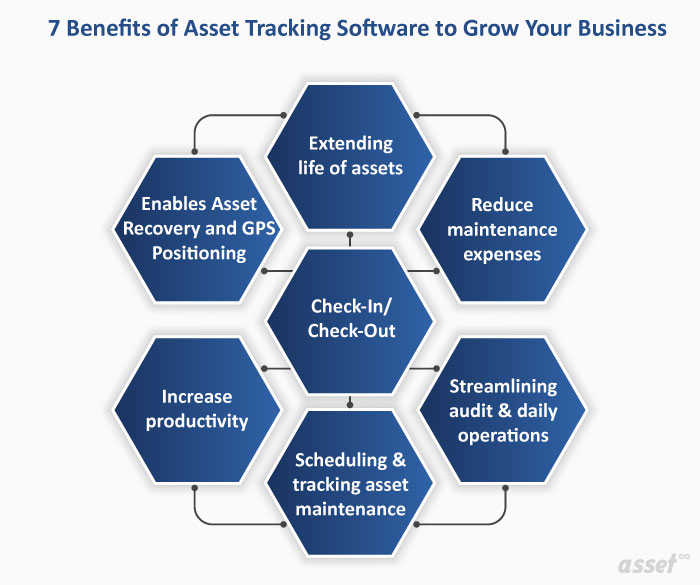
1. Fewer Lost and Stolen Assets
When every asset has a label and a custodian, a missing item is noticed quickly and someone is answerable for it. Small, portable and valuable items such as laptops, tools and test equipment benefit most. A record of who had an asset last turns a search of the whole building into one conversation.
2. No More Buying What You Already Own
A register that shows spare stock, idle equipment and assets sitting in another site’s storeroom stops duplicate purchases. Before ordering, a manager can check whether the item already exists somewhere in the business.
3. Ghost Assets Found and Removed
Ghost assets are items that are still in the books but no longer exist. They keep depreciating and can carry insurance and property tax for nothing. Regular counts against the tracked register find them, so finance can write them off. See how ghost assets build up.
4. Longer Asset Life and Lower Maintenance Cost
Tracking each asset’s condition and service history shows which ones are working well, which need repair and which cost more to keep than to replace. Under-maintained equipment fails early, and over-maintained equipment wastes labor. A history on each record lets you find the right level.
5. Maintenance That Happens on Time
Asset tracking software links each asset to its maintenance schedule, so the next service is due on a known date and the last one is on record. Unplanned breakdowns, overtime and stopped production follow from missed service. Preventive maintenance software on the same record turns those dates into work orders.
6. Faster, Easier Audits
Without tracking, an asset audit means printouts, ticks and weeks of searching, and the result is still doubtful. With labeled assets and a phone, a count is a walk through each area scanning tags. Every difference is listed for investigation.
7. Check-In and Check-Out Accountability
Shared equipment such as cameras, projectors, tools and loaner laptops can be checked out to a person with a due-back date and checked back in. Schools, hotels, libraries and field service teams use this to stop equipment from quietly disappearing. See equipment check-out.
8. Less Manual Data Entry and Fewer Errors
Long serial numbers typed by hand get typed wrong, and a wrong number makes an asset impossible to find. Scanning a label removes the typing. RFID goes further: a handheld reader reads many tags at once without line of sight, so counts of dense stock take far less walking.
9. Asset Recovery Through Location Tracking
GPS trackers on vehicles, trailers and generators report where they are and alert when they leave an area. Indoors, fixed readers and Bluetooth tags show which room or doorway an asset last passed. A lost asset becomes a location to visit.
10. Better Decisions on Repair and Replacement
Purchase date, cost, condition and repair history on each record make replacement decisions simple. Two printers need repair and there is budget for one. The record shows one is six years old and the other two, so the older one is replaced and the newer one repaired.
Risks of Not Using Asset Tracking Software
Small organizations with a handful of assets can manage on a spreadsheet. As assets, sites and people grow, the risks of going without asset tracking software add up.
| Risk | What happens without tracking | What tracking changes |
|---|---|---|
| Theft and loss | Missing items go unnoticed until someone needs them | Every asset has a custodian and a last known location |
| Human error | Mistyped serial numbers and conflicting spreadsheet copies | Scans replace typing; one record per asset |
| Missed maintenance | Breakdowns, production loss, early replacement | Service dates and history on each asset |
| Ghost assets | Depreciation, tax and insurance on items that are gone | Counts find and remove them |
| Stock problems | Too much spare stock, or shortages that stop work | Stock and usage visible across sites |
| Audit and compliance failures | No evidence of what exists or when it was inspected | Counts, inspections and changes recorded with who and when |
| Lost paperwork | Invoices and warranties missing when a claim is due | Documents and warranty dates kept with the asset |
Breakdowns caused by poor tracking carry knock-on costs: production loss, rescheduled projects, labor overtime and equipment retired before the end of its useful life.
How Asset Tracking Software Pays Back
Asset tracking software earns back its cost in a few measurable places. Track these before and after rollout to see your own return:
- Replacement spend avoided: assets that would have been bought again, or replaced after loss.
- Search time saved: hours staff spend looking for equipment.
- Audit effort: days taken by the annual count and the number of unexplained differences.
- Maintenance cost: emergency repairs and overtime that scheduled service prevented.
- Write-offs: ghost assets removed and depreciation that stopped.
- Utilization: idle assets found and put back to work or sold.
Our article on asset tracking ROI shows how to put figures against each line for your own business.
Before and After Implementing Asset Tracking Software
Most teams notice the change in the first full count after rollout. This is what usually moves.
| Area | Before | After |
|---|---|---|
| Finding an asset | Ask around, check spreadsheets, walk the site | Scan or search the record; see custodian and location |
| Annual count | Weeks of printouts and manual ticking | Scan in a mobile app; exceptions listed automatically |
| Maintenance | Done when something breaks | Scheduled from each asset’s record |
| Asset records | Several spreadsheets that disagree | One register with history |
| Rented or loaned assets | Returns depend on someone remembering | Due-back dates and check-in on each item |
| Duplicate records | Two assets share a number, or one asset has two | A unique number for each asset from a set series |
Rolling Out Asset Tracking Software
- Import your current list. Start from the spreadsheet you have, however incomplete. A partial register is a starting point.
- Label every asset. Print barcode, QR or RFID labels from the register and fix them during a first walk-through. Our asset tags page compares the label types.
- Assign custodians and locations. Every asset needs a place and a person answerable for it.
- Run a first count. Count one area as a pilot, then the whole site, and correct the register.
- Connect maintenance and check-out. Add service schedules to critical assets and turn on check-out for shared equipment.
- Report monthly. Watch lost items, count differences and idle assets, and act on what they show.
What to Look for in Asset Tracking Software
| Capability | Why it matters |
|---|---|
| One register for all asset types | Separate lists for IT, plant and furniture never reconcile |
| Label design and printing | Labels that carry the fields your team looks for |
| Offline mobile scanning | Warehouses, basements and yards have poor signal |
| Automatic location updates | RFID, BLE and GPS keep records current without a scan |
| Verification counts | A fixed list and an exceptions report for audits |
| Custody and check-out | Someone answers for each asset |
| Link to maintenance and finance | The same record carries work orders, costs and depreciation |
How Asset Infinity Delivers the Benefits of Asset Tracking Software
Asset Infinity keeps one asset register for equipment, vehicles, IT and furniture. Each asset has a number from a series you control, a custodian, a site and location, warranty dates and a status history. Labels for QR codes, barcodes and RFID are designed and printed from the register, and the iOS and Android mobile app scans them offline.
Fixed RFID readers, BLE gateways and GPS trackers update an asset’s location without a scan. Verification rounds (full, sample, targeted or self-verification) count assets against a fixed list, and the report lists everything missing, moved or damaged. Check-out and check-in cover shared equipment, and the same record carries work orders, contracts and depreciation. The asset register starts at $130 a month for up to 500 assets with unlimited users; build a quote for your asset count.
Frequently Asked Questions
What are the main benefits of asset tracking software?
Fewer lost and duplicate assets, maintenance on time, faster audits, accountability through custodians and check-out, and better repair and replacement decisions from each asset’s history.
Is asset tracking software worth it for a small business?
A business with a few dozen assets in one place can manage on a spreadsheet. Once assets move between people or sites, or an audit needs evidence, software usually pays for itself through fewer losses and less time spent searching and counting.
What technology does asset tracking software use?
Most assets carry a barcode or QR label scanned with a phone. RFID suits fast counts and doorway readers, Bluetooth tags locate items indoors, and GPS trackers follow vehicles and plant outdoors.
How long does it take to implement asset tracking software?
Importing a list and printing labels can start in the first week. The time that matters is the first full labeling walk and count, which depends on how many assets and sites you have.