






A CMMS mobile app that keeps working where the signal stops
Our CMMS mobile app lets technicians accept, start, update and close jobs on their phone, at the asset. Everything they need is on the device, so a basement, a substation or a ship's engine room is no reason to stop.
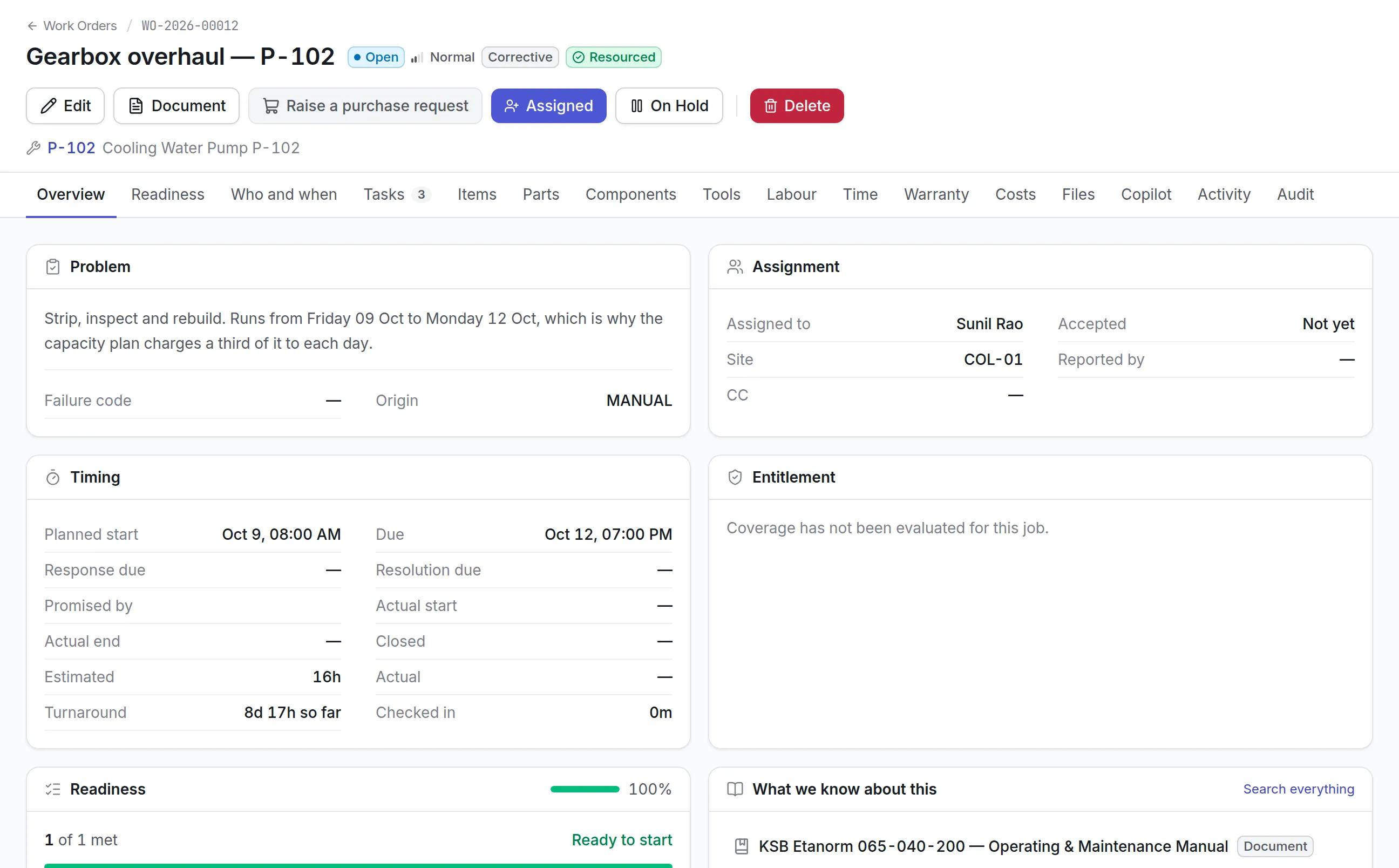
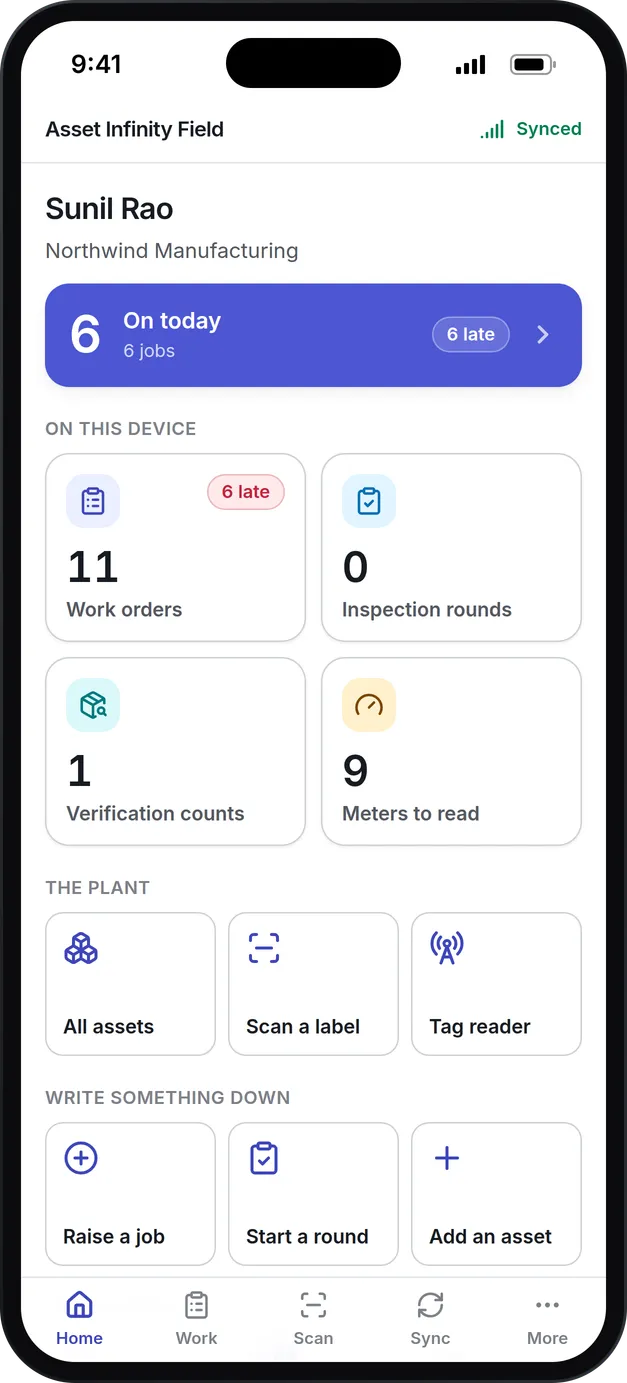
What technicians do in our CMMS mobile app
Works offline
Jobs, assets, checklists, guides and messages are kept on the phone. Every change is saved at once and sent when the signal returns.
Jobs from start to close
Accept, start, pause and complete work orders, log time, record the parts used and raise a new job at the asset.
Checklists, photos and signatures
Inspection rounds take answers, readings, photos and signatures, and a job can require a signature before it closes.
Scan to find
Scan a barcode or QR label with the camera to open an asset and its jobs. Paired RFID readers and BLE tags help find what is out of sight.
Counts and meter rounds
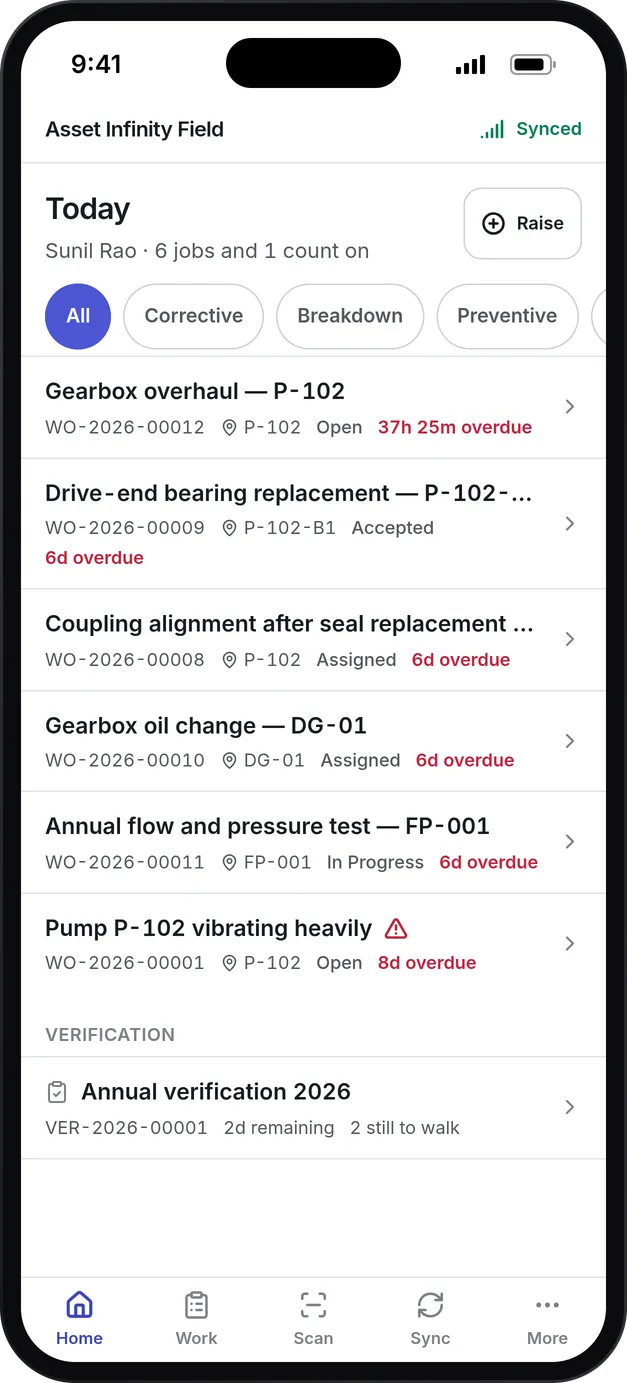
Auditors walk verification rounds and meter readers record readings, both without a network.
Locked to its owner
Data on the phone is encrypted and opened with a passcode or fingerprint, and a lost phone can be revoked.
What is a CMMS mobile app?
A CMMS mobile app is the phone side of a computerized maintenance management system. Technicians use it to receive work orders, follow checklists, record parts and time, take photos and close jobs at the asset, while the planner sees each change in the office.
The test of a CMMS mobile app is the places technicians actually work: plant rooms, substations, basements and ships’ engine rooms, where a signal comes and goes. An app that needs the network for every tap gets left in a pocket, and the paperwork gets typed up later from memory.
How a job runs in the CMMS mobile app
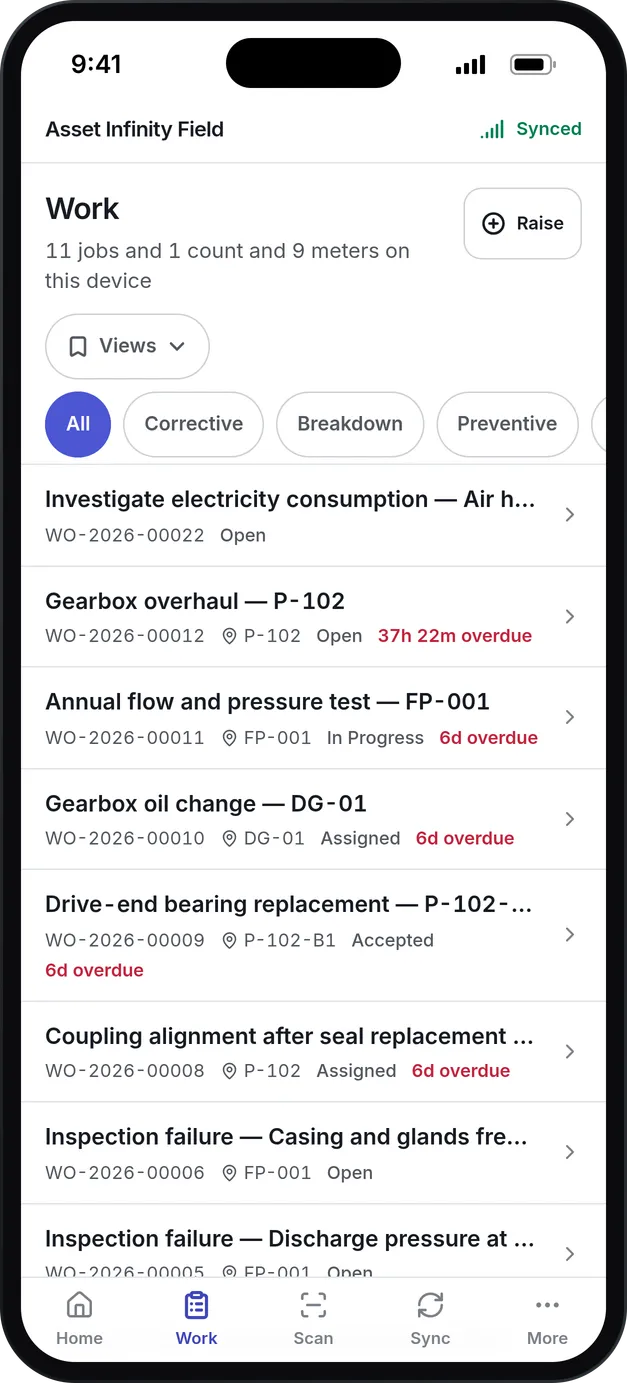
Asset Infinity Field is an installed app for iOS and Android phones and tablets. It keeps its own encrypted copy of the work assigned to you, so every screen opens instantly whether or not there is a signal. Here is a gearbox overhaul on a cooling water pump from start to finish.
- The job arrives.The planner assigns it in the work order software, and it reaches the phone at the next sync. Where notifications are set up, a banner says so even with the app closed.
- Accept and check in.The technician accepts the job and taps Check in, which starts the time on the job. Start work is held back while a required permit is missing.
- Scan the asset.A scan of the pump’s label opens its screen with the nameplate, where it is, who keeps it and its open jobs, so the technician knows nobody else is already on it.
- Work the checklist.Each step is answered as pass or fail, a reading, a photo or a signature. A step marked as needing approval waits for someone else to sign it off.
- Record parts, tools and notes.Parts are searched across the stores at your sites and recorded as fitted, which takes them out of stock and costs the job. Tools are taken out against the job and put back with their condition.
- Close it with what was found.Complete waits until everything required at close-out is done, then asks what was done, how it was put right and, where you track failures, what failed.
A note marked Worth knowing is filed against that kind of asset, so the next technician who meets the same fault finds it in the knowledge library.
Built for places with no signal
The phone holds the work assigned to you, the assets, meters and stock at your sites, and the forms your organization uses. Pressing a button changes the screen at once and puts the change in a queue. When a signal returns, the queue is sent in the order things happened.
More detail
Under each action the app says whether it is allowed offline, queued for validation or needs a connection, and your administrator decides which actions may be done offline. Photos and signatures travel separately, so a large image on a weak signal does not hold up the job’s completion.
What to look for in a CMMS mobile app
| Capability | Why it matters | In Asset Infinity |
|---|---|---|
| Real offline working | Jobs happen where the signal is weakest | Work, assets, meters, stock and forms kept on the phone |
| Honest sync status | A technician needs to know the work reached the office | Pending, Synced, Failed and Conflict shown on every record |
| Scanning built in | Typing asset numbers on a phone invites mistakes | Camera scanning of QR codes and barcodes, offline |
| Checklists with evidence | Inspections need photos and sign-off, not just ticks | Pass or fail, readings, photos and signatures on each step |
| Parts and tools at the job | Stock is wrong when usage is recorded later | Parts fitted from the store and tools taken against the job |
| Your own forms and statuses | The app should speak your organization’s language | Statuses, priorities and form questions come from your setup |
| Security on the device | Phones get lost | Encrypted data, passcode or fingerprint, and remote revoke |
See it on your own assets, or price it in two minutes.
More than work orders
The same app covers the work that happens away from a desk, each on its own screen and each working offline except where noted.
More detail
Where the AI copilot is switched on, Say it and Fill from a document fill a new job or asset from a spoken sentence or a photo of a nameplate. That one step needs a connection.
Security on a shared or lost phone
- The data on the phone is encrypted and opened with a passcode or a fingerprint.
- A person who loses a phone revokes it from their profile in the web app, which ends its access at once and tells it to erase its copy.
- A phone that stays out of touch too long erases its copy for safety.
- Signing out ends the session on the server, and one handset can be signed into more than one organization.
CMMS mobile app examples by team
Plant maintenance
Technicians on a production line accept jobs, record bearings fitted from the line-side store and close work with a failure code. See technician management.
Facilities teams
A building engineer walks a weekly fire pump inspection, photographs a failed step, and the failure becomes a corrective work order.
Utilities
Meter readers walk a pump station with no signal, read each dial with a photo, and the readings feed hour-based plans when the phone reconnects.
Asset auditors
Auditors walk a verification count with the camera or an RFID reader, using asset tags on each item.
Getting started with the CMMS mobile app
Technicians install Asset Infinity Field from the App Store or Google Play once your organization has published it, or from a direct install file on rugged Android devices without Google Play. They sign in with their email or with Google or Microsoft, set a passcode, and the first sync brings down their work.
From then on, rounds raised by preventive maintenance software arrive on the phone as they fall due, and counts set up in asset inventory software appear under Verification, ready to walk.
Pricing for the CMMS mobile app
The field app works with the modules you buy. Maintenance, which covers work orders, preventive maintenance, inspections and the workforce, is $25 per user per month, and the asset register starts at $130 a month for up to 500 assets with unlimited users. Build a quote for your team.
More of the platform
Common questions
What is a CMMS mobile app?
A CMMS mobile app is the phone side of a maintenance management system. Technicians use it to receive work orders, follow checklists, record parts and time, take photos and close jobs at the asset.
Does the app work without internet?
Yes. The work assigned to a technician, the assets at their sites and their checklists are kept on the phone. Changes made offline are queued and sent when the phone reconnects.
Which phones does it run on?
iOS and Android phones and tablets, as an installed app from the App Store or Google Play, or a direct install file for rugged Android devices. It does not run in a web browser; people at a desk use the web app.
Can it be used as an asset tracking app?
Yes. People can scan labels, add a new asset in front of it, move assets between locations and walk a physical count of what is on site.
What happens if a technician loses their phone?
The data on the phone is encrypted and locked with a passcode. The owner revokes the phone from their profile in the web app, which ends its access at once and tells it to erase its copy.
Can technicians use RFID readers with the app?
Yes, on Android. A handheld Zebra, TSL or Chainway reader paired with the phone reads, writes and locates RFID tags. The iOS app reads labels with the camera.
See it with your own assets
A demo run on an example from your industry. Or start the trial and look around on your own.