






The best asset management software is the one that fits the assets you actually have and the people who will use it every day. A plant needs maintenance and meters, an IT team needs discovery and licenses, a finance team needs depreciation, and a small business needs something it can set up in a week. Many products are good at one of those and weak at the rest.
This guide explains what asset management software does, the main types, the features to compare, well-known options by use case, what small businesses should look for in fixed asset software, a checklist for running a trial, and how Asset Infinity covers each area.
What Is Asset Management Software?
Asset management software keeps one record for every asset an organization owns (equipment, vehicles, IT devices, furniture, tools) with where it is, who is responsible, what it cost, its condition, its maintenance history and its value over time. It replaces spreadsheets with a register that scanning, maintenance and accounting keep current.
Organizations buy it when the spreadsheet stops being trusted: an audit asks for a list nobody can produce, equipment is bought twice, maintenance is missed, or depreciation is rebuilt by hand every year.
Types of Asset Management Software
The term covers several kinds of product. Knowing which kind you need narrows the list fast.
| Type | Main job | Typical buyer |
|---|---|---|
| Asset tracking software | Know what you own, where it is and who has it, using labels and scanning | Operations, office managers, schools |
| CMMS | Work orders, preventive maintenance, parts and technicians | Maintenance managers, facilities teams |
| Enterprise asset management (EAM) | Maintenance, assets, inventory and purchasing across many sites | Asset-intensive enterprises, utilities |
| IT asset management (ITAM) | Discover devices and software, track licenses and contracts | IT managers |
| Fixed asset management | Register, depreciation books, disposals and journals | Controllers, finance teams |
| Digital asset management (DAM) | Files, images and brand media | Marketing teams |
Digital asset management is a different category: it manages files such as images, video and brand media. If your search is about equipment, devices and their value, you need one or more of the others. A single product that covers tracking, maintenance, IT and fixed assets saves keeping four registers in step.
Features to Compare in Asset Management Software
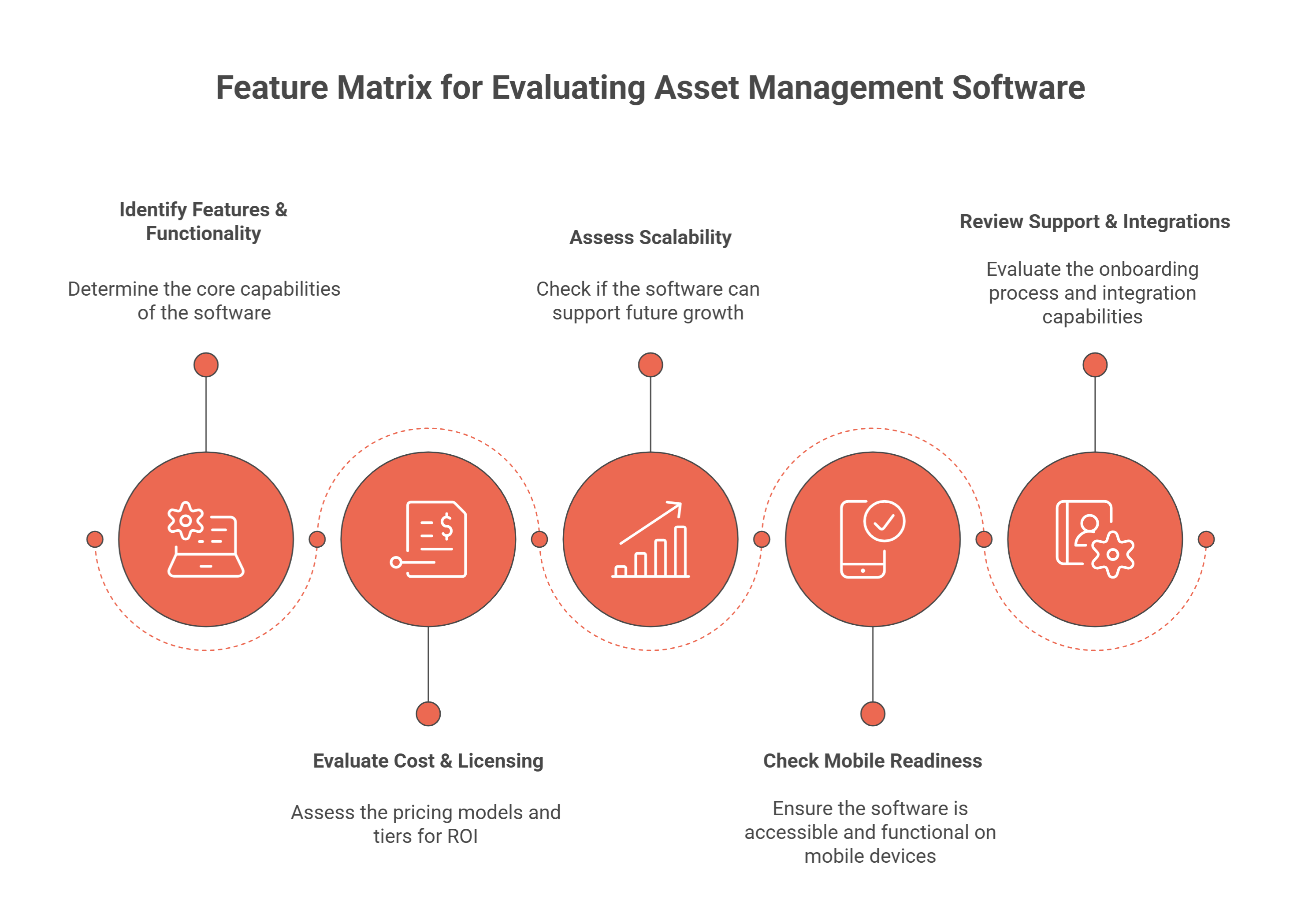
| Feature | Why it matters | What to ask in a demo |
|---|---|---|
| One asset register | Every team works from the same record | Can maintenance, IT and finance all use the same asset? |
| Labels and scanning | Assets are identified in seconds, without typing | Can we design and print our own barcode, QR or RFID labels? |
| Mobile app that works offline | Plant rooms, basements and yards have no signal | What happens to a scan with no connection? |
| Verification counts | The register is only trusted once it is proved | Can we run full, sample and custodian counts against a fixed list? |
| Preventive maintenance | Service happens before failure | Can plans fall due by calendar and by meter? |
| Depreciation | Finance needs book and tax values | Which methods? Can one asset carry several books? |
| Check-out and custody | Someone answers for each asset | Can we lend equipment with a due-back date? |
| Reports and audit trail | Audits and decisions need evidence | Who changed this record, and when? |
| Security and single sign-on | Access follows your directory | Do you support SAML, OpenID Connect or LDAP? |
| Deployment choice | Some sites cannot use the cloud | Is an on-premise version available, and is it the same product? |
| Pricing model | Per-user pricing can limit who uses it | Is pricing by asset count or by user? |
Scalability matters too. Ask how the product handles thousands of assets across many sites, and whether access can be limited so each site sees only its own assets.
Best Asset Management Software by Use Case
Buyers usually shortlist from a mix of these. Each is known mainly for one area, so match the product’s strength to your main need.
| Product | Best known for |
|---|---|
| Asset Infinity | One register for asset tracking, maintenance (CMMS), IT asset management and fixed asset depreciation |
| UpKeep | Mobile-first maintenance management for field and facilities teams |
| Fiix | Cloud CMMS for maintenance teams in manufacturing |
| FMX | Facilities maintenance and scheduling, popular with schools |
| ManagerPlus | Maintenance and fleet management |
| EZOfficeInventory | Asset tracking with check-out for equipment |
| Asset Panda | Configurable asset tracking |
| Snipe-IT | Open-source IT asset management |
| Ivanti | IT asset and service management for corporate IT |
| ServiceNow ITAM | IT asset management for enterprises already on ServiceNow |
A shortlist of three is enough. With more, the trial turns into a feature tour and your own work never gets tested.
Fixed Asset Software for Small Businesses
Small businesses usually need fewer features and faster setup. For fixed asset software, look for:
- A simple import from the spreadsheet you already keep, with checks before anything is written.
- Labels you can print yourself and a phone app to count with.
- Depreciation that matches US rules, including MACRS for tax, without typing percentages into a spreadsheet.
- Book and tax values side by side, so the tax schedule is not rebuilt each year.
- Disposals with a gain or loss, so selling an old van is one entry.
- Pricing that does not charge per viewer, so everyone who needs to look up an asset can.
A business with a few dozen assets in one place can manage on a spreadsheet. Once assets move between people or sites, or an accountant or lender asks for evidence, software pays for itself in time saved. Our guide to preparing a fixed asset register shows what the register should hold either way.
How to Choose the Best Asset Management Software
- List your asset types and counts. Machinery, vehicles, IT, furniture, tools. The mix decides whether you need tracking, maintenance, IT or finance first.
- Name your top three problems. Lost equipment, missed maintenance, failed audits, license overspend. Judge every product against them.
- Decide where it must run. Cloud, on your own servers, or both.
- Check how it fits your systems. Single sign-on, your ERP or accounting system, and how data gets in and out.
- Shortlist three products whose strengths match your problems.
- Run a trial on your own data. Import a real slice of your register, print labels, scan them on a phone and run a small count.
- Price it for your asset count and users, including add-ons, tagging services and hardware.
- Check support and onboarding. Ask who helps with the import and the first count.
Trial Checklist
- Import 200 real assets and fix the errors the import reports.
- Print 20 labels and scan them in the mobile app, including once with no signal.
- Move an asset to another site and check its history.
- Schedule a preventive maintenance plan and close a work order.
- Run depreciation on a few assets and compare with your current schedule.
- Run a small count and read the exceptions report.
How Asset Infinity Covers Each Area
Asset Infinity keeps one asset register for equipment, vehicles, IT and furniture, with asset numbers from a series you control, custodians, warranty dates, status history and custom fields. Imports take CSV or Excel files, check every row before writing and can be undone. Labels for QR codes, barcodes and RFID are printed from the label designer, and the iOS and Android mobile app scans them offline.
- Tracking and audits: fixed RFID readers, BLE tags and GPS trackers update locations; verification rounds count against a fixed list. See asset tracking software.
- Maintenance: work orders and preventive maintenance on the same asset record, through the CMMS software.
- IT: discovery agents for Windows, macOS, Linux and Android, a network collector, connectors for AWS, Azure, Google Cloud and Microsoft Intune, and software license tracking. See IT asset management software.
- Finance: straight-line, declining balance, units of production and rate tables (MACRS GDS and ADS ship as tables), several books per asset, posted and reversible runs, and journal export to the general ledger. See fixed asset management software.
- Access: single sign-on over SAML, OpenID Connect and LDAP, with provisioning from Okta and Microsoft Entra.
The asset register starts at $130 a month for up to 500 assets with unlimited users, and an on-premise install runs the same release as the cloud. Build a quote for your asset count, or book a demo to see it with your own data.
Frequently Asked Questions
What is the best asset management software?
There is no single best product for everyone. The best asset management software is the one that covers your main asset types and problems, works on a phone where your assets are, and fits your budget and IT rules. Shortlist three and trial them on your own data.
What is the best fixed asset software for small businesses?
Look for a simple spreadsheet import, labels and a mobile app for counts, depreciation that supports MACRS and several books, and pricing that does not charge for every person who looks up an asset.
Is asset management software the same as digital asset management?
No. Asset management software tracks physical assets such as equipment, devices and vehicles. Digital asset management stores and organizes files, images and brand media.
How long does it take to implement asset management software?
A small business can import its register, print labels and start counting in the first week. Larger rollouts with maintenance plans, IT discovery and several sites take longer, mostly because of labeling and the first count.