






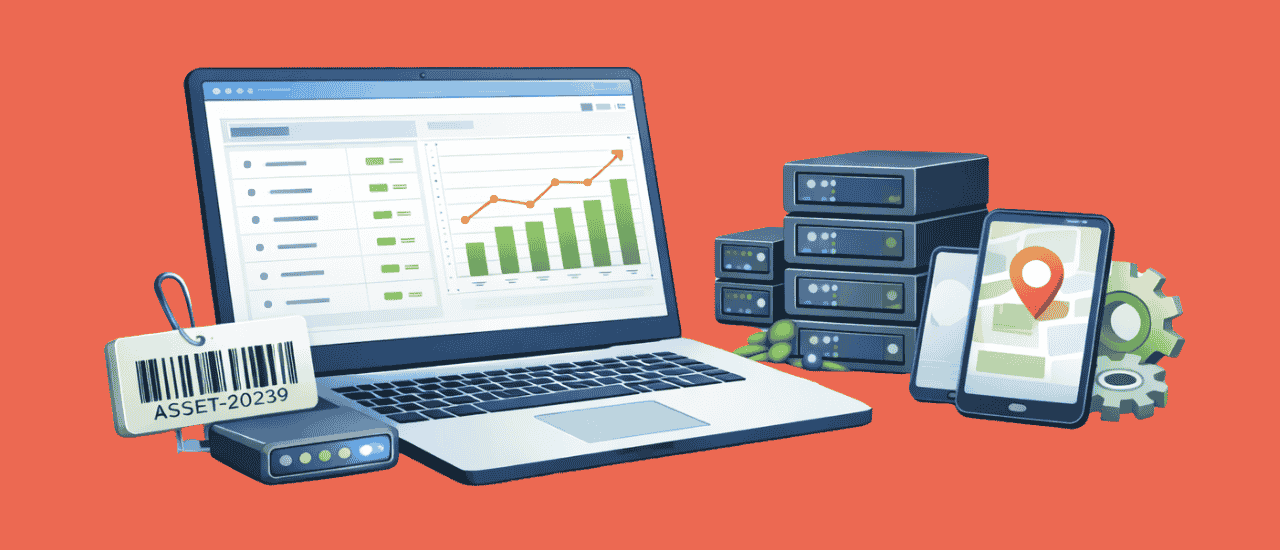
IT asset tracking software is a core operational tool for organizations in 2026. Businesses manage large inventories of physical IT equipment, including laptops, desktops, monitors, networking hardware and peripherals, across many departments and locations. Reliable IT asset tracking software lets a company keep accurate equipment records, reduce asset loss, hold people accountable for what they carry, and run IT asset management with less effort.
Hybrid work makes this harder. Laptops go home, docks stay in the office, and a monitor bought for one team ends up on another floor. A spreadsheet updated by hand falls behind within weeks. This guide explains what IT asset tracking software does, what an IT asset database should hold, how to choose a tool, and ten products buyers commonly shortlist.
What Is IT Asset Tracking Software?
IT asset tracking software keeps one record for every piece of IT equipment an organization owns: what it is, its serial number, where it is, who holds it, what it cost and what condition it is in. Labels, scans and discovery agents keep that record current, so the list matches what is on desks and in server rooms.
Tracking is the physical half of IT asset management. It answers “where is it and who has it?” Full IT asset management software adds the software installed on each device, the licenses that cover it, and the device’s cost and depreciation from purchase to disposal. Most buyers now want both in one place.
What an IT Asset Database Should Hold
An IT asset database is the set of records the tracking software keeps, one row per device. Whatever tool you choose, these are the fields to insist on:
| Field | Why it matters | Example |
|---|---|---|
| Asset number and label | One ID every ticket, count and report refers to | IT-LAP-0187 |
| Make, model and serial number | Warranty claims, recalls and theft reports | Lenovo ThinkPad T14, PF4XK2LM |
| Category and type | Groups devices for reports and refresh plans | Laptop |
| Custodian | The person accountable for the device | Maria Lopez, Finance |
| Site and location | Where it should be found during a count | Austin office, floor 2 |
| Purchase date and cost | Budgeting, depreciation and audit | Feb 12, 2026, $1,480 |
| Warranty expiry | Whether a repair is covered | Feb 11, 2029 |
| Status | Where it is in its life | In use, in stock, under repair, retired |
| Hostname and operating system | Matches the asset to what IT tools see on the network | AUS-FIN-0187, Windows 11 |
| Last seen | Whether the device still checks in or has gone missing | 2 hours ago |
| History | Every assignment, move, repair and count | Reassigned Jul 2026 |
The custodian and the serial number do most of the work. A device without a named holder has nobody to ask when it goes missing, and a device without a serial cannot be matched to a warranty or a police report. If you are building the database from a spreadsheet, our guide to what an IT asset register is covers the starting point.
Why IT Asset Tracking Software Matters Now
Organizations rely on physical technology to operate, and the number of devices per employee keeps growing. Without structured tracking, records drift, devices go missing, and teams buy equipment they already own. These are the problems that usually start the search:
- Lost devices when people leave. Nobody can say exactly which laptop, dock and headset a departing employee should return.
- Duplicate purchases. New laptops are ordered while working spares sit in a cupboard at another site.
- Failed counts. The annual audit finds devices that are not on the list and list entries that cannot be found.
- Security gaps. A device IT does not know about is a device nobody patches.
- Remote and hybrid work. Devices move between homes, offices and employees far more often than a spreadsheet can follow.
Key Selection Criteria for Choosing the Best IT Asset Tracking Software
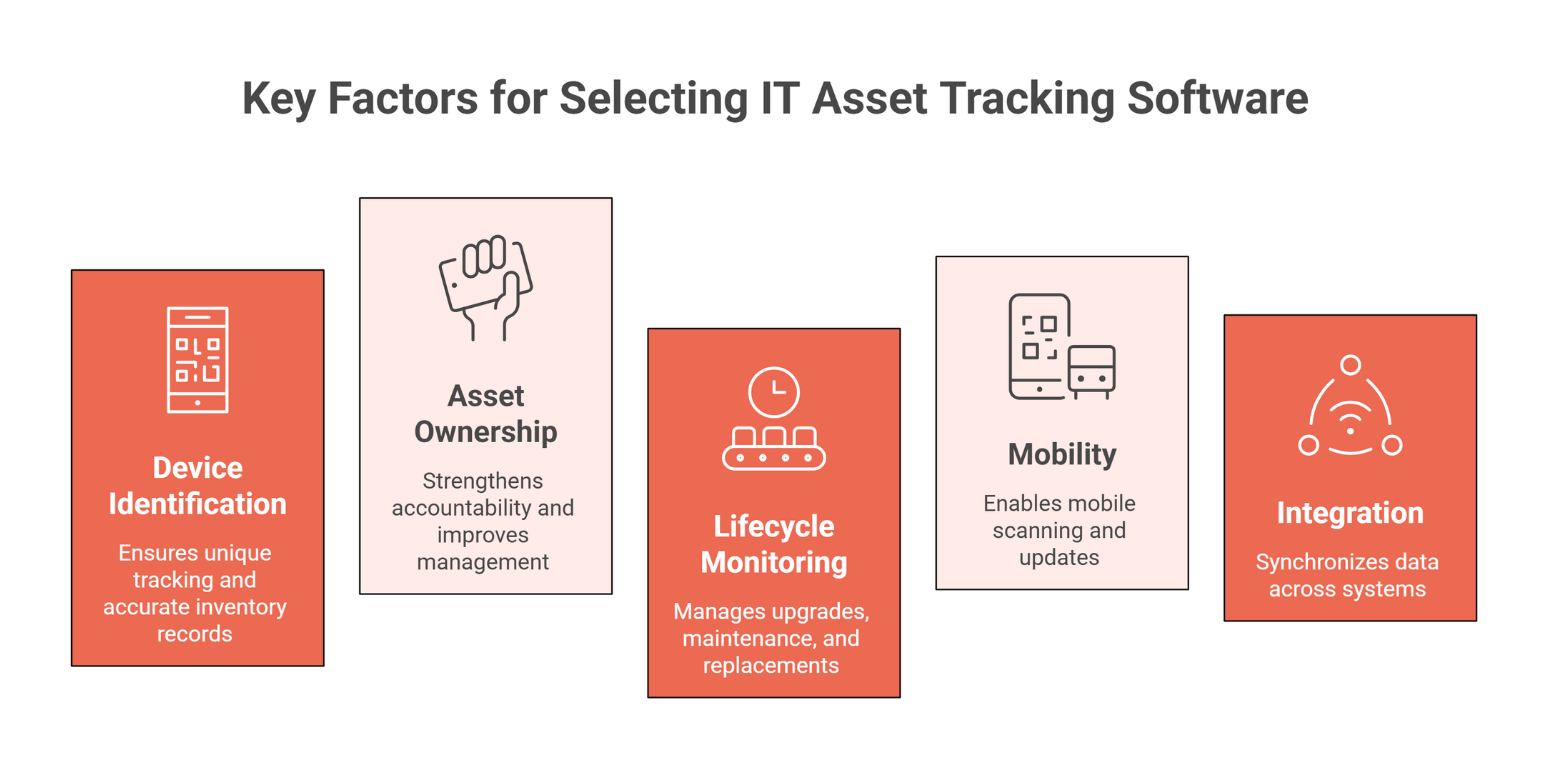
Weigh each tool against these criteria before you look at demos. The right IT asset tracking software keeps device records accurate and scales as you add sites.
1. Device Identification and Tagging Capabilities
The tool should print and read QR codes, barcodes and, where you need it, RFID labels, so each device carries an ID anyone can scan. Our asset tags page compares the label types.
2. Asset Ownership and Allocation Tracking
Every device needs a named custodian, and a hand-over should change that name in the record. Check-out and check-in for shared equipment, such as loaner laptops and projectors, belongs here too.
3. Lifecycle Monitoring for IT Equipment
Look for a record that follows the device from purchase to disposal: receiving, assignment, repairs, warranty, reassignment, retirement and how it left.
4. Mobility and Barcode / QR Scanning Support
IT staff should be able to scan a label with a phone, open the record, update it and run a count without returning to a desk.
5. Integration with IT Asset Management Systems
Tracking data is more useful when it meets discovery data, the help desk and procurement. Ask which systems it connects to and how records are matched so the same laptop does not appear twice.
How IT Assets Are Tracked: Methods Compared
No single method covers every device. Most IT teams combine a label for physical counts with discovery for anything on the network.
| Method | What it tells you | Best for | Limits |
|---|---|---|---|
| Barcode or QR label | Which asset this is, when someone scans it | Counts, hand-overs and receiving | Only updates when a person scans |
| RFID tag | Which tags are near a reader, without line of sight | Counting rooms of equipment quickly | Needs readers; metal and liquids affect reads |
| Discovery agent | Hardware details, installed software, last check-in | Laptops, desktops and servers | Only devices with the agent installed |
| Network sweep | What answers on the network | Switches, printers, access points | Only devices that are on and reachable |
| Cloud connector | Virtual machines in cloud accounts | Cloud resources | Says nothing about physical equipment |
The IT asset management guide explains how these fit into the full process from purchase to disposal.
How to Set Up IT Asset Tracking
Getting a tracking system live takes six steps. The first three build the list; the last three keep it true.
- Decide what to track. List the device types in scope: laptops, desktops, monitors, phones, network equipment, peripherals above a set value.
- Import what you have. Load the existing spreadsheet, purchase records and any help desk asset list, and remove duplicates.
- Label every device. Print one label per asset with its number and a QR code or barcode, and fix it where it will not wear off.
- Assign custodians. Record who holds each device and where it lives.
- Turn on discovery. Install agents and run network sweeps so devices on the network confirm or correct the record.
- Count on a schedule. Run a full count at least once a year and investigate every device found missing or moved.
IT Asset Tracking by Team
Corporate IT
The priority is joiners and leavers. A tracker that lists every device held by a person turns offboarding into a checklist, and discovery shows which laptops have stopped checking in.
Government, Defense and Military Units
Military units, including Marine Corps commands, assign serialized equipment to a responsible person who signs for it, and inventories are reconciled against that signed record. IT asset tracking software for these teams needs a named custodian on every item, serial numbers, a full change history and counts done by scanning, and often a deployment that runs on the organization’s own servers.
Schools and Universities
Carts of student devices, lab computers and projectors move between rooms. Check-out and check-in records show who has which device, and room-by-room counts with a phone find what is missing before the next term.
Call Centers and Shared Service Centers
Hundreds of identical workstations and headsets sit across shifts. Labels and a count by location keep the floor plan honest. See how a call center tracks its IT assets.
Leading IT Asset Tracking Software Platforms for 2026
These are ten products buyers commonly put on a shortlist. They differ mainly in whether tracking sits inside a help desk, inside a wider asset register, or stands alone.
| Product | What it is | Typical fit |
|---|---|---|
| Asset Infinity | One asset register for IT and physical assets, with discovery and license counts | Organizations that want IT, facilities and finance on one record |
| ManageEngine AssetExplorer | ManageEngine’s IT asset management product | Teams already using ManageEngine tools |
| Asset Panda | Cloud asset tracking with configurable records and mobile scanning | Teams tracking many kinds of equipment with labels |
| Snipe-IT | Open-source IT asset management you can host yourself | Teams with the skills to run their own server |
| InvGate Assets | InvGate’s IT asset management product | Teams pairing it with InvGate’s service desk |
| Lansweeper | IT discovery and inventory built around network scanning | Teams whose first need is finding devices on the network |
| Freshservice | IT service management with built-in asset management | Teams that want assets inside their help desk |
| Ivanti ITAM | IT asset management within Ivanti’s IT management suite | Larger IT departments already on Ivanti |
| Device42 | Discovery and dependency mapping for data centers and cloud | Infrastructure teams mapping servers and applications |
| SysAid | IT service management with asset management | Help desks that want assets linked to tickets |
Asset Infinity keeps laptops, servers and peripherals in the same register as the rest of what an organization owns. Agents for Windows, macOS, Linux and Android, network sweeps, and connectors for AWS, Azure, Google Cloud and Microsoft Intune report what they find, and each finding is reviewed before it changes the register. See IT asset discovery for how findings are matched.
When you compare the others, ask each vendor the same questions: how devices are found, how duplicates are avoided, whether counts can be done by scanning with a phone, and whether software licenses sit on the same record as the device.
Core Capabilities That Define a Strong IT Asset Tracking Software System
A device list is the starting point. These capabilities separate a tracking system that stays accurate from one that drifts:
- Visibility of physical IT assets. Every laptop, desktop, monitor and peripheral in one list, with its status and location.
- Centralized asset inventory. One record per device, so two teams never keep two versions.
- Assignment and accountability. A named custodian on every device, changed at every hand-over.
- Movement and location history. Each transfer between offices, teams and homes recorded with who and when.
- Mobile auditing and scanning. Counts done by scanning labels with a phone, with missing and moved devices listed.
- Reporting. Devices by location, by custodian, by age and by warranty status, to plan replacements.
- Access control. Only authorized people can change records, and every change leaves an audit trail.
How Organizations Can Choose the Most Suitable IT Asset Tracking Software
Identify the Types of IT Equipment to Track
Start with the device types and the number of each. A team tracking 300 laptops has different needs from one tracking 30,000 endpoints plus network equipment.
Evaluate Automation and Tracking Technologies
Decide which methods you need: labels for counts, RFID for fast counts of rooms, agents and sweeps for anything on the network.
Consider Scalability for Growing IT Inventories
Check how the tool handles more sites, more devices and more people editing records at once.
Assess Integration with Existing IT Workflows
Confirm how the tool connects to your identity provider, help desk and procurement, and how it avoids duplicate records.
How Asset Infinity Tracks IT Assets
Asset Infinity treats IT equipment as assets like any other, with the same labels, history, costs and disposal:
- Import the list. Load a CSV or Excel file, map its columns, and check every row before anything is written.
- Label each device. Print QR, barcode or RFID labels from the label designer.
- Name a custodian. Each asset records who holds it; shared equipment is booked out and back through equipment check-out.
- Let discovery confirm it. Agents, network sweeps and cloud and Intune connectors report devices, and you link, add or dismiss each finding.
- Count with a phone. Verification rounds mark each device verified, moved, damaged or not found.
- Count licenses too. Installed software is counted against what you bought, with reports for software installed without a license and licenses not in use.
Frequently Asked Questions About IT Asset Tracking Software
What is IT asset tracking software?
IT asset tracking software keeps a record of every physical IT device, such as laptops, desktops and peripherals, with where it is and who holds it. Labels, scans and discovery keep that record accurate.
How does IT asset tracking software improve IT asset management?
It gives IT asset management an accurate device list to work from. With custodians, movement history and counts in one place, lifecycle decisions, license counts and audits rest on records you can trust.
What types of devices can IT asset tracking software manage?
Laptops, desktops, monitors, docking stations, phones, tablets, servers, switches, printers and other peripherals. Many tools also hold cloud resources and software licenses.
What is an IT asset database?
An IT asset database is the set of records an IT asset tracking tool keeps, one per device. Each record holds the asset number, serial number, custodian, location, cost, warranty, status and history.
Why do organizations need IT asset inventory software?
Without it, records drift: devices leave with departing staff, spares get bought twice and audits find gaps. Inventory software keeps one list that labels, counts and discovery keep current.