







An asset lifecycle management checklist lists what has to happen to an asset at each stage of its life, from the day someone proposes buying it to the day it leaves the books. It turns a vague goal (“manage our assets better”) into tasks with owners: who approves the purchase, who tags it, who services it, who counts it and who records the disposal.
Most asset problems are a missed step at one stage that surfaces at a later one. A machine never tagged at receipt cannot be found at the count. A laptop disposed of without a record keeps depreciating. This guide defines asset lifecycle management, walks through the stages, gives a checklist for each one, adds an IT asset management checklist, and shows how teams put it to work.
What Is Asset Lifecycle Management?
Asset lifecycle management is the practice of managing each asset through every stage of its life: planning, acquisition, deployment, operation and maintenance, verification, and disposal. It keeps one record per asset that each team adds to, so cost, condition, location and value are known at every stage, and decisions such as repair or replace rest on the asset’s full history.
It matters because different teams own different stages. Finance approves the purchase, operations deploys the asset, maintenance keeps it running, and finance again records its disposal. Without a shared record and a shared checklist, each team sees only its own stage.
The Asset Lifecycle Stages at a Glance
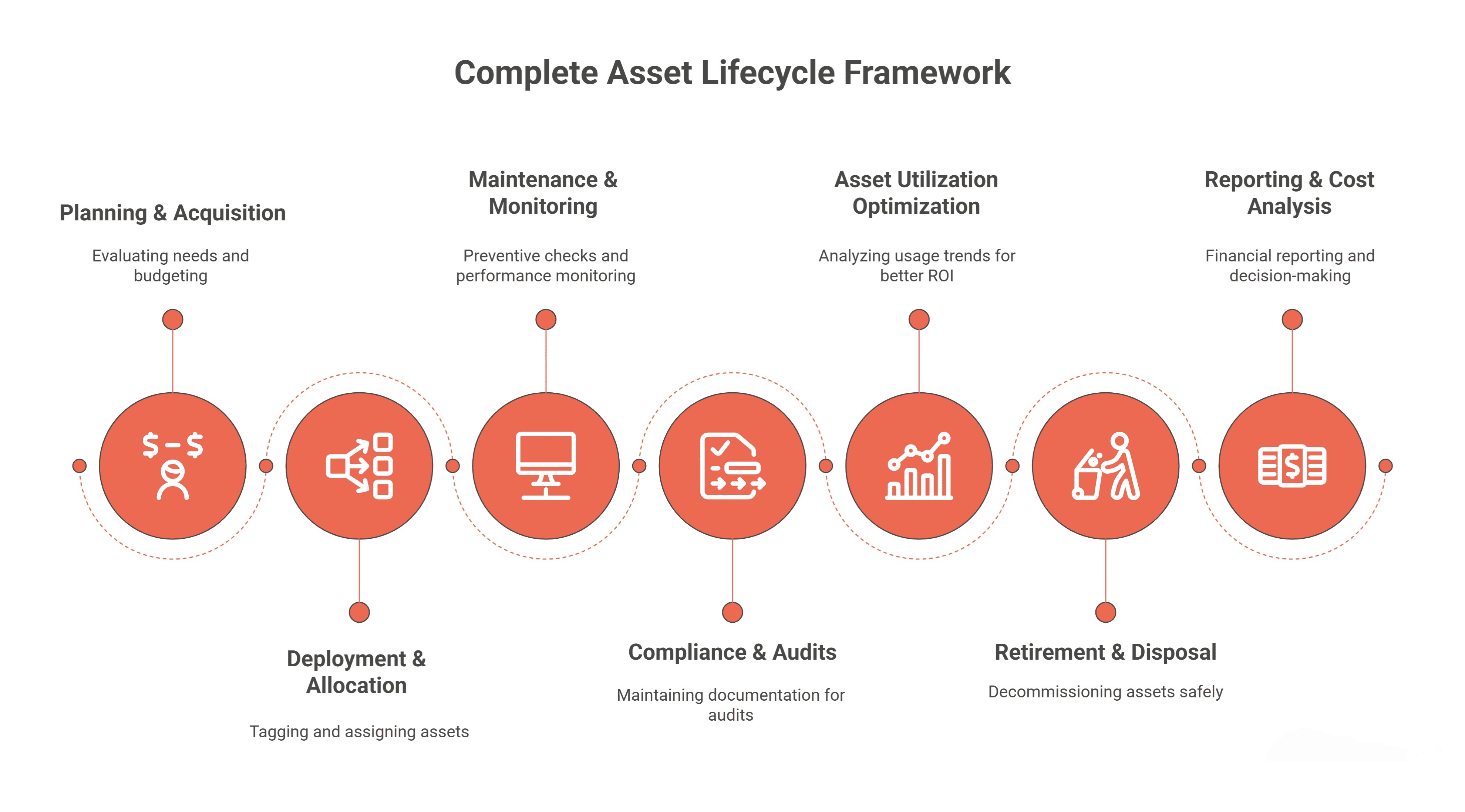
Every organization names the asset lifecycle stages a little differently. These six cover what most teams need.
| Stage | What happens | Usual owner | What the record gains |
|---|---|---|---|
| Plan | The need is justified and budgeted | Operations and finance | A planned asset, a budget and an approval |
| Acquire | Quotes, purchase order and receipt | Purchasing | Cost, supplier reference, purchase date, warranty |
| Deploy | Tagged, placed and assigned | Operations or IT | Asset number, label, location, custodian |
| Operate and maintain | Used, serviced and repaired | Maintenance | Work orders, failures, meter readings, costs |
| Verify and account | Counted, depreciated and reviewed | Finance and auditors | Count results, depreciation, book value |
| Dispose | Retired, sold, scrapped or donated | Finance and operations | Disposal reason, proceeds, gain or loss |
The Asset Lifecycle Management Checklist
Use these lists as a starting point and add the steps your industry or auditors require. Each item should have a named owner in your organization.
Stage 1: Plan
- Write down the need the asset meets and the cost of not buying it.
- Check whether a spare or idle asset at another site could meet the need first.
- Estimate the whole-life cost: purchase, installation, maintenance, energy and disposal.
- Agree the expected useful life and the replacement date.
- Get budget approval before purchasing is asked to buy.
Stage 2: Acquire
- Raise a purchase request against the approved budget.
- Get quotes where your purchasing policy requires them.
- Record the warranty terms and any service contract at purchase.
- Receive the asset against the purchase order and check it matches.
- Decide whether the asset is capitalized under your capitalization policy.
Stage 3: Deploy
- Create the asset record with a unique, permanent asset number.
- Record manufacturer, model and serial number from the nameplate.
- Fix a QR, barcode or RFID label and scan it once to confirm it opens the right record.
- Set the site, location, owning department and cost center.
- Assign a custodian who answers for the asset.
- Set its criticality, so maintenance knows what matters most.
Stage 4: Operate and Maintain
- Attach preventive maintenance plans by calendar, running hours or condition.
- Log every repair as a work order against the asset, with what failed and why.
- Check warranty and contract cover before paying for a repair.
- Record meter readings where plans or depreciation depend on use.
- Record every move and change of custodian when it happens.
- Review assets that fail repeatedly and decide whether to replace them.
Stage 5: Verify and Account
- Run depreciation every period and reconcile the register to the general ledger.
- Count every asset at least once a year, and portable high-value items more often.
- Investigate every asset not found, moved or damaged, and record the outcome.
- Review fully depreciated assets that are still in use, and idle assets that could be redeployed.
- Keep the audit trail: who changed what, and when.
Stage 6: Dispose
- Approve the disposal and record the reason: sold, scrapped, lost, donated or transferred.
- Close any open work orders and cancel plans and contracts on the asset.
- Record the buyer, reference and sale price where the asset was sold.
- Stop depreciation and post the gain or loss.
- Remove or deface the label, and keep the record for history.
IT Asset Management Checklist
IT assets follow the same stages with a few extra steps, because laptops and servers carry data, software and user accounts. Add these to the lists above for IT equipment.
| Stage | IT asset management checklist item |
|---|---|
| Plan | Check spare stock before ordering; set standard models per role |
| Acquire | Record serial numbers and warranty end dates from the supplier |
| Deploy | Assign to a named user; record hostname and operating system |
| Operate | Run discovery so devices nobody registered are found and reviewed |
| Operate | Track installed software against license entitlements |
| Operate | Record warranty and support contracts, and renew before they lapse |
| Verify | Ask users to confirm what they hold; follow up devices that stopped checking in |
| Offboard | List what a leaver should return, and recover it before their last day |
| Dispose | Wipe the data, record how the device left, and free its software licenses |
The IT asset management guide covers each of these steps in detail.
Asset Lifecycle Management Examples by Team
A manufacturing plant
Maintenance owns the longest stage. Plans on compressors and conveyors run on running hours, every failure is logged against the machine, and the repair history decides when a machine is replaced rather than its age alone.
A facilities team
Facilities manages HVAC units, lifts, furniture and building systems across several buildings. The checklist’s deploy stage matters most: every asset gets a location and a label, so a fault reported by a tenant lands on the right record.
An IT department
IT moves laptops through the lifecycle fastest, often in three or four years. Assignment, discovery and offboarding carry the most weight, and disposal must include a data wipe.
A finance team
Finance owns planning approvals, capitalization, depreciation and disposals. Its checklist items are the ones auditors test, so the monthly reconciliation and the yearly count are the habits to protect.
How Asset Infinity Supports Each Stage of Asset Lifecycle Management
Asset Infinity tracks an asset through a default lifecycle of seven statuses: Planned, Standby, Operational, Under Maintenance, Breakdown, Retired and Disposed. Status history is kept, so the record shows when each stage began.
- Plan. A scheme in a capital plan is proposed with a justification and a value and approved before money is released into a budget.
- Acquire. Purchase requests can be met from a spare in Standby before anyone buys new; otherwise they become quotes, a purchase order and a receipt.
- Deploy. The asset register gives each asset a number from a series you control, and the label designer prints QR, barcode or RFID labels. An asset in service cannot be saved without a custodian.
- Operate and maintain. Preventive maintenance plans fall due by calendar, meter, condition or a date on the asset, and contracts and warranties are checked when work is raised.
- Verify and account. Verification rounds, walked with the mobile app, record each asset as verified, moved, damaged or not found. Depreciation runs in several books and is calculated, posted and can be reversed.
- Dispose. A disposal records the reason, buyer, reference and sale price, and the gain or loss in each book.
See the full picture on the enterprise asset management software page.
Frequently Asked Questions
What is asset lifecycle management?
Asset lifecycle management is managing each asset through planning, acquisition, deployment, maintenance, verification and disposal, with one record that every team adds to. It helps decide when to repair, redeploy or replace an asset.
What are the stages of the asset lifecycle?
Most teams use five or six stages: plan, acquire, deploy, operate and maintain, verify and account, and dispose. Some split maintenance and monitoring, or add a separate utilization review.
What should an IT asset management checklist include?
It should cover standard models and spare stock before purchase, serial numbers and warranties at receipt, assignment to a named user, discovery and license tracking in use, recovery from leavers, and data wiping and license release at disposal.
How often should the checklist be reviewed?
Review the checklist once a year, after your annual count, and whenever an audit finding or a lost asset shows a step was missed.
Who owns asset lifecycle management?
No single team owns every stage. Finance usually owns approvals, depreciation and disposals, operations and IT own deployment, and maintenance owns the operating stage, all working on the same record.